Skip to main contentSkip to footer
1 of 10

Overview

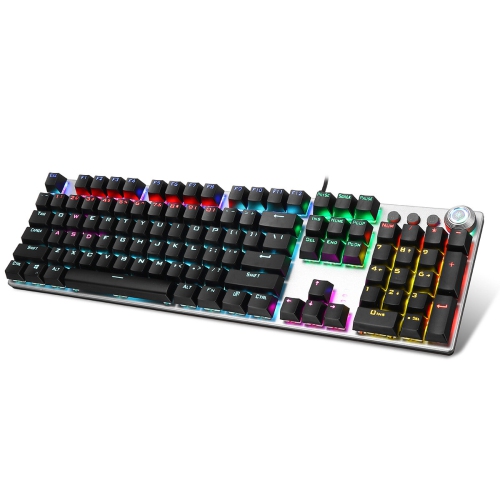
AULA F2088 104 Keys Mechanical Keyboard RGB Backlit Punk E-sports Gaming Keyboard Absorbable Hand Rest

AULA F2088 104 Keys Mechanical Keyboard RGB Backlit Punk E-sports Gaming Keyboard Absorbable Hand Rest

Model: 1810040POA7915083
Web Code: 17731683
Sold and shipped by | 2.5 seller rating (25 reviews)

Available for deliveryAvailable online only

Delivery times vary by location. Most Marketplace items leave sellers' locations within 2 business days. Allow additional time for shipping.

Enjoy on orders from this seller.

Seller Return Policy

Warranty

Check with the manufacturer for details.

For Quebec residents: See the Availability Guarantee disclosure in the Specifications section below.

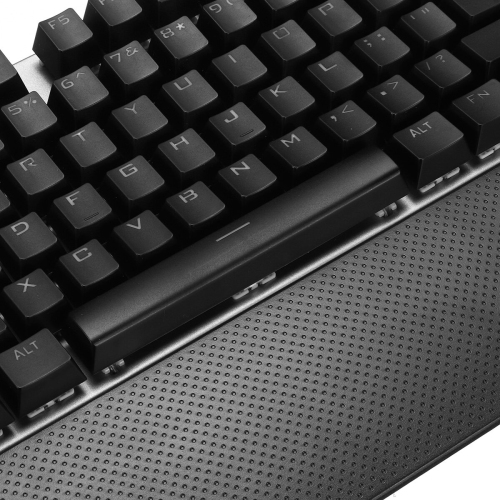
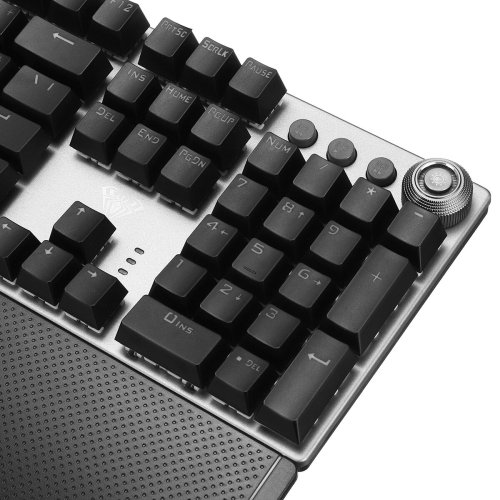
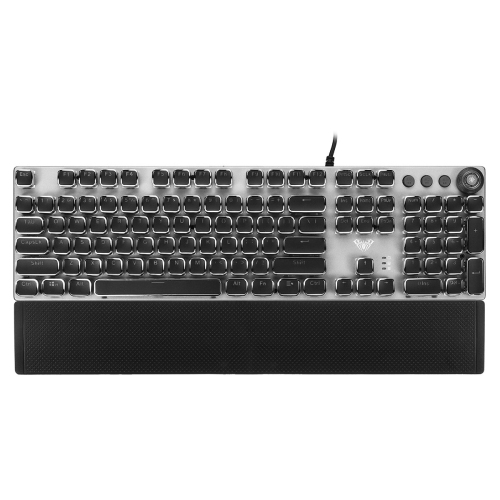
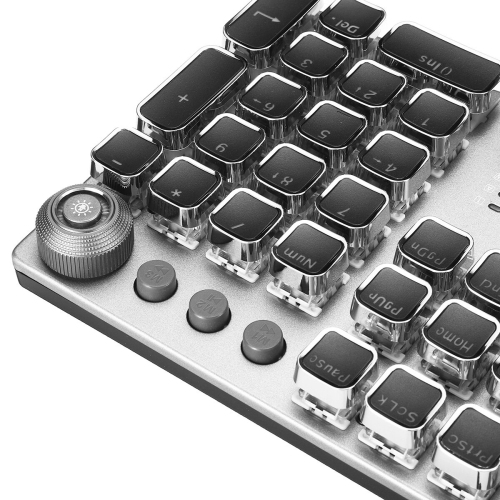
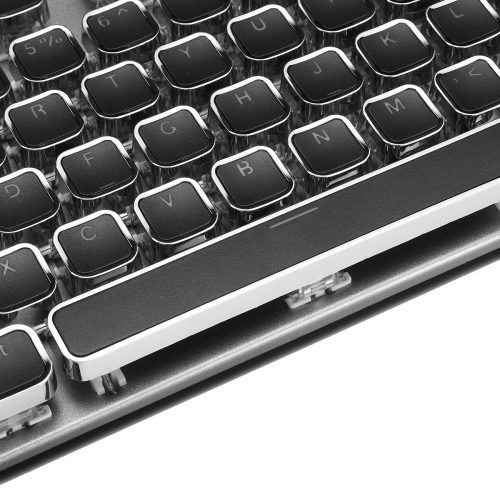
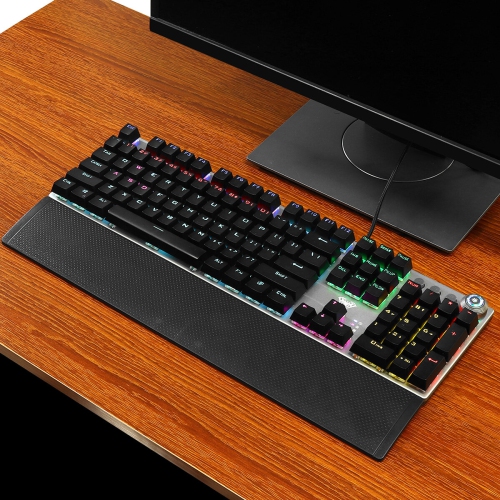
SPECIFICATION: Material: ABS+Metal Color: Electroplate, Black Transmission method: Wired USB Number of keys: 104 22 mixed backlight colors Key stroke: 2.0mm(Blue switch), 1.5mm(Black switch) Button strength: 60±10g Key life: about Ten million times Rated voltage/current: DC 5V/250mA Keyboard Dimensions: 440 x 135 x 35.17mm / 17.32 x 5.31 x 1.38 in Hand Rest Dimensions: 440 x 70 x 13 mm / 17.32 x 2.76 x 0.51 in System requirements: for Mac / Vista / Windows 7, 8, 10 DUAL MODE: 1.Knob dual mode design default lighting mode like 'light effect mode 'and 'multimedia mode' 2.Operation mode:long press for 3 seconds to switch the multimedia mode ,the knob light is off; the light effect mode, the knob light is on MULTIMEDIA MODE(PRSS): 1. Control the Volume By rotating the knob, you can adjust the volume of your headset or speaker, or press the button to make them mute 2.Rotate the knob up to decrease the volume /Rotate the knob down to increase the Volume 3.M1 for Last Song,M2 Play/Pause,M3 Next Song LIGHT EFFECT MODE(SPIN): 1. Switch The Lighting Effect Click the button to switch the light effect mode and store up to 19 lighting effects. 2. Adjust The Brightness By rotating the knob, you can adjust the brightness of the backlit or tum the lights off 3. Custom Your Lighting Effect Press M1 (or M2/ M3) firstly, then press and hold the M1 (or M2/ M3) button until the knob indicator flashes and the lights of the keys are off, you can custom your lighting effect by pressing the keys that you want, then press the M1 (or M2/ M3) to confirm FUNCTION: â—With a mode switch scroll wheel, the rotary button is pressed to switch between game mode and multimedia. When switching between the two modes, 'Num lock LED / Caps lock LED /Scroll LED' 3 LEDs flash simultaneously. â—With lock/unlock WIN button, the game is smoother. â—Support 3 independent LED indications: Num lock LED / Caps lock LED / Scroll LED. â—'FN+â†' breathing and heartbeat mode speed decreases, 'FN+→' breathing and heartbeat mode speed increases. â— 'FN+ ESC' restores lighting and custom functions to factory settings. â—'FN + W' switch WASD and 4 direction keys. FEATURES: â— 108 anti-ghosting keys,full key without conflict. â— Multi-function alloy knob to control volume and mode switch. â— Magnetic skin-friendly hand rest for extended gaming comfort. â— Black keyboard with precise and fast tactile feedback, especially suitable for gamers. â— Full of mechanical feeling keyboard, crisp click, especially suitable for typing entertainment. â— Real machanical keyboard with Blue switch/Black switch two kinds of switches are available. â— Customizable game lighting effects, you can make your own lighting according to your preferences. â— 22 kinds of illusion lighting effects can be realized through the button, One button switching, adjust the light brightness by the knob. M1/M2/M3 button can preset game lights and programmable. â— Plug and Play: Wired mechanical keyboard supports plug and play. Connect with USB, the PC detect it will automatically without driver or CD. PACKAGE INCLUDED: 1 x Wired Mechanical Keyboard 1 x Removable Hand Rest 1 x Pull Out The Keycap Instruction is not included. Hope a nice day!

Product Condition
Brand New
Colour
Black

For Quebec residents – Disclosure under the Consumer Protection Act

In compliance with Bill 29, Best Buy and third-party sellers on Best Buy Marketplace do not guarantee the availability of replacement parts, repair services, or maintenance information for any products. Coverage provided through any Best Buy Protection programs and applicable manufacturer warranties, if any, remain in place. Please contact the manufacturer directly for information about their availability guarantee.

Shipping Charges

Free standard shipping on all orders.

Processing Time

Most items ship within 2 business days after an order is placed*. Allow additional time for shipping to your address.
*Please note: If an item you ordered becomes unavailable, you'll be notified and a full refund will be processed within 2 business days.

Shipping Area Restrictions

Shipping is not available in the following areas*:
  • No restrictions in Canada
*Please note: Shipping area restrictions may vary for large items. If an item can't be shipped to your address, we'll let you know during the checkout process.
Product Category
Computer accessories
Return/Exchange Period
30 days
Condition
Opened