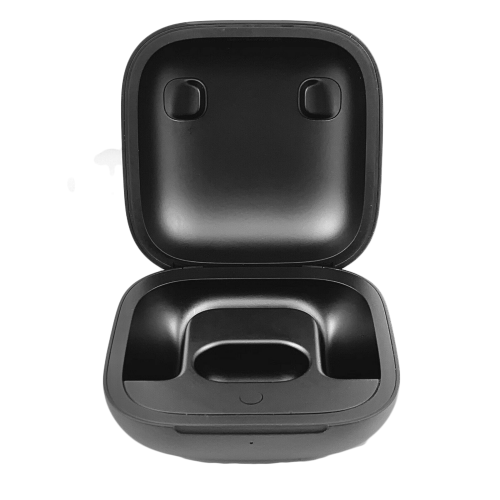
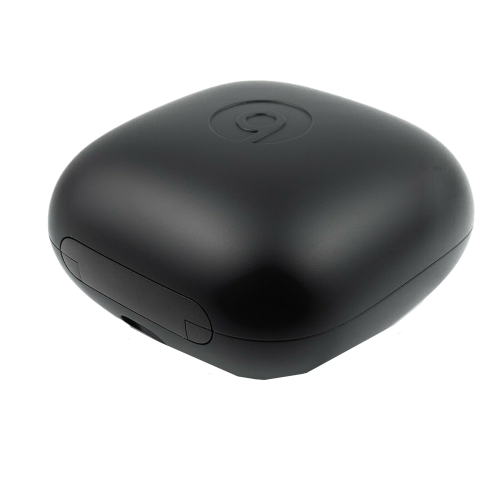
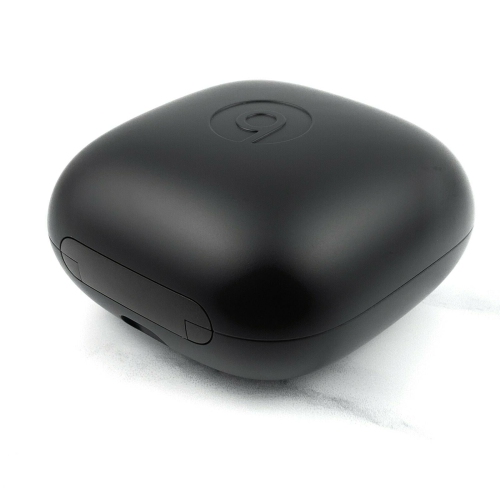
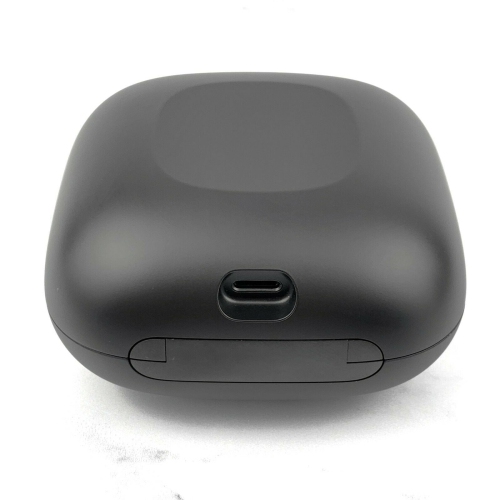
·100% Genuine Beats by Dre Powerbeats Pro Charging Case Replacement.
·
·Tested, sanitized, and verified for authenticity.
·
·Pulled from open box returns from major retailers who sell Authentic Beats.
·
·Fully Functional. Each unit is tested prior to shipping.
·
·3-5 Business Days USPS First Class Shipping.
·
·30 Day Returns. 90-Day Warranty.
·
Like New
Good
Fair
Excellent condition, with no wear or tear visible.
Light to moderate scratches or marks on the case or earbuds.
Visible scratches and/or dents. Fully functional.
For additional questions on product conditions, please send us a message.
If you have any issues pairing your device, please message us! Serial numbers are recorded before shipment for easier processing.
Contents of Purchase
1x PowerBeats Pro Charging Case Replacement. No other accessories will be included.
Shipping Details
The PowerBeats Pro replacement will be shipped the same business day or the next depending on the time of purchase. Orders purchased on Sunday will be processed Monday. Our shipping estimate is 3-5 Business Days via USPS First Class.
Sync Instructions
Place both Earbuds in your charging case, and charge for at least 1 hour through a wall outlet. Open the lid of the charging case and verify the light is flashing Red. Press and hold the setup button on the Beats for 5 to 30 seconds. The light should flash white. If still flashing Red, continue to charge for another 30 minutes, then attempt this step again until flashing white. Open the case, and with your Earbuds both inserted into the charging case still, hold it next to your phone (phone needs to be unlocked) and wait for the setup animation. Select connect, and tap done.
Return Policy
We do offer returns if you are dissatisfied with the product or if we cannot assist you in pairing the device. We always recommend sending a message first, we will do our best to respond quickly and resolve any issues.
Can You Replace Powerbeats Pro Charging Case?
Yes, you can replace the charging case of Powerbeats Pro. If you encounter any issues with the charging case or lose it, you can purchase a new one from an authorized retailer or the Apple Store. Ensure that you buy the compatible charging case for your Powerbeats Pro model.
Can I Charge the Case of Powerbeats Pro Without the Earbuds?
Yes, you can charge the charging case of Powerbeats Pro without the earbuds. The charging case has a charging port that you can use to charge the case without having the earbuds inside.
How Do I Fix My Powerbeats Pro Case Not Charging?
If you're having trouble with your Powerbeats Pro charging case not charging, there are a few things you can try to fix the issue. Firstly, ensure the charging cable is properly connected to the case and the power source. Ensure the charging port is clean and free of dirt or debris. You can clean the charging port and cable with a soft, dry cloth. If the issue persists, try resetting the charging case by holding down the button on the back until the LED light flashes.
How to Know if the Powerbeats Pro Case Replacement is Charging?
To know if a Powerbeats Pro charging case replacement is charging, you can follow a few simple steps. Firstly, ensure that the charging cable is properly connected to the charging port of the case and the power source. Once the charging cable is connected, check the LED light on the front of the case. If the LED light flashes white, the battery is low, and the case is charging. If the LED light is flashing amber, the case is currently charging. The LED light will turn solid white when the charging process is complete.
How to Connect Powerbeats Pro Charging Case Replacement?
To connect a Powerbeats Pro charging case replacement, start by making sure that the charging cable is properly connected to both the charging port of the case and the power source. Next, open the lid of the charging case and remove any protective coverings or packaging. Insert the earbuds into the charging case, ensuring that the metal contacts on the earbuds are facing downwards. Gently press the earbuds into place until you hear a click, and the LED light on the front of the case will begin to flash. This indicates that the earbuds are properly connected and are now charging. If the LED light fails to turn on, try using a different charging cable or power source. Once the earbuds are fully charged, the LED light on the front of the case will turn solid white, indicating that the charging process is complete.