

 Shop
Shop

 Latest and Greatest Tech
 Brands


 Computers, Tablets, & Accessories
 Cell Phones, Plans & Accessories
 Office Supplies & Ink
 TV & Home Theatre
 Headphones, Speakers, & Audio
 Cameras, Action Cameras, & Drones
 Car Tech and GPS
 Appliances
 Smart Home
 Home Living
 Baby & Maternity
 Video Games & VR
 Wearable Technology
 Health & Fitness
 Sports, Recreation, & Transportation
 Movies & Music
 Musical Instruments & Equipment
 Toys, Games, & Education
 Beauty
 Personal Care
 Travel, Luggage, & Bags
 Watches, Jewelry, & Fashion
 Gift Cards
 3-Day Flash Sale
 Deals
Deals
 Phones & Plans
 Outlet
 Services
OBD2 Scanner
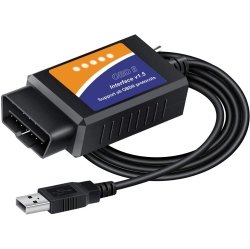
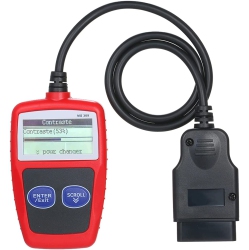

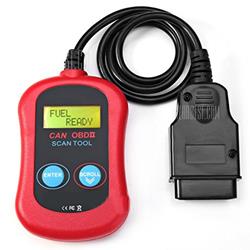
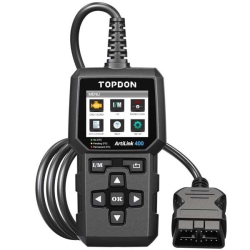


What to Consider When Choosing an OBD2 Scanner?
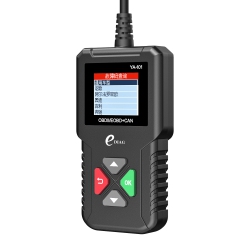
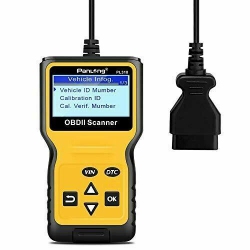
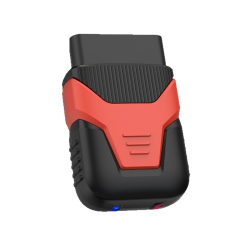
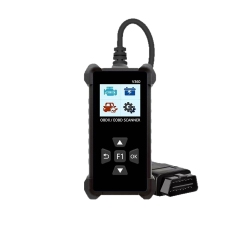
First, determine the connectivity you prefer. Bluetooth OBD2 scanners pair with iOS or Android devices for convenient mobile diagnostics, while Wi‑Fi OBD2 scanners offer a seamless experience on laptops or tablets. If you want a standalone screen, a traditional handheld OBD2 Scanner with a clear LCD may be best for quick checks.
Next, check compatibility. Look for CAN bus support, broad vehicle coverage, and access to OEM trouble codes plus DTC definitions. Some models include live data streaming and graphs, which helps you monitor sensor readings in real time during troubleshooting.
Consider the feature set. A good vehicle diagnostic tool should read and clear codes, display engine light status, show freeze-frame data, and support live data for multiple parameters such as RPM, vehicle speed, coolant temperature, and oxygen sensor readings. If you work on multiple brands, choose a tool with broad multi-brand support.
What Are the Most Popular Types of OBD2 Scanners?
Bluetooth OBD2 scanners are ideal for on-the-go diagnostics with mobile apps that display real-time data and offer code lookup. Wi‑Fi models are great for Mac or PC users who prefer a larger interface. Handheld OBD2 scanners with built‑in screens are popular for independent shops and DIYers who want a standalone experience without a phone. There are also multi‑brand professional diagnostic tools that provide advanced functions like bi-directional tests and live graphing for more in-depth diagnostics.
How to Use an OBD2 Scanner?
Start by locating the OBD2 port under the steering column, connect your Bluetooth or Wi‑Fi scanner, and pair with your device. Turn the ignition to the accessory position, select your vehicle in the app or device, and run a full system scan to pull engine codes (DTCs). The tool will explain each code and suggest possible causes. For accurate diagnostics, compare live data charts, reset fault codes only after repairs, and run a test drive to confirm the issue is resolved. Always consult your vehicle’s service manual or a qualified technician when interpreting codes.
Best Buy Canada’s range of OBD2 Scanner devices supports everything from casual maintenance to professional diagnostics, helping you diagnose issues quickly and make informed repair decisions. With a trusted selection and Canadian‑friendly warranties, you’ll have confidence in every purchase.
How Do I Choose Between Bluetooth, Wi‑Fi, and Standalone OBD2 Scanners?
Bluetooth scanners are highly portable and work well with smartphones and tablets, making them ideal for quick codes and DIY checks on the go. If you prefer a larger display or want to use a laptop or desktop, a Wi‑Fi OBD2 scanner or a desktop-compatible tool may be better for you. For shop environments or repeated use without a phone, a handheld OBD2 Scanner with a built‑in screen can accelerate workflows. In every case, ensure the device supports the vehicles you own and offers robust tool updates and reliable customer support from the manufacturer and retailer.
With Best Buy Canada, you can select from a broad mix of wireless and wired options, backed by Canada‑level service, easy returns, and real customer feedback to guide your purchase.
What is an OBD2 Scanner and how does it work?
An OBD2 Scanner is a diagnostic tool that connects to your vehicle’s OBD2 port to read stored trouble codes, monitor live engine data, and help identify issues affecting performance or emissions. The device communicates with the vehicle’s onboard computer to retrieve DTCs (Diagnostic Trouble Codes) and provides definitions or guidance for potential repairs. Depending on the model, you can view live curves, save scans for later comparison, and share results with a mechanic for faster service.
Do I need Bluetooth or Wi‑Fi connectivity for my OBD2 Scanner?
Bluetooth and Wi‑Fi provide convenient wireless connections to mobile devices or computers. Bluetooth is generally best for near‑field use with smartphones, while Wi‑Fi offers broader compatibility with laptops and home networks. If you often work away from your phone or need to share data with colleagues, a Wi‑Fi model can be more versatile. For quick checks and portability, a Bluetooth model is usually sufficient. Always verify the app ecosystem and data transfer reliability before purchasing.
Recommendations
Some products may be subject to Environmental Handling Fees (EHF) depending on your province. Learn more about EHFs