Creator Starter Kit: The Gear You Need to Start Creating
Ready to post your first video, stream your first live, or launch your podcast? Build a creator starter kit with the right camera, mic, lighting, and accessories—then hit record with confidence.
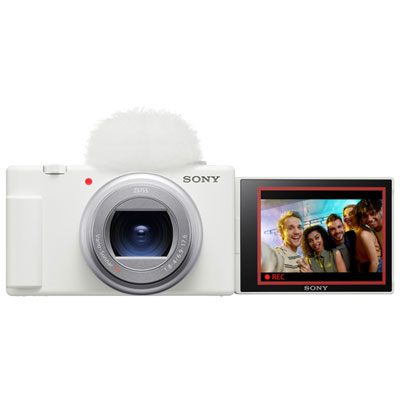
Cameras & Webcams for Creators
From vlogging cameras to compact 4K options—find the right lens (and workflow) for your first uploads.
Microphones & Audio Upgrades
Clear voice, less fuss—USB mics that help your videos, streams, and podcasts sound instantly more polished.
Creator Lighting
Look your best on camera with key lights, ring lights, and easy desk-friendly lighting options.
Streaming Control & Capture
Capture gameplay or HDMI video and control your setup with quick, tactile shortcuts for scenes, audio, and apps.
Tripods, Grips & Desk Mounts
Steady shots and cleaner framing—mount your camera or mic where it works best for your space.
Fast Storage & Memory Cards
Keep projects moving with speedy external SSDs and dependable cards for recording and transfers.
Tips
- Start with your content type: talking-head videos prioritize audio and lighting; gaming streams prioritize capture and on-screen controls.
- Upgrade audio first: a dedicated USB mic can make your content sound more “pro” even before you upgrade your camera.
- Place your key light slightly above eye level and off to one side for flattering, natural-looking shadows.
- Use a tripod or grip for steady framing—then lock focus and exposure so your shot doesn’t “hunt” mid-take.
- If you’re streaming from a console or using a camera as a webcam, choose a capture device that matches your target resolution and frame rate.
- Plan for storage early: 4K clips add up fast, so keep a high-speed external SSD for projects and backups.
- Keep your setup simple: one mic, one main light, and one stable mount is a strong first build—add extras once your workflow is consistent.
- Do a quick pre-flight check before you record: battery/charging, free space, audio levels, and a 10-second test clip.
Frequently Asked Questions
A solid starter kit usually includes: a camera (or webcam), a microphone, a key light, a stable tripod or desk mount, and fast storage for files. If you stream or record gameplay, add a capture card and a control pad for quick scene and audio changes.
A phone is a great place to start—especially if you add a mic and a light. A dedicated camera can help when you want better low-light performance, cleaner background blur, more lens options, or longer recording sessions.
USB microphones are the easiest: plug in and record or stream right away. XLR can offer more flexibility, but it typically requires an audio interface or mixer. If you’re starting out, USB is usually the fastest path to better sound.
Ring lights are simple and give even, face-friendly lighting—great for social videos and desk setups. Panel or monitor-mounted lights can look more natural and are easy to position for calls, streams, and talking-head shots.
You’ll want a capture card if you’re streaming from a console (PlayStation, Xbox, Switch), recording gameplay to a PC, or bringing a camera’s HDMI output into your computer for higher-quality video. If you only use a USB webcam, you typically don’t need one.
It depends on your recording settings, but 4K files can grow quickly. Many creators start with at least a 1TB external SSD for current projects, plus memory cards for recording and a backup plan for finished videos.