Samsung Smart Monitors
9 results
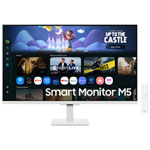
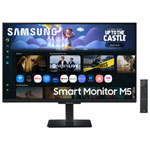


Samsung Smart Monitors: A Smarter Way to Work, Stream, and Stay Connected
Samsung Smart Monitors are built for people who want a screen that can do more. They combine the functionality of a monitor with the convenience of a smart TV and the tools of a productivity hub. With built-in apps, wireless connectivity, and easy device integration, Smart Monitors allow you to stream, browse, create, and connect without switching between screens or needing a full desktop setup.
Whether you're setting up a home office, working from a condo, or upgrading a bedroom with a single all-purpose screen, Smart Monitors offer flexibility that fits into modern life. You can use them for video calls, cloud-based documents, on-demand entertainment, and even wireless screen mirroring from your phone or tablet.
What can you do with a Samsung Smart Monitor?
Samsung Smart Monitors let you do more than traditional displays. Thanks to built-in Wi-Fi, Bluetooth, and the Tizen operating system, you can stream directly from apps like Netflix, YouTube, Disney+, and Prime Video without plugging in a laptop or desktop. You also get a built-in web browser for quick searches, online tools, or checking email.
Need to get work done? Access Microsoft 365 or Google Workspace directly through the monitor. With a connected keyboard and mouse, you can create and edit documents, manage spreadsheets, and join virtual meetings without launching a separate device. Many models support remote desktop tools as well, letting you access files and software from your office PC from anywhere.
And when it's time to unwind, Smart Monitors switch seamlessly into entertainment mode. Built-in speakers and support for voice assistants like Bixby and Alexa let you control playback, volume, or switch inputs using voice commands or the included remote.
Are Samsung Smart Monitors good for productivity?
Yes, Smart Monitors are a great choice for both professional and casual productivity. With features like USB-C input, screen mirroring, and Bluetooth connectivity, these displays easily pair with your laptop, tablet, or smartphone for a wireless workspace. You can use multi-window tools or split-screen viewing to manage multiple tasks side by side, making it easier to stay organized during busy workdays.
Many Smart Monitors also support Samsung DeX, allowing compatible Galaxy devices to launch a desktop-style interface on the screen. This turns your phone into a workstation, complete with access to apps, files, and a traditional layout for working with documents or presentations. If you need a camera for meetings, some models come with built-in webcams, while others are compatible with external USB accessories.
Can a Samsung Smart Monitor replace a TV or computer monitor?
For many users, yes. Smart Monitors are designed to be versatile enough to handle work, entertainment, and everyday computing needs. When connected to a PC or console, they function like a traditional monitor with sharp resolution and low input lag. When used on their own, they offer streaming access, smart features, and voice control similar to a modern smart TV.
If you're short on space or want to minimize cables and clutter, a Smart Monitor is a smart alternative to buying separate devices for work and entertainment. You can watch shows, attend meetings, manage documents, and even take video calls from one screen, all while freeing up desk or shelf space in the process.