Wireless Security Cameras
251 results
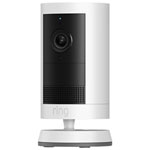
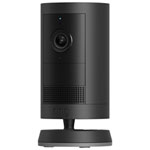


Find the right wireless security camera
When comparing wireless cameras, consider where each camera will be installed and the size of the area you want to monitor. A single camera may be suitable for a front entrance or garage, while a multi-camera system can provide broader coverage around the exterior of your home.
Wireless outdoor security cameras
Wireless outdoor security cameras are designed for monitoring locations such as driveways, backyards, side entrances, porches, and detached garages. Look for models rated for outdoor use and check the manufacturer’s recommended operating temperature and weather-resistance specifications.
For nighttime monitoring, compare infrared night vision, colour night vision, built-in spotlights, and motion-activated lighting. A wider field of view can help cover larger areas, while adjustable motion zones may reduce alerts from nearby roads, trees, or other high-traffic spaces.
Compare video and security features for wireless security cameras
Video resolution affects the level of detail visible in live and recorded footage. Wireless security cameras are available with HD, 2K, and 4K video, although image quality can also depend on lighting, camera placement, and Wi-Fi performance.
Other useful features may include:
- Motion and sound detection
- Person, vehicle, animal, or package alerts
- Two-way audio
- Built-in sirens or spotlights
- Mobile notifications
- Live video viewing
- Smart-home compatibility
Feature availability varies by camera, and some advanced alerts may require a subscription.
Security camera storage and connectivity
Wireless security cameras may save recordings through cloud storage, local storage, a compatible hub, or a memory card. Local storage can help reduce ongoing fees, while cloud storage can provide convenient access to recordings from different devices.
Before purchasing, review the camera’s Wi-Fi requirements, storage options, subscription details, and compatibility with your existing security products or smart-home platform.
Frequently Asked Questions About Wireless Security Cameras
Can wireless security cameras be used outside?
Yes, many wireless security cameras are designed for outdoor use, but it is important to choose a model specifically rated for exterior installation. Outdoor wireless security cameras are built to handle exposure to rain, snow, dust, humidity, and changing temperatures. Check the product’s weather-resistance rating and recommended operating-temperature range to make sure it is suitable for your location, especially during Canadian winters.
Camera placement also affects performance. Install the camera where it has a clear view of the area you want to monitor, while avoiding direct sunlight, reflective surfaces, and objects that may trigger unnecessary motion alerts. Covered locations, such as beneath an eave or porch roof, can provide additional protection without blocking the camera’s field of view. Before installation, confirm that the location has a strong Wi-Fi signal and access to power if the selected model requires a power connection.
Do wireless security cameras require Wi-Fi?
Most wireless security cameras require a Wi-Fi connection to send mobile alerts, provide live video, upload recordings, and allow remote viewing through a smartphone app. The camera connects to your home network without an Ethernet cable, although some models may still require a power cable.
Wi-Fi strength can affect video quality, notification speed, and connection reliability. Cameras installed far from the router, behind thick walls, or outside the home may experience a weaker signal. A mesh Wi-Fi system, Wi-Fi extender, or compatible camera hub may help improve coverage in these areas.
Some wireless security cameras can continue recording to local storage during a temporary internet outage, but remote viewing and cloud-based features may be unavailable until the connection returns. Review the product specifications to confirm its network requirements, supported Wi-Fi frequency, hub compatibility, and offline recording capabilities.
Do wireless security cameras require a subscription?
Not all wireless security cameras require a subscription. Many models provide basic features such as live viewing, two-way audio, motion notifications, and local video storage without a monthly fee. However, the features included without a subscription vary by brand and camera.
A paid plan may be required for cloud video history, extended recording storage, package detection, person or vehicle recognition, custom activity zones, or other advanced alerts. Some cameras include a free trial, after which certain features may become unavailable unless you subscribe.
Before choosing a camera, compare the included features, monthly or annual plan costs, cloud storage duration, and available local storage options. A camera with a memory card slot or compatible storage hub may appeal to shoppers who want to reduce recurring costs, while cloud storage may offer easier access to recordings when away from home.
What should I look for in a wireless outdoor security camera?
Start by considering the area you want to monitor. A wide field of view can help cover a driveway, backyard, or front entrance, while higher video resolution may make it easier to see important details. Wireless outdoor security cameras are available with HD, 2K, and 4K video, but image quality can also be affected by lighting, Wi-Fi strength, and camera placement.
For nighttime monitoring, compare infrared night vision, colour night vision, built-in spotlights, and low-light performance. Motion detection features can include adjustable activity zones and alerts for people, vehicles, animals, or packages. Two-way audio allows you to speak with visitors, while built-in sirens or lights may help discourage unwanted activity.
Also review the camera’s weather rating, operating-temperature range, storage options, subscription requirements, power source, smart-home compatibility, and mobile app features. These details can help you find a camera that matches both your property and the way you plan to use it.
How far can a wireless security camera be from the router?
The effective distance depends on the router, the camera, the layout of the home, and the number of walls or other obstacles between them. A camera may connect reliably at a greater distance in an open area than it will through brick, concrete, metal siding, or multiple interior walls.
Before permanently installing the camera, test it in the intended location and check the live video quality in the manufacturer’s app. Slow loading, interrupted footage, delayed notifications, or frequent disconnections may indicate a weak signal.
Moving the router to a more central location may improve performance. For larger homes or cameras placed around a garage, backyard, or detached building, a mesh Wi-Fi system, Wi-Fi extender, or compatible security camera hub may provide more reliable coverage. Always check the camera’s supported Wi-Fi bands and network requirements before purchasing additional networking equipment.
How do wireless security cameras store video?
Wireless security cameras can store footage in the cloud, on a memory card, on the camera itself, or through a compatible hub or recorder. Storage options vary by model, and some cameras support more than one method.
Cloud storage allows recordings to be accessed remotely through an app and may protect footage if the camera is damaged or removed. However, it often requires a subscription and may limit how long recordings remain available. Local storage can reduce ongoing fees and keep video on a memory card or connected hub, although storage capacity and remote-access features may be more limited.
When comparing cameras, check whether storage is included, how much recording history is available, whether old footage is automatically overwritten, and whether a subscription is needed to save or download clips. Also confirm whether the camera records continuously or only when motion is detected.
Do wireless security cameras record all the time?
Some wireless security cameras support continuous recording, while others record only when motion or sound is detected. Motion-based recording can make footage easier to review and reduce the amount of storage required. Continuous recording provides a more complete video history but may require constant power, additional storage, a compatible recorder, or a paid cloud plan.
The available recording modes depend on the individual camera and its storage setup. Some models allow you to adjust recording length, motion sensitivity, activity zones, and alert schedules. These controls can help reduce recordings caused by passing vehicles, moving trees, pets, or other routine activity.
Review the product specifications to confirm whether the camera supports continuous recording, event-based recording, scheduled recording, or pre-event video capture. Storage capacity, internet speed, power requirements, and subscription level may also affect which recording options are available.