Apple Mice
12 results
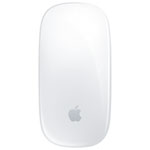
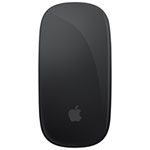
Apple Mice: Gesture-Driven Control for the Modern Mac User
Why Do People Choose Apple Mice?
Apple mice are purpose-built for users within the Apple ecosystem, offering a refined, seamless experience that integrates directly with macOS. The clean, minimalist design matches the aesthetic of other Apple devices, while the multi-touch surface introduces a new way to interact with your computer. Instead of relying on traditional scroll wheels or side buttons, Apple mice allow users to swipe, tap, and scroll using natural finger movements. This makes navigation feel smooth and intuitive, especially for tasks like switching desktops, zooming, or accessing system features. With wireless functionality and easy pairing, Apple mice are a convenient and visually cohesive choice for Mac users.
Are Apple Mice Good for Everyday Use?
Apple mice are well-suited for daily tasks, whether you are browsing the web, organizing files, editing documents, or using creative software. The gesture-based surface allows users to perform actions more fluidly than with a standard mouse. For example, scrolling through pages or switching between applications feels more like using a touchscreen, which aligns with the intuitive design Apple is known for. Their compact, wireless design also eliminates clutter and makes them easy to carry, which is ideal for both home setups and mobile workflows.
Are Apple Mice Comfortable to Use?
The low-profile design of Apple mice is lightweight and travel-friendly, but comfort can vary depending on user preference. Some people enjoy the slim, symmetrical shape, especially for light to moderate use. Others may find the design less ergonomic during extended sessions, especially if they are used to larger or more contoured mice. However, the smooth surface and responsive touch input help reduce the physical effort needed to navigate, which can still result in a satisfying experience. For those seeking enhanced comfort, pairing the mouse with a wrist rest or adjusting hand posture may improve usability.
Do Apple Mice Work with Other Devices?
Apple mice use Bluetooth for wireless connectivity and can be paired with a variety of devices beyond the Mac, including iPads, some Windows computers, and other Bluetooth-enabled platforms. However, the full range of multi-touch gestures is only available within Apple’s own operating systems. On non-Apple devices, users may only have access to basic mouse functions such as point and click. For the best experience, especially when using advanced features like swiping between desktops or accessing gesture-based shortcuts, pairing the mouse with a Mac or iPad is strongly recommended.
How Durable Are Apple Mice?
Apple mice are made with high-quality materials and are built to last. The touch surface remains responsive even after years of use, and the internal battery provides impressive longevity on a single charge. Users can expect weeks of battery life, and charging is fast and straightforward. With proper care and regular software updates through macOS, these mice can maintain their performance and remain compatible with new devices over time. The simple construction also means fewer mechanical parts that might wear down, contributing to their overall durability.
Are Apple Mice Worth the Price?
For users who rely on macOS features and value an integrated user experience, Apple mice offer strong long-term value. The price reflects not just the hardware but also the seamless connection with Apple software and the ability to use gestures that simplify everyday workflows. While there are more affordable alternatives available, few match the level of system integration or the aesthetic appeal that Apple mice provide. For many Mac users, the investment is justified by the smooth performance and consistent user experience across all Apple devices.