Wired Gaming Headsets
71 results
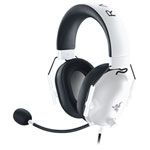
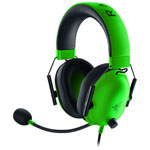
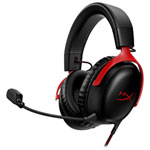
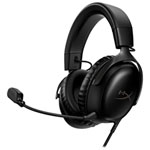
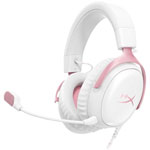
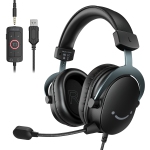
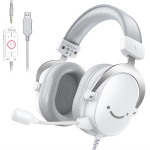
Wired Gaming Headsets: Zero Latency, Lasting Value, and Nothing to Charge
There's a reason wired gaming headsets have never gone out of style. While wireless technology has made enormous strides, a physical cable still delivers something no wireless connection can fully replicate: guaranteed, zero-latency audio that works the moment you plug it in. No battery checks before a session, no dropout risk in the middle of a match, and no premium charged for radio hardware you may not need. For players who game at a fixed setup — a PC desk, a console in the living room, or a laptop at a table — wired headsets offer a level of reliability and value that's hard to match. Best Buy Canada carries wired gaming headsets from HyperX, Razer, SteelSeries, Corsair, Logitech, and more, across a wide range of prices and connection types.
What Connection Type Does a Wired Gaming Headset Use?
This is one of the most important questions to answer before purchasing, because the connection type determines which devices the headset works with and how it processes audio.
The 3.5mm analog jack is the most universally compatible option. It works with PC headphone outputs, PlayStation and Xbox controllers, Nintendo Switch in handheld mode, laptops, and most smartphones. Headsets using a single combined TRRS connector, where headphone and microphone share one plug, work natively with controllers and phones. Some older PC setups have separate headphone and microphone jacks, in which case a dual-splitter cable or adapter is needed; many headsets include one in the box.
USB-A is the go-to for PC-first setups. The USB connection powers the headset's onboard DAC and audio processing independently of your motherboard's integrated audio, which typically results in cleaner, more consistent sound, especially on systems where the onboard audio chip is prone to interference or static. Most wired gaming headsets with virtual surround sound or companion software EQ require a USB connection to enable those features.
USB-C is increasingly common on newer models and is the native connection for PlayStation 5, modern laptops, and Android devices. Some headsets ship with both USB-C and USB-A in the cable, or include adapters for both, which covers the widest range of platforms without compromise.
How Do I Know Which Platforms a Wired Headset Is Compatible With?
Compatibility is primarily determined by the connection type the headset uses and whether the platform supports that input.
PlayStation 5 accepts both USB-A and USB-C audio connections directly on the console, as well as 3.5mm through the DualSense controller, making it one of the most flexible platforms for wired headsets. Xbox Series X|S does not support USB audio output from the console itself, so wired headsets on Xbox connect through the 3.5mm jack on the Xbox Wireless Controller. Nintendo Switch supports 3.5mm in handheld mode and USB audio in docked mode depending on the headset. PC is the most permissive platform, supporting USB-A, USB-C, and 3.5mm across virtually all models.
If you want one headset for PC and console, a model that ships with both a USB cable and a 3.5mm adapter, such as the HyperX Cloud III, is the most practical choice. Always verify the specific connections included before purchasing if cross-platform use is a priority.
Can I Use a Wired Gaming Headset with My Phone or Tablet?
Yes, with the right connector. Phones and tablets with a 3.5mm jack accept standard TRRS gaming headsets directly, with both audio and microphone working out of the box. For devices that use USB-C audio which includes most modern Android phones and iPads, a USB-C gaming headset or a USB-C to 3.5mm adapter enables the same functionality.
The one detail worth checking is whether the headset uses a combined TRRS plug or ships with a dual-splitter. Headsets that come only with a dual-splitter (separate headphone and microphone jacks) require a TRRS combiner adapter to work with phones, since phones use a single combined audio port. This is usually a $5–$10 accessory, but it's worth knowing in advance. Most headset product pages specify the cable configuration, and customer questions on retailer listings are a reliable source for real-world compatibility answers.
Will a Wired Gaming Headset Work for Streaming and Content Creation?
Yes, and for many streamers it's actually the preferred setup. A direct wired connection to a PC eliminates wireless interference as a variable in audio quality, and USB-connected headsets often produce a cleaner, more consistent microphone signal than comparable wireless models because the signal path is shorter and doesn't involve compression or wireless transmission.
For casual streaming and Discord communication, a mid-range wired gaming headset with a noise-cancelling boom microphone is entirely sufficient. The HyperX Cloud Alpha and the Logitech G Pro X are frequently cited by streamers as strong performers in this regard, offering microphone clarity and voice isolation that hold up well in a broadcast context without requiring a separate dedicated microphone.
For streamers who want broadcast-quality audio, the natural next step is pairing a wired headset, used for monitoring game audio, with a separate USB condenser microphone for voice. This combination gives you independent control over both audio paths, which is a more flexible and higher-quality arrangement than relying on a headset microphone alone for both functions.
How Long Does a Wired Gaming Headset Last?
Significantly longer than wireless, in most cases. Without a battery in the equation, there's no built-in degradation timeline, a wireless headset's battery typically begins to show reduced capacity after two to three years of regular use, while a wired headset can remain fully functional indefinitely if the cable and physical components hold up.
The cable is the most common failure point for wired headsets and worth paying attention to when comparing models. Braided cables resist kinking, tangling, and fraying far better than standard rubber-coated cables, particularly at the connector ends where stress concentrates. Headbands with steel or aluminum adjustment mechanisms hold their position reliably after years of use, whereas plastic headbands can crack or lose tension. Both of these are worth checking in specifications or user reviews before buying.
Ear cushions wear out on any headset regardless of connection type, but most mid-range and premium wired models, including those from HyperX, SteelSeries, and Corsair, sell replacement ear pads separately, extending usable life by several additional years at minimal cost. A well-maintained wired gaming headset can easily last five years or more.
What Is the Difference Between Stereo and Surround Sound on a Wired Headset?
All gaming headsets, wired or wireless, have two physical drivers, one per ear. Stereo presents audio through these two channels as-is, relying on the natural spatial cues in the game's audio mix to convey direction and distance. A well-tuned stereo headset with a wide soundstage can deliver excellent positional accuracy, and many competitive players specifically prefer stereo because it presents audio cues without the processing artefacts that virtual surround can sometimes introduce.
Virtual surround sound, marketed as 7.1 or 3D audio, uses software or an onboard DSP chip to simulate a ring of speakers around your head from the same stereo pair. On PC, USB-connected wired headsets unlock this feature through companion software like Dolby Atmos, DTS:X, or brand-specific tools such as Razer Surround or SteelSeries Sonar. The effect adds a sense of height and rear separation that is genuinely useful for open-world and immersive single-player games. Whether it improves performance in competitive play is subjective and debated, which is why most gaming headsets with surround support let you toggle it off with a button or in software — giving you the flexibility to decide per game.
Can Two People Use the Same Wired Headset Setup at Once?
Not from a single port without a splitter, but a standard 3.5mm headphone splitter, a small Y-adapter widely available for a few dollars, lets two people plug their headsets into the same output and hear the same audio simultaneously. This works well for couch co-op, watching content together, or a parent monitoring what a child is hearing during gameplay. Both listeners receive identical audio, and volume can only be controlled independently if each headset has its own inline dial.
For a setup where both people need working microphones, such as two players communicating in the same online game from the same room, each player needs their own dedicated audio input. On PC, this typically means one headset on USB and one on the 3.5mm jack, or using a USB audio adapter to add a second microphone input. Most gaming consoles support only one audio input at a time, so true dual-mic setups on console are easier to achieve with separate devices.
Is a Wired Headset Still Worth Buying When Wireless Has Caught Up?
The premise is partly true and partly marketing. Modern 2.4GHz wireless gaming headsets have closed the latency gap to the point where most players cannot perceive the difference in everyday use, and premium wireless models genuinely rival wired headsets on audio quality. What hasn't changed is price and simplicity. Wireless adds cost — the same audio hardware costs more when paired with a wireless system — and it adds variables: battery management, potential interference in RF-dense environments, and the small but real inconvenience of a depleted battery mid-session.
For a player who games at a desk, doesn't move around, and wants the best possible audio and microphone quality within a defined budget, a wired headset remains the more rational choice at almost every price point. For a player who values freedom of movement, a cleaner desk setup, or the ability to walk away from the screen mid-game, wireless has genuinely earned its premium. The honest answer is that wired hasn't been surpassed — it's simply been joined by a wireless tier that now serves different preferences well.
Explore the full range of wired gaming headsets at Best Buy Canada — ranked and curated based on verified customer reviews and expert testing — to find the right match for your platform, your budget, and how you play.