Skip to main contentSkip to footer
Slide 1 of 17

Overview

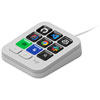
Logitech MX keypad is designed for developers who want faster, more efficient workflows with instant access to tools. It offers nine customizable LCD keys for shortcuts, app-aware profiles that switch layouts automatically, and native integration with developer tools and GitHub Copilot. Drag-and-drop customization and support for custom plugins help personalize every aspect of your workflow.

Logitech MX Creative Programmable Macro Keypad - Pale Grey

Brand: Logitech
Model: 920-013890
Web Code: 20151760
Sold and shipped by Best Buy

Colour: Pale Grey
Colour Pale Grey
Colour Pale Grey

Pale Grey

Not available for deliverySold out online

Release Date: September 30, 2026

Not available for pickup

Not available for pickup

Sorry, at this time, this product cannot be picked up in-store.


Best Buy Protection Plan

Coverage that goes above and beyond the manufacturer’s warranty.

Return Policy

30 days to return or exchange

Read return policy

Manufacturer's Warranty

Check with the manufacturer for details or add Best Buy Protection for extra coverage.

For Quebec residents: See the Availability Guarantee disclosure in the Specifications section below.

  • Programmable keypad with nine customizable LCD keys provides instant access to apps, documents, and complex commands for streamlined control
  • App-aware profiles automatically change key functions as you switch between supported IDEs, Slack, Chrome, and other tools, keeping essential shortcuts available
  • Native integration with VS Code, IntelliJ, and GitHub Copilot offers dedicated buttons to navigate code and access developer features efficiently
  • Drag-and-drop customization lets you organise actions across multiple key pages, create toggles and macros, and customise icons, with additional content available from Logi Marketplace (requires Logi Options+ app, available for recent versions of Windows and macOS on the official Logitech website)
  • Native integration with GitHub Copilot enables one-tap access to AI-assisted coding, triggering custom AI agents and prompts with a single key (requires an active internet connection and account with respective third-party AI providers)
  • Automate coding routines by running complex sequences like launching terminals, starting servers, running scripts, and executing Git commands at the press of a key
  • Extensible Logi Actions SDK lets you build custom plugins and integrations, enabling you to tailor the keypad to your own apps
  • Native controls for Spotify, Zoom, and Adobe help you manage your developer setup and creative projects more efficiently

For Quebec residents – Disclosure under the Consumer Protection Act

In compliance with Bill 29, Best Buy and third-party sellers on Best Buy Marketplace do not guarantee the availability of replacement parts, repair services, or maintenance information for any products. Coverage provided through any Best Buy Protection programs and applicable manufacturer warranties, if any, remain in place. Please contact the manufacturer directly for information about their availability guarantee.