Features & Design
Designed for more
Meet the monitor designed for more. More seamless productivity. More connectivity than ever. More considerate of the environment.
Quadruple view
Conquer your tasks with up to four partitions
Expand your productivity by organizing your display in up to four unique FHD partitions via Internal Multi-Stream Transport (iMST) when connected to a single PC. No external software or DisplayPort splitter needed.
Connect up to four PCs
Master multitasking and collaboration
Work on four different PCs using a single keyboard and mouse. KVM and Auto KVM enable seamless switching from one PC input to another.
Share content from multiple PCs simultaneously in a huddle setup.
Elevate your workspace
Quick-access ports: Enjoy the convenience of front-facing, pop-out USB-A and USB-C (15W charging) ports to connect your peripherals. When you are done, just pop the ports back in to maintain a clean look.
Comprehensive connectivity: Connect your devices to a single monitor through a whole range of ports, from HDMI to multiple USB-A and USB-C ports. Power your laptop with a single USB-C cable to transmit data, audio and video while delivering up to 90W of power. The RJ45 (1Gbps) provides a fast and stable network connection.
Adapted to you
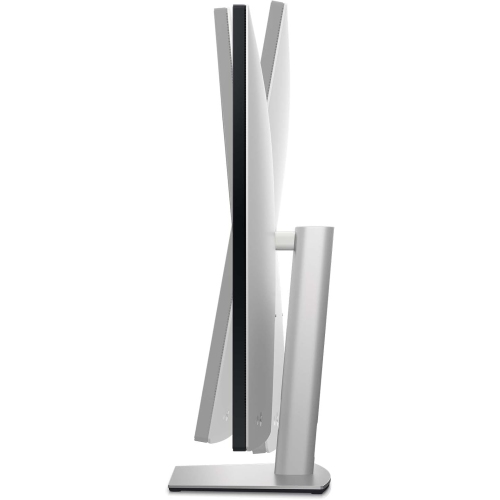
Built for comfort:Tilt, swivel, and adjust the monitor to your ideal height for a comfortable setup all day long. Clear sound is conveniently built in with integrated dual 8W speakers.
Jumpstart productivity: Switch on your USB-C connected laptop at the push of a button with the power sync feature.
Excellent screen performance
Enjoy the view:Experience clarity and definition with 4K resolution.
Easy on the eyes:Optimize eye comfort with ComfortView Plus, reducing potentially harmful blue light while delivering excellent color accuracy.
Improved Dell Display Manager
Modern Intuitive User Interface: New modern user interface for ease of use and personalization of features with Menu launcher.
Productive at every level: Easy Arrange allows you to easily tile multiple applications across one or more screens with 49 pre-set window partitions and the ability to personalize up to five windows, giving you improved multitasking abilities.
Stay updated: Get automatic notification anytime for new updates on monitor firmware and software.
Optimize front of screen experience: Get uniform color experience from your monitor seamlessly by matching the color preset of the monitor and the supported ICC profile.
Easy setup and sharing of accessories: Setup a single keyboard and mouse to be shared easily between multiple PCs with USB KVM wizard. Quick access menu or hotkey allow convenient fast switching between PCs.
Easy deployment: DDM is compatible with management tools such as SCCM / InTune and Command Line Interface scripts for easy IT integration and deployment with asset management.
Works with devices on macOS®*
Tested with devices on macOS, this USB-C monitor is ready-to-work with Mac® devices.
*Based on internal testing of select Dell monitors with USB-C or HDMI connection to devices on macOS, June 2024. Requires USB-C or HDMI connectivity. Some features may not be supported.
Connectivity Options
Ports & Slots:
1. Security lock slot (based on Kensington Security Slot™)
2. Power connector
3. HDMI port 1
4. HDMI port 2
5. DisplayPort 1
6. DisplayPort 2
7. USB-C upstream port 1 (Video + Data)
8. Audio line-out port
9. USB-C upstream port 2 (data only)
10. USB-C upstream port 3 (data only)
11. USB-C upstream port 4 (data only)
12. 3 x SuperSpeed USB-A 10Gbps (USB 3.2 Gen 2)
13. RJ45 connector
14. Stand lock
15. Quick access USB port 1 - USB-C data port
16. Quick access USB port 2 - SuperSpeed USB-A 10Gbps (USB 3.2 Gen 2)
17. 2 x Speakers (8W)
Tech Specs
General
Display Type: Active matrix - TFT LCD
Diagonal Size: 42.51"
Panel Type: IPS
Aspect Ratio: 16:9
Native Resolution: 4K QHD 3840 x 2160 at 60 Hz
Pixel Pitch: 0.2451 mm
Pixel Per Inch: 103.6
Brightness: 350 cd/m²
Contrast Ratio: 1000:1
Colour Support: 1.07 billion colours
Response Time: 5 ms (grey-to-grey fast), 8 ms (grey-to-grey normal)
Horizontal Viewing Angle: 178°
Vertical Viewing Angle: 178°
Screen Coating: Anti-glare 2H hardness
Backlight Technology: LED backlight
Features: Mercury free, arsenic-free glass, Delta E<2 calibration, 3-sided bezeless, Dell ComfortView Plus
Auto KVM: Yes
Dimensions (WxDxH): 92.721 cm x 25.64 cm x 59.52 cm - with stand (lowest position)
Weight: 18.55 kg
Connectivity
Interfaces:
2 x DP 1.4
2 x HDMI 2.1 ( TMDS)
1 x USB-C ( DP.14 HB3(2lane)/ HBR2( 4 Lane), Power Delivery upto 90W, 2/4 lane switching), USB 3.2 Gen 2 10Gbps) upstream
3 x USB-C (USB 3.2 Gen2,10Gbps KVM) Upstream port, Data Only
3 x super speed USB-A ( USB 3.2 Gen 2 10Gbps) downstream ports
1 x super speed USB A (USB3.2 Gen 2 10Gbps) with B.C 1.2
1 x USB C (USB3.2 Gen 2,10 Gbps, Upto 15W charging) downstream Quick access port
1 x Analog 2.0 audio line out (3.5mm jack)
1 x RJ45 Port (PXE boot, MAC address pass thru, WoL, 1Gbps) Quick Access port
Display Position Adjustments: Height, swivel, tilt
Tilt Angle: -5°/+21°
VESA Mounting Interface: 100 x 100 mm, 200 x 200 mm
Miscellaneous
Features:
Security lock slot (cable lock sold separately), VESA interface support, anti-theft stand lock slot
Power
Input Voltage: AC 100-240 V (50/60 Hz)
Power Consumption (On mode): 52.1 W
Power Consumption Stand by: 0.3 Watt
Power Consumption Sleep: 0.3 Watt
Power Consumption (Off Mode): 0.3 Watt
On / Off Switch: Yes
Software / System Requirements
Included Software: Dell Display Manager
Dimensions & Weight
Shipping Weight: 18.55 kg
Environmental Standards
ENERGY STAR Certified: Yes
Environmental Parameters
Min Operating Temperature: 0 °C
Max Operating Temperature: 40 °C
Humidity Range Operating: 10 - 80% (non-condensing)