- - TUTT H5 2-in-1 High Definition Video Transmission Conversion Cable For TUTT S1 S2 S3 F2 S1/2 Mini S6 Triple Portable Laptop Monitor Screen Extender | Compatible with Apple M1/M2/M3 MacBooks (H5 Cable Included)
TUTT S3 FHD 14” Portable Laptop Monitor Screen Triple Extender
Enhanced Productivity with TUTT S3 Laptop Screen Extender:
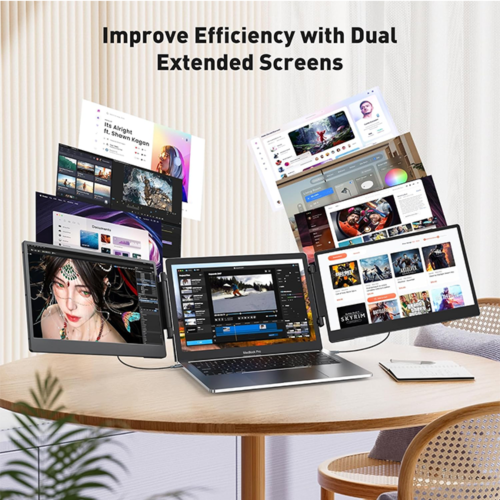
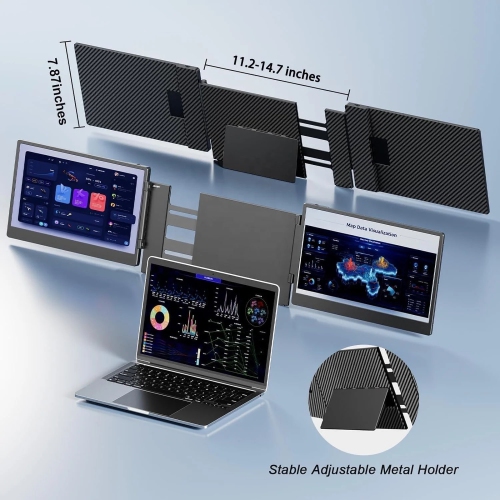
The TUTT S3 is a versatile, plug-and-play dual-screen extender designed to elevate your workspace efficiently. With a 50% boost in productivity through multi-screen simultaneous display and differential display options, it enables seamless multitasking without compromising on space.
Effortless & Portable Companion:
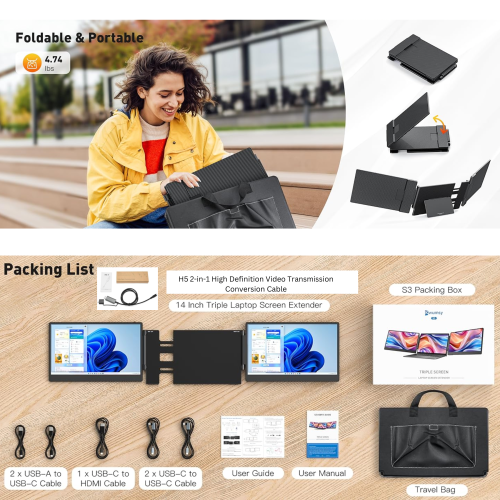
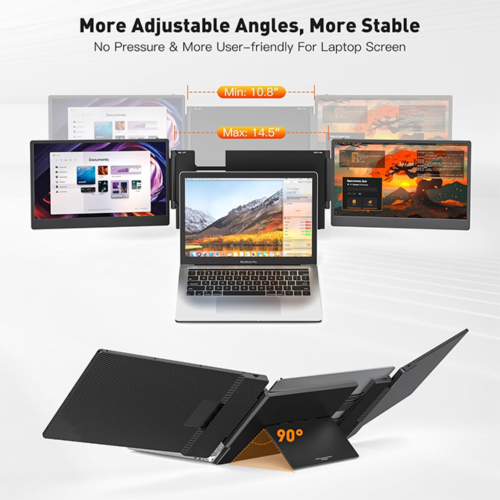
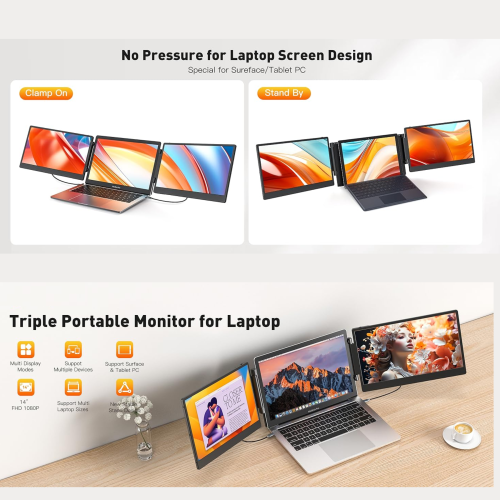
Weighing just 3.57 pounds, the TUTT S3 triple portable monitor is ultra-portable and includes a convenient carrying bag, making it perfect for travel. It supports laptop screens up to 19 inches, and its upgraded stand provides enhanced stability. The slim design ensures it easily fits into your bag, allowing you to stay productive on the go.
Seamless Connectivity Across Systems:
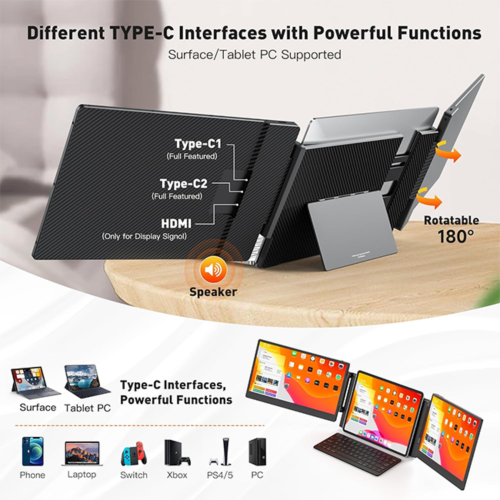
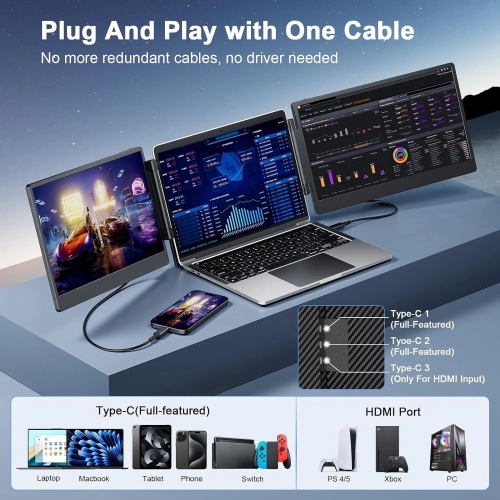
This laptop screen extender is a true plug-and-play device, requiring no drivers and compatible with Windows, Mac OS, Linux, and Android. It offers multiple cable options, including USB-C to USB-C, USB-C to USB-A, and USB-C to HDMI (for video signals), making it compatible with laptops supporting dual video signal outputs.
Premium Display Quality & Flexibility:
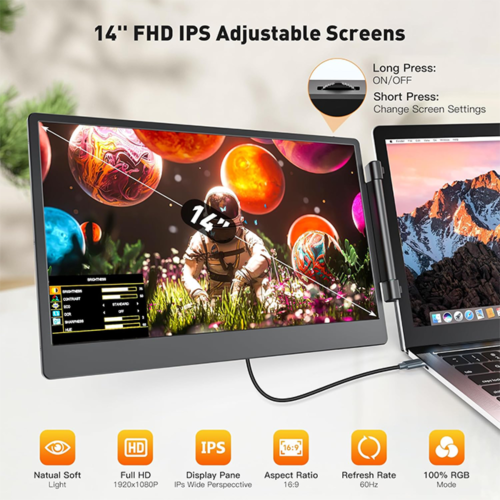
The TUTT S3 features dual 14-inch Full HD 1080P IPS screens with a brightness of 300 nits, providing exceptional display quality. Both screens can be rotated 180 degrees forward, allowing for customized viewing angles. It supports multiple display modes such as mirror and extend, enhancing your flexibility in various tasks.
Frequently Asked Questions
How can I determine if the TYPE-C interface of my laptop is full-featured if there is no symbol on the interface?
Normally, if the TYPE-C interface has symbols like “DP” or if the interface is labeled as Thunderbolt 3 or Thunderbolt 4, it is full-featured. If there are no symbols, please refer to the user manual or check online resources for your laptop’s specifications.
How do I connect my laptop to TUTT S3?
Ensure your laptop supports the transfer of two video signals to enable the dual screens of the S3 to function properly. Your laptop should have either two full-featured Type-C interfaces (supporting both video signal and power supply) or one full-featured Type-C interface plus one HDMI and one USB-A interface. Both HDMI and USB-C to USB-A cables need to be used simultaneously.
Why does the screen flicker and disappear when using TUTT S3 with my laptop?
This issue typically occurs because the power supply from your laptop interface is insufficient or unstable for the TUTT S3. To ensure proper functionality, use an external adapter with a stable power output of 5V/2A or higher.
How do I connect TUTT S3 if my laptop doesn’t have HDMI or Type-C ports?
If your laptop lacks HDMI or Type-C interfaces, you can connect the TUTT S3 via HDMI and USB-A interfaces using an expanded HUB, docking station, or multi-port adapter.
Box Contents:
•1 x TUTT S3 Monitor Extender-Host
•2 x USB-A to USB-C cables
•2 x USB-C to USB-C cables
•1 x HDMI to Type-C cable
•1 x Carrying Bag
•2 x User Guides
Note: Some laptops may not support extra power through USB-C.
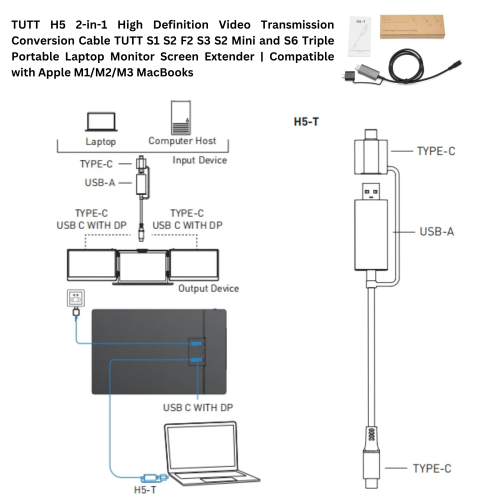
•For Apple M1/M2/M3 MacBook or other models, you may need an H5 2-in-1 High Definition Video Transmission Conversion Cable.( included)
——————-
How to Connect:
Compatible Models: TUTT S3 | S6 | F3 | S2 Mini – Dual Screen Portable Monitors
Connection instructions vary depending on your laptop’s available ports. Please review the options below:
1. HDMI + Full-Featured USB-C (Thunderbolt)
Recommended Setup for Best Performance
First Screen
•Connect a full-featured USB-C cable directly from your laptop to the USB-C port on the first screen.
•No external power is required.
Second Screen
•Connect HDMI from your laptop to the HDMI/DP (typically red-marked) port on the second screen.
•Use a USB-C cable to supply power to the second screen.
Note: While the second screen may receive power from the laptop, external power is strongly recommended for stable performance.
————————————————————-
2. HDMI + Regular USB-C or USB-A
When Your Laptop Does Not Support Thunderbolt USB-C
First Screen
•Connect HDMI from your laptop to the HDMI/DP (typically red-marked) port on the screen.
•Power the screen using a USB-C cable connected to an external power source (recommended).
Powering from laptop is possible but not advised for long sessions.
Second Screen
•Connect the included H5 conversion cable (USB-C + USB-A heads) to your laptop.
•Connect the USB-C end of the H5 cable to the HDMI/DP (red) port on the second screen.
•Use an external USB-C cable to power the second screen.
•A blue screen with connection icons should appear.
•Locate and install the “Display” driver on your laptop.
– If no display appears, restart your system after driver installation.
————————————————————-
3. MacBooks with One Full-Featured USB-C + One Regular USB-C
For Mac M1, M2, M3 Series and Newer Models
First Screen
•Connect a full-featured USB-C cable directly to the first screen.
•No external power required.
Second Screen
•Connect the included H5 conversion cable (USB-C + USB-A heads) to your MacBook.
•Plug the USB-C end of the H5 cable into the HDMI/DP (red) port on the second screen.
•Power the screen using a separate USB-C cable connected to an external power source.
•A blue connection screen should appear.
•Locate and install the “Display” driver on your Mac.
– Restart your Mac if the second screen doesn’t activate immediately