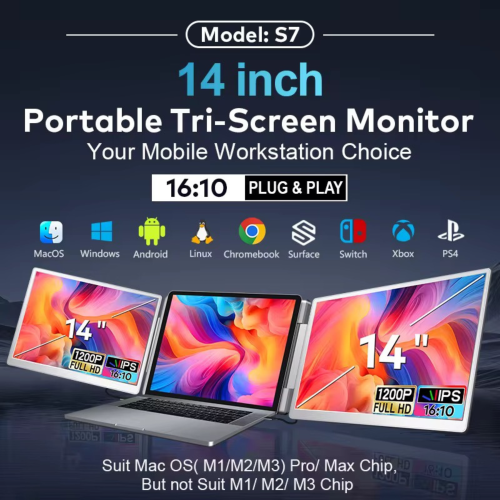
•Dual 14” IPS Screens (1920×1200)
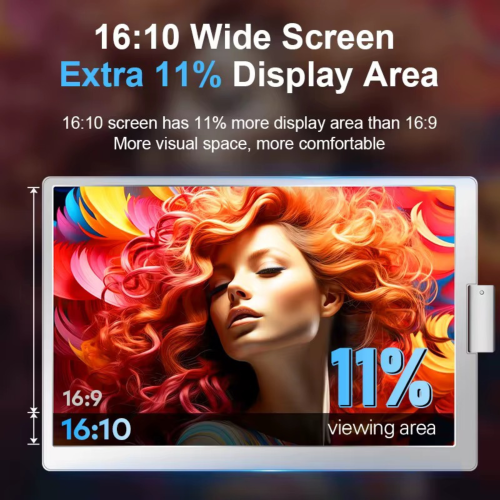
Enhanced vertical resolution (16:10 aspect ratio) ideal for spreadsheets, design tools, and coding.
•Standalone, No Clamping Required
The S7 sits directly behind your laptop and includes an integrated kickstand for stable setup—no clips or attachments.
•Rotating Display Design
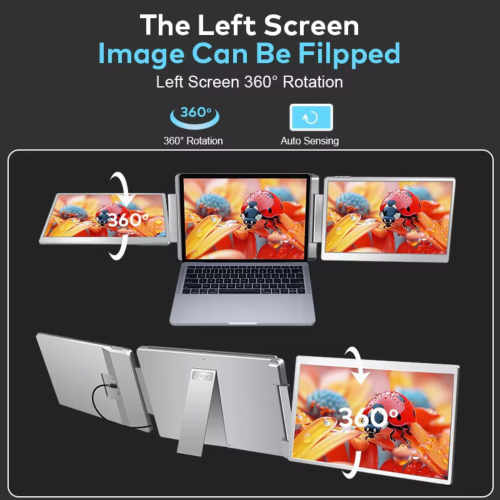
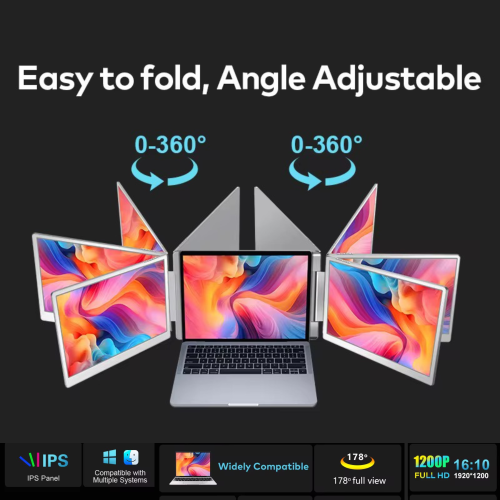
•Left screen: 360° rotation (horizontal + vertical), ideal for screen sharing or presentation mode
•Right screen: horizontal swing adjustment
•H5 USB to HDMI Converter Cable Support
Allows compatibility with laptops or devices that lack native video output via USB-C.
Note: Requires driver installation (DisplayLink) for proper HDMI conversion.
•Plug-and-Play (on USB-C or HDMI)
For laptops with full-featured USB-C ports or HDMI, direct connection is supported without extra drivers.
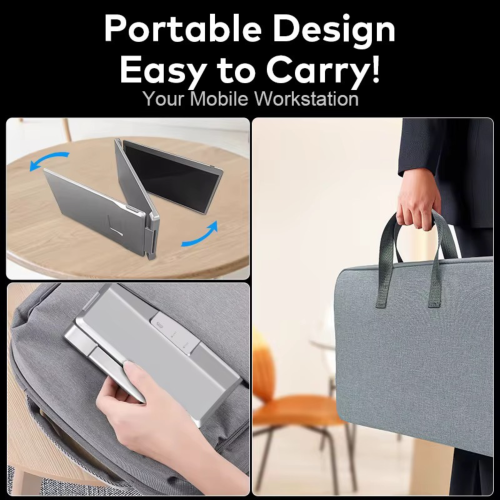
•Travel-Ready Design
Fully foldable design with included carrying case, optimized for portability and business travel.
•Stable and Durable Build
Back support bar ensures screen balance on any surface. No wobble, even during extended use.
Specifications – TUTT S7 14” Dual Portable Laptop Monitor
•Model Name: TUTT S7
•Screen Size: Dual 14-inch displays
•Resolution: 1920 × 1200 (Full HD 1200p)
•Aspect Ratio: 16:10
•Panel Type: IPS
•Refresh Rate: 60Hz
•Color Gamut: 72% NTSC
•Viewing Angle: 178° wide view
•Left Screen Rotation: 360° horizontal & vertical rotation
•Right Screen Rotation: Horizontal swing
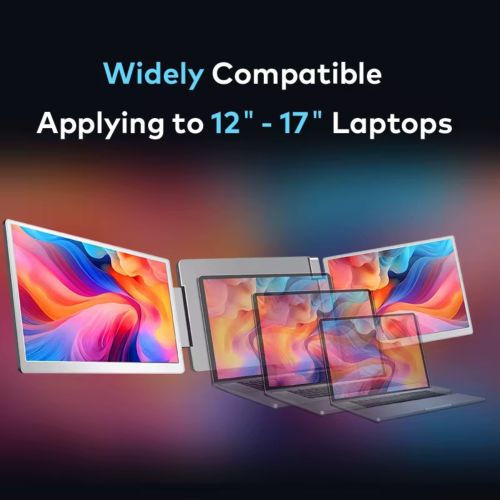
•Compatible Laptop Sizes: 12” to 17”
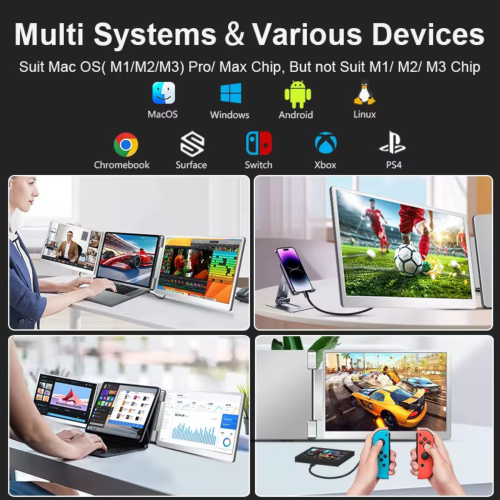
•Compatible Systems:
• Windows
• macOS (M1/M2/M3 Pro and Max only)
• Linux
• Android
• Chromebook
• Surface
• Nintendo Switch / Xbox / PS4 (via HDMI)
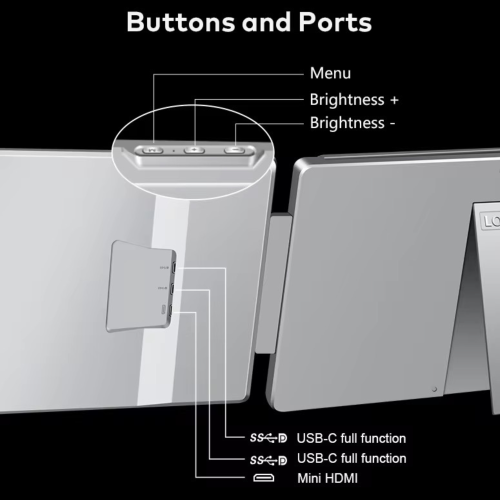
•Ports:
• 2 × Full-featured USB-C
• 1 × Mini HDMI
•H5 Cable Support:
• Includes USB-A to USB-C with HDMI converter (requires DisplayLink driver)
• Enables compatibility with older laptops without USB-C video output
•Mounting Type: Standalone (no clamping)
•Stability: Integrated kickstand and back support bar
•Foldable Design: Yes, travel-friendly
•Unit Dimensions: 346 × 219 × 39.6 mm
•Weight: 1.61 kg
•Certifications: FCC, RoHS, CE
Contents:
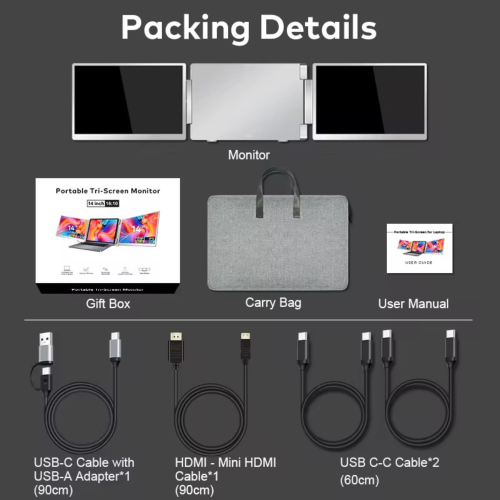
1 × Portable Monitor
1 × Carry Bag
1 × User Manual
1 × Gift Box
1 x H5 USB to HDMI Converter Cable
1 × USB-C Cable with USB-A
1 × HDMI to Mini HDMI Cable
2 × USB-C to USB-C Cables
Technical Support
Please refer to the instructions on the package. A technician will contact you within 90 minutes.
How to Connect Dual Screen Portable Monitor to a Laptop
Compatible Models: TUTT S7 | S10 | S11 – Dual Screen Portable Monitors
Connection instructions vary depending on your laptop’s available ports. Please review the options below:
1. HDMI + Full-Featured USB-C (Thunderbolt)
Recommended Setup for Best Performance
First Screen
•Connect a full-featured USB-C cable directly from your laptop to the USB-C port on the first screen.
•No external power is required.
Second Screen
•Connect HDMI from your laptop to the HDMI/DP (typically red-marked) port on the second screen.
•Use a USB-C cable to supply power to the second screen.
Note: While the second screen may receive power from the laptop, external power is strongly recommended for stable performance.
————————————————————-
2. HDMI + Regular USB-C or USB-A
When Your Laptop Does Not Support Thunderbolt USB-C
First Screen
•Connect HDMI from your laptop to the HDMI/DP (typically red-marked) port on the screen.
•Power the screen using a USB-C cable connected to an external power source (recommended).
Powering from laptop is possible but not advised for long sessions.
Second Screen
•Connect the included H5 conversion cable (USB-C + USB-A heads) to your laptop.
•Connect the USB-C end of the H5 cable to the HDMI/DP (red) port on the second screen.
•Use an external USB-C cable to power the second screen.
•A blue screen with connection icons should appear.
•Locate and install the “Display” driver on your laptop.
– If no display appears, restart your system after driver installation.
————————————————————-
3. MacBooks with One Full-Featured USB-C + One Regular USB-C
For Mac M1, M2, M3 Series and Newer Models
First Screen
•Connect a full-featured USB-C cable directly to the first screen.
•No external power required.
Second Screen
•Connect the included H5 conversion cable (USB-C + USB-A heads) to your MacBook.
•Plug the USB-C end of the H5 cable into the HDMI/DP (red) port on the second screen.
•Power the screen using a separate USB-C cable connected to an external power source.
•A blue connection screen should appear.
•Locate and install the “Display” driver on your Mac.
– Restart your Mac if the second screen doesn’t activate immediately