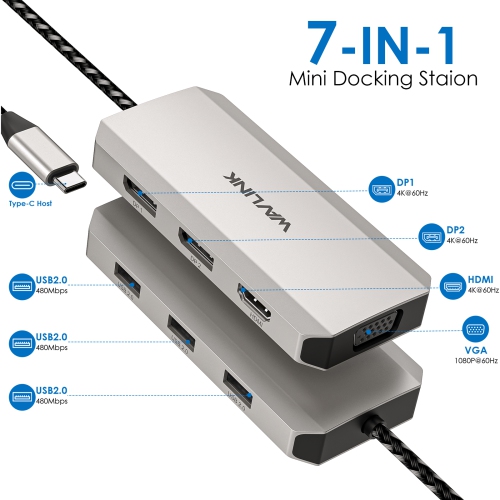
【WAVLINK Quad Display USB C Dock 7-In-1 with DP/HDMI/VGA Ports】
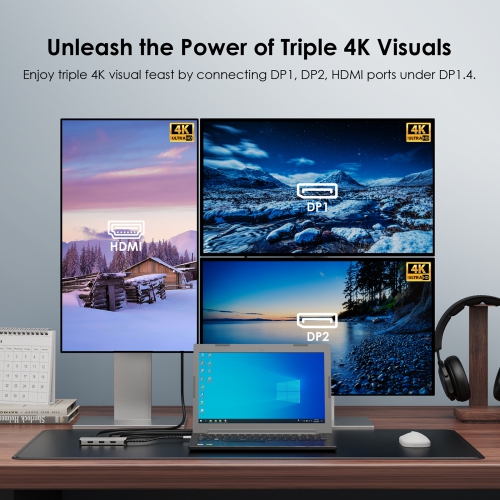
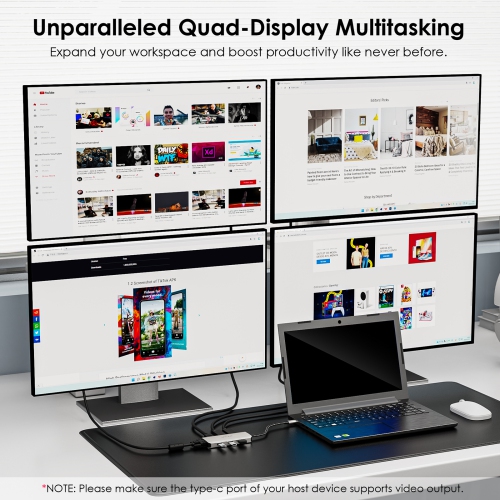
With plug-and-play feature, the USB-C hub can easily enhance your multitasking capabilities. This 7-in-1 USB-C to HDMI/DP/VGA adapter supports single, dual, and triple 4K displays and quad 1080P@60Hz displays (under DP1.4), making it perfect for expanding multiple displays for meetings, gaming, presentations, stock chart analysis, programming, designing, and more! Moreover, its USB 2.0 ports make it an essential tool for seamless connectivity. Also, it's portable enough for on-the-go use with an ultra-compact aluminum design!
【Warm Tips】:
-The type-C port of your host should support video output to enjoy the full function of this hub.
-Your USB-C phones/tablets should support the OTG function.
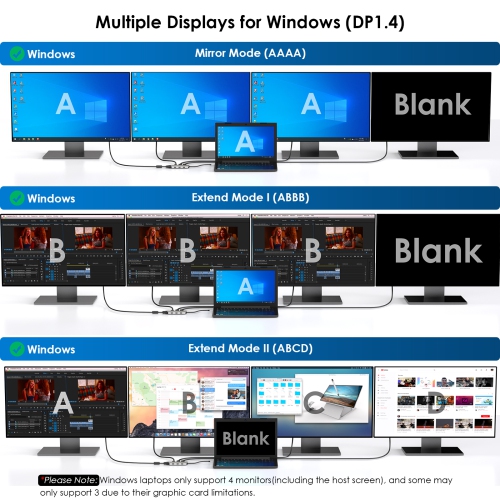
-Windows laptops only support 4 monitors(including the host screen), and some may only support 3 due to their graphic card limitations.
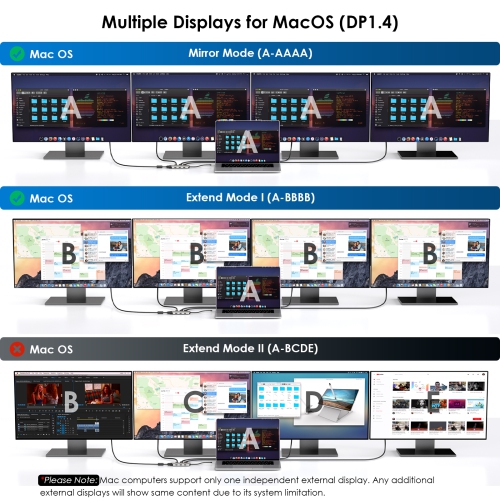
-Mac computers support only one independent external display. Any additional external displays will show same content due to its system limitation.
-Rotation Mode, Clamshell Mode and HDCP are supported.
【Wide Device Compatibility】
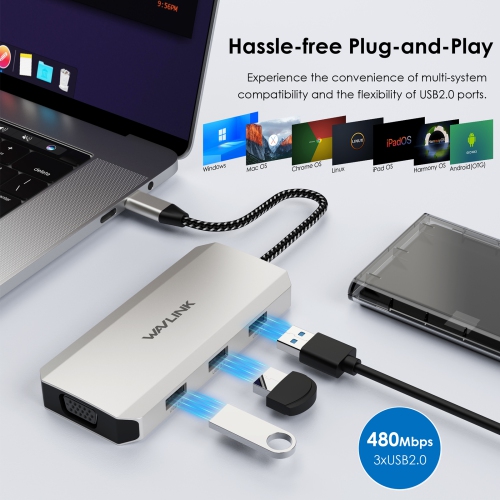
Compatible with a variety of host devices, including laptops, desktops, tablets/phones(with OTG function) and more. Expand your connection with mice, keyboards, printers, and USB storage devices with ease.
【USB 2.0 Expansion】
The three USB 2.0-A ports ensure a 480Mbps data rate to transfer movies or files when connecting with external hard drives and U disks. And effortlessly connect your other USB peripherals to streamline your workflow.
【Durable Nylon-braided Cable】
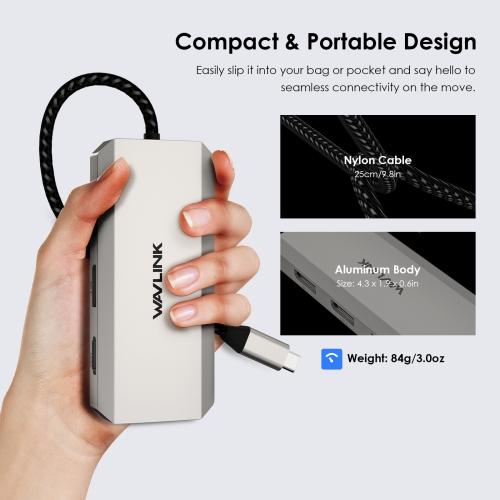
Built to withstand everyday use, the dock comes with a durable nylon-braided cable. The sturdy construction of the cable ensures reliable and long-lasting performance while also providing resistance against tangles and wear.
【Portable Size】
Boasts a compact and lightweight design, the mini dock fits conveniently into your bag—easy to carry along on your travels whether you're working from a coffee shop, attending meetings, or giving presentations.
【Systems/ Devices Compatibility】
Plug and play on Windows 11/10/8.1/8/7, Mac OS, Chrome OS, Linux, iPad OS, Harmony OS, Android.
Works with your USB-C Desktop PCs, Laptops, Tablets/Mobile Phones(OTG function required).
【How to Confirm if the Type-C Port of Your Laptop Supports Video Output?】
Step 1: Please check the model of your laptop, it should be on the back of the label;
Step 2: Search “brand + the model number of the device + manual” in Google, for example: “asus ux435 manual”;
Step 3: Check the manual and navigate to the view and check the type-c specification. If it states the type-c port supports display which means it could support video output. If the specification states bandwidth the type-c port supports only, which means the type-c port might not support video output. You could also contact the manufacturer to confirm that.
【Multiple Display Resolution (Max. Resolution)】
( *Notice: Please make sure the type-C port of your host supports video output.)
- For Windows OS(*Please Note: Windows laptops only support 4 monitors(including the host screen), and some may only support 3 due to their graphic card limitation.)
1)Single Display:
HDMI: 4K@60Hz(DP1.4/DP1.2)
DP1: 4K@60Hz(DP1.4/DP1.2)
DP2: 4K@60Hz(DP1.4/DP1.2)
VGA: 1080P@60Hz(DP1.4/DP1.2)
2)Dual Display:
HDMI+DP1/DP2: 4K@60Hz+4K@60Hz(DP1.4); 4K@30Hz+4K@30Hz(DP1.2)
HDMI+VGA: 4K@60Hz+1080P@60Hz(DP1.4); 4K@60Hz+1080P@60Hz(DP1.2)
DP1/DP2+VGA: 4K@60Hz+1080P@60Hz(DP1.4); 4K@60Hz+1080P@60Hz(DP1.2)
DP1+DP2: 4K@60Hz+4K@60Hz(DP1.4); 4K@30Hz+4K@30Hz(DP1.2)
3)Triple Display:
HDMI+DP1/2+VGA: 4K@60Hz+4K@60Hz+1080P@30Hz(DP1.4); 3x1080P@60Hz(DP1.2)
HDMI+DP1+DP2: 4K@60Hz+4K@30Hz+4K@30Hz; 3x1080P@60Hz(DP1.2)
VGA+DP1+DP2: 1080P@60Hz+4K@60Hz+4K@60Hz(DP1.4); 3x1080P@60Hz(DP1.2)
4)Quad Display:
HDMI+DP1+DP2+VGA: 4x1080P@60Hz(DP1.4); Not Supported(DP1.2)
- For Mac OS(*Please Note: Mac computers only support extend one independent external display due to its system limitation.)
1)Single Display:
HDMI: 4K@60Hz(DP1.4/DP1.2)
DP1: 4K@60Hz(DP1.4/DP1.2)
DP2: 4K@60Hz(DP1.4/DP1.2)
VGA: 1080P@60Hz(DP1.4/DP1.2)
2)Dual Display:
HDMI+DP1/DP2: 2x4K@60Hz(DP1.4/DP1.2)
HDMI+VGA: 2x1080P@60Hz(DP1.4/DP1.2)
DP1/DP2+VGA: 2x1080P@60Hz(DP1.4/DP1.2)
DP1+DP2: 2x4K@60Hz(DP1.4/DP1.2)
3)Triple Display:
HDMI+DP1/2+VGA: 3x1080P@60Hz(DP1.4/DP1.2)
HDMI+DP1+DP2: 3x4K@60Hz(DP1.4/DP1.2)
VGA+DP1+DP2: 3x1080P@60Hz(DP1.4/DP1.2)
4)Quad Display:
HDMI+DP1+DP2+VGA: 4x1080P@60Hz(DP1.4/DP1.2)
【Specification】:
1.Model: WL-UMD305
2.Ports(7-in-1): 2x DisplayPort(4K@60Hz), 1x HDMI (4K@60Hz), 1x VGA(1080P@60Hz), 3 x USB2.0-A(480Mbps)
3.Unit Size: 11 x 4.9 x 1.5cm/ 4.3 x 1.9 x 0.6in(L x W x H)
4.Cable Length: 25cm/9.8in
5.Unit Weight: 84g/3.0oz
6.Housing Material: Aluminum
7.Shell Color: Silver
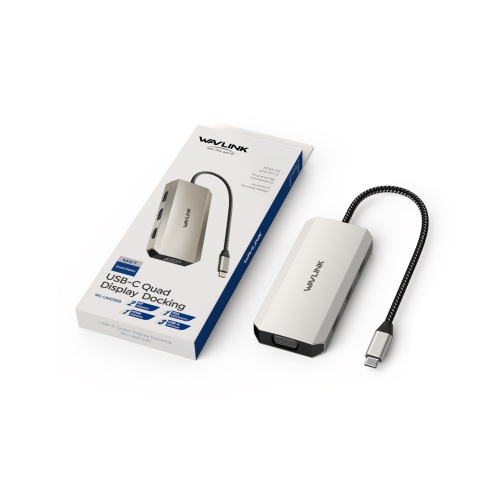
【What’s in the Package?】
-1 x USB-C Quad Display Docking Station
-1 x Quick start guide
【USB-C Devices Compatibility List (Partial)】:
( *Note: Please check the compatibility list below before purchasing. If your device is not on the list, please let us know and we will be glad to help you check with it.)
: EliteBook Folio G1 (Model V1C43EA), Spectre x360 Convertible 13-w000 (SKU W9A95AV), Spectre x360 - 13-ac003la, Spectre x360 - 15-ch000, Elite X2 1012 G1, HP Spectre x360 - 13-ae011dx (Late 2017),Elite x2 1012 G2,HP Spectre x360 (2017),HP EliteBook Folio G1 12.5", HP ZBook 15 G3, HP Zbook 17 G3 Workstation, HP ZBook Studio Series, HP Elite X2 1012 G1, HP Spectre x360 2-in-1 13-W023DX 13.3";
: NUC8i7HVK (Hades Canyon), NUC8i7HNK (Hades Canyon), NUC9VXQNX (Ghost Canyon), Intel NUC9V7QNX (Ghost Canyon), Intel NUC9i9QNX (Ghost Canyon), Intel NUC9i7QNX (Ghost Canyon), Intel NUC9i5QNX (Ghost Canyon);
: Thinkpad P50, Thinkpad P51, Thinkpad P70, Lenovo Yoga C930, Lenovo X1 Carbon 7th Gen, ThinkPad P70 Series Mobile Workstation, Lenovo Legion Y720, Lenovo ThinkPad T570, Lenovo Miix 720, Lenovo ThinkPad X1 Carbon (5th Gen 2017), Lenovo ThinkPad X1 Yoga (2nd Gen 2017), Lenovo ThinkPad P50;
: MSI VR Ready GS43VR Phantom Pro-006; ASUS ZenBook Pro UX501VW and more.