
Expand Your Screen, Anywhere You Go
What is a Portable Monitor?
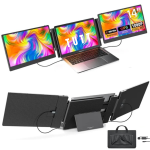
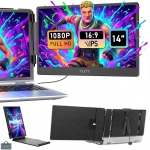
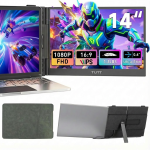
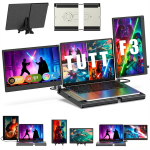
A portable monitor is a compact, lightweight screen designed to extend or mirror the display of your laptop, desktop, tablet, or even smartphone. Unlike standard desktop monitors, portable monitors are thin, travel-friendly, and often powered with just a single USB-C cable, which handles both power and video. This makes them especially convenient for people who are constantly on the move whether working remotely, traveling for business, or gaming on the go. These monitors deliver the flexibility of a dual-screen setup anywhere, without the need for bulky equipment or complex setup.
Why Should You Get a Portable Monitor?
The biggest advantage of a portable monitor is its ability to transform any environment into a productive workspace. For professionals, it means you can work with multiple apps or documents side by side, improving efficiency when traveling or working from coffee shops, co-working spaces, or client locations. Students and digital nomads find them essential for studying, multitasking, or streaming content without being tied to a single device. For entertainment, portable monitors can pair with gaming consoles like the Nintendo Switch, PlayStation, or Xbox, providing a larger display with high refresh rates for smooth gameplay.
Portable monitors are also valuable for creative professionals. Photographers, designers, and video editors can benefit from having a secondary screen with accurate colour reproduction, especially models that offer 100% sRGB or even HDR support. Some models also include touchscreen capabilities, allowing for interactive use in presentations or creative applications.
Key Features to Look for in a Portable Monitor
When selecting a portable monitor, consider the display quality first. Full HD (1080p) is common, but if you’re doing detailed work like photo editing or video production, a 2K or 4K model will give you sharper images and text. Screen size typically ranges from 13 to 17 inches, with 15.6 inches being the sweet spot for balancing portability and screen real estate.
Connectivity is another critical factor. USB-C is the standard for modern portable monitors, allowing for single-cable setups that transmit both video and power. However, some monitors offer mini HDMI or DisplayPort connections to support a broader range of devices, including older laptops and gaming consoles. Built-in features such as adjustable stands, VESA mounts, protective covers, and speakers add extra convenience.
Advanced models even include features like built-in batteries, enabling use without a power source, or eye-care technology such as blue light filters and flicker reduction to minimize eye strain during long work sessions.
Are Portable Monitors Good for Gaming?
Portable monitors have gained popularity among gamers, particularly because of their ability to provide high refresh rates and low response times. Some models, like those in the ASUS ROG series, are designed specifically for gaming with 120Hz or even 144Hz refresh rates, delivering smoother motion for fast-paced games. They’re great for console gamers looking for a portable setup or for PC gamers who want an additional screen for streaming, chat, or guides.
Which Brands Make the Best Portable Monitors?
Leading brands in the portable monitor market include ASUS, Lenovo, Acer, ViewSonic, and AOC. ASUS ZenScreen models are highly regarded for their sleek design, vibrant displays, and excellent portability. Lenovo ThinkVision monitors are known for their reliability and robust build quality, making them ideal for professionals. ViewSonic and AOC offer models that balance affordability and performance, while ASUS’s ROG line targets gamers with high-refresh-rate, low-latency displays.
How Are Portable Monitors Used?
The applications for portable monitors go far beyond just being a second screen. Remote workers use them to run video calls on one screen while working on spreadsheets or presentations on the other. Business travelers often rely on them for client presentations, eliminating the need for projectors. Content creators can use a portable monitor to display reference materials, scripts, or editing timelines while working on a laptop. They’re also becoming popular for digital art, as some models support stylus input and function as drawing tablets.
How Do You Connect and Power a Portable Monitor?
Most portable monitors are powered and connected through a single USB-C cable, making setup fast and hassle-free. For devices that lack USB-C with DisplayPort Alt Mode, many monitors include a mini HDMI port, allowing you to connect via standard HDMI cables. Some models come with dual ports, enabling daisy-chaining or connecting to multiple devices. Power delivery via USB-C also means that some portable monitors can pass power through to your laptop, reducing cable clutter.
Are Portable Monitors Easy to Carry?
Portability is their defining feature. Most portable monitors weigh between 1 and 2 pounds and are as slim as a tablet, easily fitting into a backpack or briefcase alongside your laptop. Many include protective covers or foldable cases that double as stands, making them easy to set up in any location. If you travel frequently, a portable monitor can be a game-changer, allowing you to maintain a multi-screen setup without carrying heavy gear.
Are Portable Monitors Worth It?
For anyone who needs a flexible, multi-screen setup outside of a traditional office, portable monitors are absolutely worth the investment. They enhance productivity, improve workflow, and deliver a more comfortable and efficient computing experience—whether you’re working remotely, gaming on the go, or streaming content during travel.