Skip to main contentSkip to footer

Explore more like this

Slide 1 of 2

Overview

The Apple HomePod mini Smart Speaker with Siri helps you get more done at home. Play music, check weather, set timers and reminders, get answers, and control compatible smart-home devices—hands-free.
  • Works with Apple Home so Siri can control music, timers, and compatible smart devices.
  • Enjoy room-filling, balanced sound thanks to immersive 360° audio.
This description was generated by AI and reviewed for accuracy.

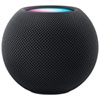
Apple HomePod mini Smart Speaker with Siri — 360° Sound, Midnight

Brand: Apple
Model: MTJT3C/A
Web Code: 18168896
Sold and shipped by Best Buy

Colour: Midnight
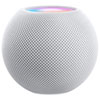
Colour Midnight
Colour Midnight

Midnight

Not available for deliverySold out online

Not available for pickup

Not available for pickup

Sorry, at this time, this product cannot be picked up in-store.


Best Buy Protection Plan

Coverage that goes above and beyond the manufacturer’s warranty.

Return Policy

30 days to return or exchange

Read return policy

Low Price Guarantee

Find a lower price anywhere else, we'll gladly match it. Exclusions apply.

See details

Manufacturer's Warranty

Check with the manufacturer for details or add Best Buy Protection for extra coverage.

For Quebec residents: See the Availability Guarantee disclosure in the Specifications section below.

What you need to know
  • Apple HomePod mini Smart Speaker with Siri — 360° Sound works with Siri and Apple Home, set up and managed through the Home app on an iPhone or iPad.
  • Play music and podcasts, set timers and reminders, get quick answers, and control compatible smart-home devices — all hands-free with Siri.
  • Its 360-degree sound helps deliver more consistent audio around the room, so music sounds even wherever you are.
  • The Home app and Wi-Fi are needed for full features, subscriptions may be required for some music or premium features.
  • Siri helps with everyday tasks or playing your favourite song.
  • At less than 8.5cm tall, it's designed to fit anywhere in the house.
  • Backlit touch surface on the top provides quick control.
  • Or iPod touch with the latest software.
Works with your phone & apps
  • Runs on Siri within Apple Home, so it fits alongside your other Apple Home devices and routines.
  • Use the Home app on an iPhone or iPad to set up the speaker, manage settings, and control compatible smart-home devices.
  • Some music, premium, or assistant features may require a paid subscription — subscriptions may be required where noted.
  • Intercom also works with your other Apple devices, so you can send and receive messages through CarPlay while you're driving, on your AirPods during a workout, or with your Apple Watch when you're running errands.
  • Siri is your do-it-all intelligent assistant.
How it fits your daily routine
  • Play music, podcasts, radio, and audiobooks for background or focused listening throughout the day.
  • Ask for timers, reminders, alarms, weather, and quick answers without lifting a finger.
  • Compact placement suits a kitchen counter, shelf, desk, or nightstand.
  • Send intercom messages to every room (note: requires two or more HomePod speakers).
How it sounds in your room
  • Helps deliver more consistent audio around the speaker, so music sounds even across the room.
  • Pairing two compatible speakers can create a wider sound experience where supported.
  • Room-filling sound. Intelligent assistant with Siri. Smart home control. Private and secure. Mini packs a punch.
  • Fills the entire room with rich 360-degree audio that sounds amazing from every angle.
  • Boundary-pushing computational audio creates the full, detailed tones of a much larger speaker.
  • Place multiple HomePod mini speakers around the house for a connected sound system (note: requires multiple HomePod devices or AirPlay 2-compatible speakers).
  • Pair two HomePod mini speakers together for immersive stereo sound.
Smart-home control & what you can stream
  • Use voice commands to control compatible lights, plugs, and thermostats through your ecosystem.
  • Set routines to do things like turn off the lights or start your morning with one command.
  • Stream over Bluetooth from compatible devices, in addition to Wi-Fi services.
  • Smart-home devices, extra speakers, hubs, and subscriptions are not included unless stated.
  • Giving you easy control over your smart home accessories.
  • Easily control your smart home and control your HomeKit accessories remotely (note: requires a HomeKit-enabled device).
Privacy, family features & controls
  • A mic-off control lets you turn the microphone off when you want more privacy.
  • You can review and manage voice and account settings in the app to suit your household.
  • Siri can recognize the voices of up to 6 different family members and give each one a personalized experience (note: multi-user features are available in English).
  • Designed to keep your data private and secure. HomePod mini only listens for "Hey Siri" and your request is associated with a random identifier, not your Apple ID.
Setup requirements
  • Set up with the Home app and the required account on an iPhone or iPad.
  • A Wi-Fi connection is needed for assistant services, streaming, smart-home control, and updates.
  • Plug in to a standard power outlet for continuous operation.
  • Note: Setup requires Wi-Fi and an iPhone.
Notes & disclaimers
  • Some music, AI, or premium assistant features may require a paid subscription and a supported region or language.
  • Smart-home control works with compatible devices only; requirements vary by device and ecosystem.
  • Colour: Midnight.
This description was generated by AI and reviewed for accuracy.

For Quebec residents – Disclosure under the Consumer Protection Act

In compliance with Bill 29, Best Buy and third-party sellers on Best Buy Marketplace do not guarantee the availability of replacement parts, repair services, or maintenance information for any products. Coverage provided through any Best Buy Protection programs and applicable manufacturer warranties, if any, remain in place. Please contact the manufacturer directly for information about their availability guarantee.