





Everything you need to know about computer cases
A computer case is the enclosure that houses and protects your PC’s key components, including the motherboard, CPU, graphics card, storage drives, and power supply. It helps safeguard these parts from dust and physical damage while ensuring proper airflow and cooling. Choosing the right case is essential whether you’re building a PC from scratch, upgrading an older system, or customizing a high-performance gaming rig.
Modern cases also support evolving hardware standards like USB-C, PCIe 5.0 GPUs, and liquid cooling, making them essential for future-ready builds.
What is a computer case and when would I need one?
Anyone building or upgrading a desktop PC needs a case to hold and protect components, route cables, and maintain airflow. The right case ensures your parts fit correctly and that your system runs efficiently and quietly. Modern cases go beyond protection, incorporating optimized ventilation, cable-management systems, and features designed for easy upgrades.
They also play a key role in cooling performance, cable cleanliness, and long-term component durability.
Advantages and features of a desktop PC case
The best PC case for you depends on the components you plan to install. Ensure it has enough room for your motherboard size, graphics card length, CPU cooler height, storage bays, and power supply. Look for USB-C ports, tool-less drive bays, and airflow-optimized front panels to support high-performance components.
Many cases offer front USB-C ports for faster data transfer, tempered glass panels for aesthetics, and mesh or perforated panels to improve airflow. Cable-management channels, removable filters, and modular drive cages help keep builds clean and organized. Tool-free designs with thumb screws or quick-release panels make upgrades faster and more convenient, while improved airflow layouts and liquid-cooling support keep modern high-performance components cool.
Some newer cases even include GPU support brackets, vertical GPU mount options, or hidden compartments for storage and cable routing.
What are the different types of PC case?
PC cases are generally categorized by their form factor, which corresponds to the size of motherboard they can accommodate. ATX cases, often called full towers, are the largest and provide the most room for expansion, multiple graphics cards, and advanced cooling systems. Micro ATX cases are more compact, available in mid tower, mini tower, and even small form factor designs, offering fewer expansion slots but still suitable for versatile builds. Mini ITX cases are the most compact, measuring just enough to fit a Mini ITX motherboard. While they save space and can be highly portable, they require careful planning to ensure all components fit.
Smaller form factors like Mini ITX are increasingly popular for minimalist and portable setups, but they often demand more precise part selection.
What about gaming cases?
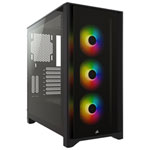
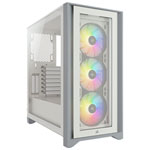
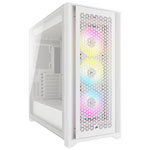
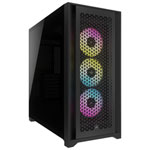
Gaming PC cases are designed for high-performance hardware, with layouts that prioritize airflow, liquid-cooling compatibility, and room for large GPUs and power supplies. Many include reinforced mounts for heavy graphics cards, tempered glass side panels, and customizable RGB lighting. Gaming cases are increasingly optimized for AI-ready components, vertical GPU mounting, and modular interiors that can be reconfigured as hardware needs change. These cases often blend bold aesthetics with practical features, creating a build that performs as well as it looks.
Modern gaming cases often support vertical GPU mounting, hybrid airflow zones, and AI-ready thermal layouts. You’ll also find modular interior configurations, making it easier to adjust your case as your components or cooling needs evolve.