PlayStation Portal
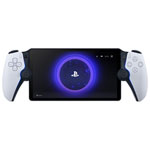
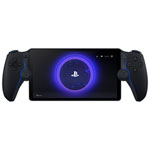
PlayStation Portal: PS5 Gaming, Now Portable
The PlayStation Portal Remote Player brings a new way to enjoy PS5 gaming without being tied to your TV. Designed as a PS5 portable streaming device, it connects directly to your PlayStation 5 console using Remote Play, letting you access your games over Wi-Fi from anywhere in your home or beyond with a strong connection.
The PlayStation Portal is not a standalone console. Instead, it works as a dedicated extension of your PS5, delivering a seamless handheld experience with familiar controls and performance.
What Is the PlayStation Portal Remote Player?
The PlayStation Portal is a handheld device built specifically for PS5 Remote Play. It mirrors your PS5 gameplay onto an integrated screen while using the full functionality of the DualSense controller layout. This makes it ideal for playing AAA titles, continuing progress across rooms, or sharing a TV without interrupting gameplay.
Performance, Display, and Gameplay Features
The PlayStation Portal offers a smooth and responsive experience when paired with a stable connection:
- 8-inch LCD display with 1080p resolution
- Up to 60 FPS gameplay support
- Adaptive streaming quality depending on network strength
- Full-screen immersion tailored for handheld play
While performance depends on your internet setup, the device is optimized for low-latency streaming within a home network.
DualSense Features in a Portable Form
One of the standout advantages of the PlayStation Portal is its support for DualSense features, including:
- Haptic feedback for realistic in-game sensations
- Adaptive triggers that respond dynamically to gameplay
- Built-in controls that match the PS5 controller layout
This ensures that the gameplay experience remains consistent with what players expect from a traditional PS5 setup.
How PlayStation Portal Works with PS5 Remote Play
To use the PlayStation Portal, you’ll need:
- A PlayStation 5 console
- A stable Wi-Fi connection (at least 5 Mbps, 15 Mbps recommended for optimal performance)
- A linked PlayStation Network account
The device connects to your PS5 over the internet, streaming games directly from your console rather than running them locally.
Cloud Streaming and PlayStation Plus
Cloud streaming support may be available through PlayStation Plus Premium, but functionality depends on Sony’s current feature rollout and region availability. For most users, the primary function remains Remote Play streaming from a personal PS5 console.
Compatibility and Supported Devices
- Compatible with PS5 only (not PS4)
- Supports compatible wireless audio devices, including PlayStation Link-enabled headsets and earbuds
- Standard Bluetooth audio support is unavailable, so PlayStation Link audio products or wired headphones provide the best experience
PlayStation Portal Accessories
Enhance your setup with a range of accessories designed for protection and usability:
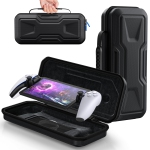
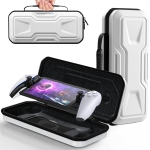
- Protective cases for travel and storage
- Screen protectors to maintain display clarity
- Charging accessories and carrying solutions
These additions help extend device lifespan and improve portability for everyday use.
Frequently Asked Questions
What is the PlayStation Portal?
It is a handheld device designed to stream and play PS5 games via Remote Play over Wi-Fi.
What audio devices work with PlayStation Portal?
It supports PlayStation Link-compatible audio devices. Bluetooth support is unavailable.
What are PlayStation Portal display specs and FPS?
An 8-inch LCD screen with 1080p resolution and up to 60 frames per second.
How does cloud streaming work on PlayStation Portal?
Cloud streaming depends on PlayStation Plus Premium and availability but is not the primary function.
Is PlayStation Portal compatible with PS4 or only PS5?
It is designed exclusively for use with PlayStation 5.
Do you need PlayStation Plus Premium for cloud streaming?
Yes, if you want access to cloud streaming features where available.
Is PlayStation Portal a standalone console or a PS5 streamer?
It is a PS5 streaming device, not a standalone console.
Does PlayStation Portal support DualSense haptics and triggers?
Yes, it includes full DualSense haptic feedback and adaptive triggers.
What do you need to use PlayStation Portal with PS5 Remote Play?
A PS5 console, Wi-Fi connection, and PlayStation Network account.
What internet speed is recommended for PlayStation Portal Remote Play?
Minimum 5 Mbps, with 15 Mbps or higher recommended for the best experience.