PC Gaming Headsets
417 results
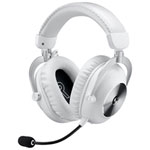
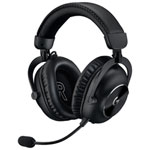
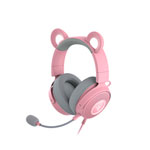
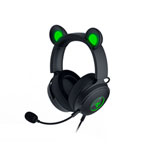
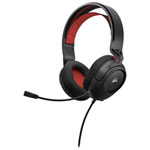
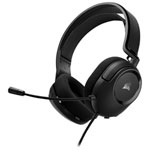
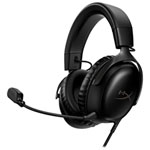
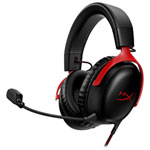
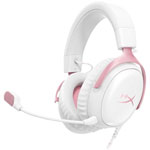


PC Gaming Headsets: Immersive Sound, Clear Communication, and Built for Long Sessions
A great PC gaming headset transforms how you experience games — pulling you deeper into the audio environment while keeping you connected with teammates. From the crack of a sniper shot to the distant rumble of an approaching squad, the right headset turns audio into a competitive advantage. Best Buy Canada carries a wide selection of PC gaming headsets from leading brands including SteelSeries, HyperX, Razer, Logitech, Astro, Corsair, and more, across every price point from budget-friendly to premium.
What Makes a Gaming Headset Different from Regular Headphones?
Gaming headsets are purpose-built for two things standard headphones are not: immersive game audio and real-time voice communication. They include a built-in microphone — typically a boom mic that positions close to your mouth for clear pickup — along with on-ear or in-line controls for adjusting volume and muting your mic without leaving the game.
Beyond the microphone, gaming headsets are tuned to emphasize the sounds that matter most in gameplay: environmental cues, directional audio, and the low-frequency rumble of in-game action. Many models include companion software that lets you fine-tune EQ settings, apply virtual surround sound, and customize audio profiles per game. This level of control simply isn't available on standard consumer headphones.
Wired vs. Wireless PC Gaming Headsets: Which Is Right for You?
Wired and wireless gaming headsets each have a strong case depending on how you play.
Wired headsets connect via USB-A, USB-C, or a 3.5mm analog jack. They offer zero latency, consistent audio quality, and no need to charge — making them a reliable, no-fuss option for long sessions at the desk. They also tend to offer more value at a given price point, since the cost of wireless hardware isn't factored in.
Wireless gaming headsets use either Bluetooth or a 2.4GHz RF dongle. Dongle-based connections are the preferred choice for PC gaming because they deliver latency as low as 16–22ms — effectively indistinguishable from wired — while keeping your desk clean and your movements unrestricted. Bluetooth wireless is more convenient for switching between devices but carries slightly higher latency, making it better suited for casual play than competitive matches.
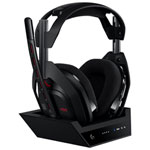
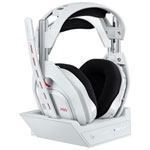
Premium wireless headsets, such as the SteelSeries Arctis Nova Pro Wireless and the Astro A50 X, push the category further with simultaneous dual-wireless connections, hot-swappable batteries, and base stations that let you switch between PC and console without unplugging anything.
How Important Is Microphone Quality in a PC Gaming Headset?
For anyone playing multiplayer games, streaming, or communicating with a team, microphone quality is one of the most important specifications to evaluate. A poor microphone makes you hard to understand, picks up background noise, and undermines team coordination in ways that even excellent headphone audio can't compensate for.
Most mid-range and premium gaming headsets address this with cardioid or unidirectional boom microphones that focus pickup directly in front of the mic element while rejecting sound from the sides and rear. AI-powered noise suppression — found in flagship models from SteelSeries, Razer, and HyperX — goes a step further by filtering out keyboard noise, fan hum, and ambient room sound in real time.
If microphone clarity is your priority, look for headsets that list noise cancellation or AI noise suppression in their specifications, and check for a physical mute toggle or swivel-to-mute boom that gives you quick, tactile control during gameplay.
What Driver Size Should You Look for in a PC Gaming Headset?
The driver is the speaker element inside each ear cup, and its size influences how much low-frequency detail and overall volume a headset can reproduce. Gaming headsets typically use drivers ranging from 40mm to 53mm in diameter.
Larger drivers — 50mm and above — generally produce fuller bass response and more room for audio detail at high volumes, which suits open-world games, action titles, and cinematic experiences. Smaller drivers can be tuned for excellent precision and positional accuracy, which benefits competitive play where pinpointing enemy footsteps matters more than raw bass impact.
Driver size alone doesn't determine audio quality; tuning, materials, and the acoustic design of the ear cup all play significant roles. That said, 50mm drivers have become the standard for mid-range and premium gaming headsets, and models in this range — such as the HyperX Cloud Alpha 2 Wireless and the Logitech G Pro X 2 — consistently earn strong reviews for balanced, detailed sound.
What Is 7.1 Surround Sound and Is It Worth It for PC Gaming?
7.1 surround sound in gaming headsets refers to virtual surround processing — software or hardware that simulates a multi-speaker surround system through stereo ear cups. When implemented well, it creates a sense of three-dimensional space that helps you locate sounds by direction: footsteps approaching from behind, gunfire from the left flank, or an enemy reloading above you.
Most gaming headsets achieve this through companion software on PC. Razer Surround, SteelSeries Sonar, and Dolby Atmos for Headphones are among the most popular processing engines, and many headsets include a license with purchase. Some premium models handle surround processing on-device via a dedicated DSP chip, meaning the effect works on any platform without installing software.
Whether surround sound is worth enabling depends on the game. In tactical shooters and open-world games, virtual surround sound meaningfully improves spatial awareness. In music listening or games with straightforward audio design, high-quality stereo is often the better choice. Many headsets let you toggle between the two modes easily.
How Do I Know If a Gaming Headset Will Be Comfortable for Long Sessions?
Comfort is especially important for PC gaming headsets, where sessions can extend for several hours. The key factors are ear cup design, headband padding, clamp force, and overall weight.
Over-ear (circumaural) headsets fully enclose the ear, distributing pressure around the ear rather than on it — this design suits long sessions better than on-ear (supra-aural) alternatives. Memory foam ear cushions conform to your head shape over time and tend to be more comfortable than basic foam or leatherette padding. Headbands with suspended or floating designs reduce pressure at the top of the head, which becomes noticeable during extended wear.
Weight is worth checking as well. Lighter headsets — typically under 300g — cause less neck fatigue during long sessions, while heavier premium models compensate with more substantial padding. If you wear glasses, look for models specifically noted for glasses-friendly design, as clamping force can create pressure points over extended wear.
Which PC Gaming Headset Should You Choose?
The right headset depends on how you play, what you play, and how much you're willing to spend. For competitive PC gaming where every audio detail counts, a wired or RF dongle headset with a strong directional microphone and virtual surround support will serve you best. For streaming or content creation, prioritize microphone noise suppression and software customization. For console-to-PC crossover players, a multi-platform wireless headset with a versatile base station or simultaneous dual-wireless connectivity removes the friction of switching between systems.
Explore the full lineup of PC gaming headsets at Best Buy Canada — curated and ranked based on verified customer reviews and expert testing — to find the model that fits your setup, your games, and your budget.