







Tablets and iPads: Productivity, Entertainment, and Connectivity
Tablets have come a long way since the days of chiselling inscriptions onto flat stone slabs. Sleek and portable, these mobile devices are a convenient way to stay connected, entertained, and productive while you’re on the go or relaxing at home. Best Buy carries a large selection of Apple, Android, and Windows tablets, and we're here to help you find the right tablet for your needs.
Why Should I Choose a Tablet or iPad?
Ecosystem Integration
It's a connected world out there. Smartphones, Smart TVs, home automation, and wearable tech have created ecosystems, bringing forth interconnected digital systems that shape our everyday lives. A tablet can be a useful addition to that ecosystem.
Take a look at what technology you currently own. If you're primarily an Android user with Android-compatible tech, staying within the same ecosystem can provide smoother device integration. The same applies to Windows and Apple devices. While many apps are cross-platform, you'll often find additional continuity, sharing, syncing, and accessory features when devices are designed to work together.
iPads
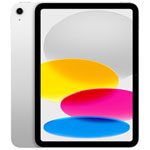
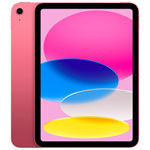
Apple's iPad uses iPadOS, which offers an intuitive touch interface along with multitasking, productivity, creative, and entertainment features designed specifically for iPad. Incredibly light, powerful, and portable, iPad makes it easy to do the things you love wherever you are.
If you own other Apple devices such as an iPhone, Mac, or Apple TV, an iPad can integrate with them through features such as AirDrop, AirPlay, Handoff, iCloud, and Universal Control on compatible devices. Select current iPad models also support Apple Intelligence.
Android Tablets
Unlike iPads, Android tablets are made by a wide variety of manufacturers. This gives shoppers a broad choice of screen sizes, performance levels, accessories, and price points. Android is a mobile operating system designed to support customization and flexible use for work, entertainment, and everyday tasks.
The Android platform allows compatible devices from different manufacturers to work together within the broader Google and Android ecosystem. For example, many Android tablets can connect with Google services, Chromecast-compatible devices, smart home products, and other compatible accessories. Brands such as Samsung also offer their own ecosystem features for users who own multiple devices from the same brand.
Windows Tablets
Windows tablets offer a tablet form factor with access to the Windows 11 desktop operating system on compatible models. This can make them especially useful for people who need traditional Windows applications, desktop productivity software, file management, and laptop-style workflows in a portable design.
Many Windows tablets also support touch, stylus input, detachable or optional keyboards, and multitasking with multiple desktop apps. Another option for Windows users is the growing selection of 2-in-1 devices, which combine tablet flexibility with the power and productivity features of a laptop.
Digital Notebooks
If you're looking for a tablet that feels more like pen on paper, a digital notebook could be a good solution. Designed primarily for note-taking, sketching, reading, and focused productivity, these devices commonly use E Ink displays that are easy on the eyes and well suited to long-form reading and writing with fewer distractions.
Unlike traditional tablets, digital notebooks from brands such as reMarkable, BOOX, and Kindle are purpose-built to offer a paper-like writing and reading experience while providing digital convenience. Depending on the model, features can include document markup, cloud syncing, handwriting-to-text conversion, front lighting, colour E Ink, app support, or limited web access.
They can be a strong option for students, professionals, and creatives who want a minimalist digital tool for thinking, learning, reading, and organizing ideas.
What Features Should I Consider When Selecting My Device?
That depends on what you're primarily using it for. Work? Entertainment? Creativity? Whatever you're using it for, there are some basic things you'll want to consider.
The operating system — iPadOS, Android, or Windows — is an important consideration. You'll also want to think about screen size and resolution, display type and refresh rate, stylus support, keyboard accessories, storage capacity, battery life, processing performance, app availability, Wi-Fi capabilities, and whether you need cellular connectivity.
A tablet's processor, screen size and resolution, storage capacity, battery life, app selection, and accessories are all important features that'll help determine which tablet is right for you. Premium models may also offer OLED or other advanced displays, higher refresh rates, faster processors, enhanced multitasking, and AI-powered features on supported devices.
Other Considerations?
Some people need access to email and the internet from almost anywhere. A cellular tablet gives you the freedom to connect to the web over a supported cellular network when Wi-Fi isn't available. Current cellular tablets commonly support 5G and LTE, while some models also use eSIM for easier cellular plan setup and switching.
There are also specially designed tablets for children. They’re often more affordable and designed to be kid-friendly. Kids’ tablets may come preloaded with games, puzzles, and educational material and are often designed with durability in mind. Some have expandable memory and parental controls that can help manage apps, content, screen time, and web access.
If you're on a tight budget, a Geek Squad Certified Open Box or refurbished tablet might be worth considering. Geek Squad Certified Open Box products are inspected and tested to meet defined performance standards, while condition and certification can vary among other open-box or refurbished products. Check the individual product listing for details.
Why Should I Consider Upgrading or Getting a Premium Tablet?
Premium tablets with operating systems from Apple, Android, and Windows can offer laptop-class performance for many everyday, creative, and productivity tasks, along with high-quality displays, fast processors, generous storage options, and long battery life.
With optional accessories such as keyboards, trackpads, and styluses, many tablets can function as compact productivity devices. If you're using a tablet for working from home or as a secondary device for work or school, a premium model can handle more demanding multitasking, creative applications, note-taking, video calls, and entertainment.
When you want to sit back and relax, premium tablets can also provide smoother video playback, crisp displays, responsive gaming, and fluid transitions between apps. Some models also offer advanced display technologies, high refresh rates, strong speaker systems, and AI-powered features for compatible apps and workflows.
Plus, tablets can be used for smart home control and as smart displays, making them versatile companions for work, school, entertainment, creativity, and connected-home use.
Want more info? Check out this resource:
Laptop or tablet? Choose the right device as a holiday gift
Best tablets by use case - Top tablets & accessories for work or play
How to purchase a tablet for the first time
How to purchase a tablet for an older parent or senior
Is adding a keyboard to a tablet or iPad good enough to replace a laptop for school?
Tablets that will make you a more versatile and productive student