

 Shop
Shop

 Latest and Greatest Tech
 Brands


 Computers, Tablets, & Accessories
 Cell Phones, Plans & Accessories
 Office Supplies & Ink
 TV & Home Theatre
 Headphones, Speakers, & Audio
 Cameras, Action Cameras, & Drones
 Car Tech and GPS
 Appliances
 Smart Home
 Home Living
 Baby & Maternity
 Video Games & VR
 Wearable Technology
 Health & Fitness
 Sports, Recreation, & Transportation
 Movies & Music
 Musical Instruments & Equipment
 Toys, Games, & Education
 Beauty
 Personal Care
 Travel, Luggage, & Bags
 Watches, Jewelry, & Fashion
 Gift Cards
 3-Day Flash Sale
 Deals
Deals
 Phones & Plans
 Outlet
 Services
AMD 7800X3D

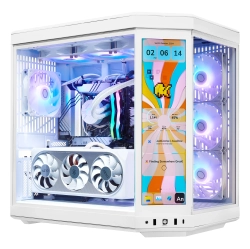

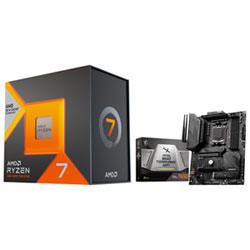

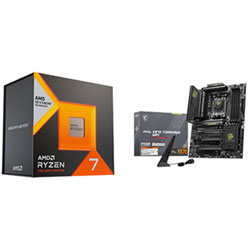


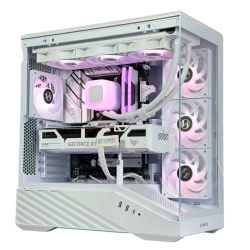
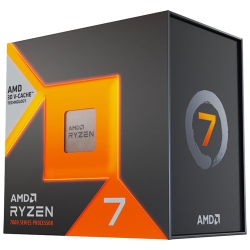


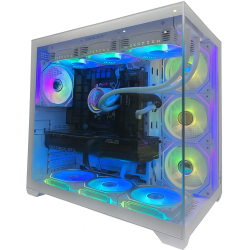

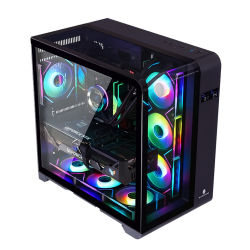
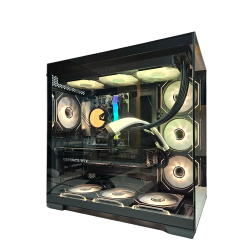
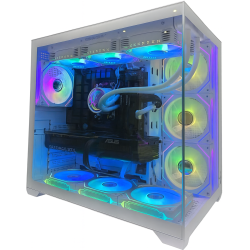
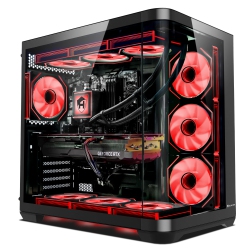
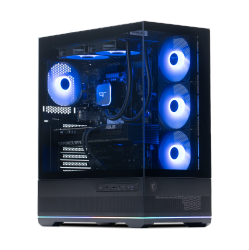
What to Consider When Choosing the AMD 7800X3D?
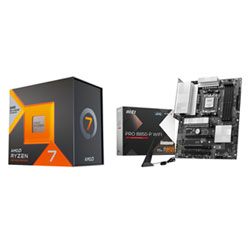
First, ensure the AM5 socket motherboard you choose supports the 7800X3D and offers PCIe 5.0 and DDR5 memory. Pair the CPU with reliable DDR5 RAM in a capacity that matches your workflow, typically 32GB for heavy multitasking or 16GB for single-GPU gaming setups. Look for a motherboard with robust VRMs, good power delivery, and adequate cooling to maintain stable performance under load.
Next, consider your storage needs. A PCIe 5.0 NVMe SSD can dramatically improve game load times and file transfers, while sufficient PCIe lanes help keep multiple devices responsive. Don’t overlook cooling; the 7800X3D benefits from an effective air cooler or AIO liquid cooler to sustain boost clocks and prevent thermal throttling during long gaming sessions or rendering tasks.
Budget for a quality case and adequate airflow to keep temperatures in check. In short, a complete AMD 7800X3D build typically includes an AM5 motherboard (X670/B650), DDR5 RAM, PCIe 5.0 storage, an efficient cooler, and a capable power supply for reliable performance.
What Are the Most Popular Uses for the AMD 7800X3D?
Gaming: The 7800X3D shines in CPU-sensitive titles and high-refresh-rate gaming on 1080p and 1440p, delivering smooth frame rates with a discrete GPU. Content creators also benefit from strong multi-core capabilities for video editing, 3D rendering, and encoding tasks when combined with fast memory and storage.
Streaming and multitasking: With 8 cores and 16 threads, the 7800X3D handles streaming software, overlays, and background tasks while maintaining game performance, making it a solid choice for streamers and creators who run demanding workflows simultaneously.
Productivity and design: For 2D/3D design, photo editing, and software development, this processor offers responsive single-thread performance and efficient multi-thread throughput, enabling faster compilation times and smoother interactive work.
What Is 3D V-Cache and Why Does It Matter?
3D V-Cache is a stacked memory technology that adds a large L3 cache on top of the CPU, significantly reducing memory latency and increasing data access speed for cache-sensitive workloads. In gaming, 3D V-Cache can improve frame rates and reduce stutter in CPU-bound titles, especially at higher resolutions or when streaming, recording, or running background tasks. This technology helps the 7800X3D deliver smoother gameplay and snappier system responsiveness without relying solely on higher clock speeds.
For creators, the cache boost translates to faster scene loading, quicker renders, and more efficient multitasking. When combined with fast DDR5 RAM and a PCIe 5.0 SSD, the AMD 7800X3D becomes a compelling centerpiece for a versatile, future-proof PC build.
How to Maintain and Optimize the 7800X3D Performance?
Regular firmware and BIOS updates from your motherboard manufacturer help ensure compatibility and performance optimizations for the 7800X3D. Keep the system cool with an appropriate cooler and ensure good case airflow to prevent thermal throttling during extended gaming or rendering sessions. Monitor temperatures with reliable software and adjust fan curves for balanced acoustics and cooling efficiency.
Enable platform features such as PCIe 5.0 storage, memory profiles (XMP/DOCP/EOCP), and power management options in the BIOS to maximize efficiency. For overclocking, tread carefully; AMD 3D-V-Cache processors have limited headroom for manual frequency boosts, and stability is best achieved with optimized default boost behavior rather than aggressive tuning. A well-chosen cooling solution and clean cable management can unlock consistent performance under load.
What Cooling Options Pair Best with the 7800X3D?
Quality air coolers or all-in-one liquid coolers (AIO) with 120mm or 240mm radiators provide ample thermal headroom for the 7800X3D, keeping temps in check during sustained gaming or rendering. When selecting a cooler, consider the case clearance, radiator space, and fan noise levels to balance performance and acoustics. For compact builds, high-performance low-profile air coolers can still deliver excellent cooling without sacrificing space.
Remember to reapply thermal paste if you reseat the cooler, and ensure the cooler’s mounting is secure to prevent heat buildup from vibration. A well-cooled 7800X3D not only maintains higher boost clocks but also extends the longevity of your system components.
How to Choose Compatible Motherboards and RAM for the 7800X3D?
Look for AM5 motherboards with the latest BIOS updates that support Ryzen processors and PCIe 5.0. Popular choices include X670 and B650 chipset boards with robust VRMs, multiple PCIe 5.0 slots, and adequate I/O options. For RAM, select high-quality DDR5 modules with reliable speeds (often 5200–6400 MT/s) and low latency to maximize cache and memory bandwidth benefits.
Ensure the power supply offers enough headroom for the CPU, GPU, and other components, typically 650W or higher for a mid/high-end gaming setup. Also, verify case dimensions and motherboard form factor compatibility to avoid clearance issues with tall coolers or large GPUs.
By choosing a suitable AM5 motherboard and fast DDR5 RAM, you’ll unlock the full potential of the AMD 7800X3D and build a balanced, future-proof system ready for modern games and productivity tasks.
Recommendations
Some products may be subject to Environmental Handling Fees (EHF) depending on your province. Learn more about EHFs