

 Shop
Shop

 Latest and Greatest Tech
 Brands


 Computers, Tablets, & Accessories
 Cell Phones, Plans & Accessories
 Office Supplies & Ink
 TV & Home Theatre
 Headphones, Speakers, & Audio
 Cameras, Action Cameras, & Drones
 Car Tech and GPS
 Appliances
 Smart Home
 Home Living
 Baby & Maternity
 Video Games & VR
 Wearable Technology
 Health & Fitness
 Sports, Recreation, & Transportation
 Movies & Music
 Musical Instruments & Equipment
 Toys, Games, & Education
 Beauty
 Personal Care
 Travel, Luggage, & Bags
 Watches, Jewelry, & Fashion
 Gift Cards
 3-Day Flash Sale
 Deals
Deals
 Phones & Plans
 Outlet
 Services
Digital Calendar
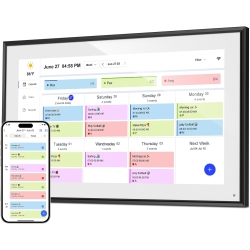
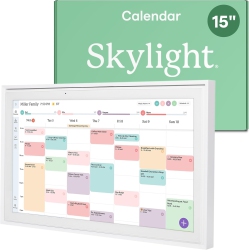








What to Consider When Choosing a Digital Calendar?
First, think about platform compatibility. Do you primarily use Android calendar apps, Mac Calendar on macOS, or Windows-based scheduling? Look for cross‑platform support so you can synchronize events across smartphones, tablets, laptops, and smart displays.
Next, evaluate features like cross‑device syncing, reminders, recurring events, and configurable notifications. For families or teams, a shared calendar with permission controls, color-coding, and attendee invites can dramatically simplify planning and communication.
Additionally, consider integrations with popular tools such as Google Calendar, Outlook Calendar, Apple Calendar, and task apps. A good calendar app should play nicely with email, maps, conferencing software, and-to-do lists to create a single source of truth for your day.
What Are the Most Popular Types of Digital Calendars?
Digital calendar options include cloud-based calendar apps, offline calendar solutions, and hardware-backed displays. Desktop versions for Windows and macOS are popular for managing long‑term plans, while mobile apps on iOS and Android keep schedules accessible on the go. For households and teams, shared calendar systems within calendar apps and smart displays help coordinate events, school activities, appointments, and travel itineraries more efficiently.
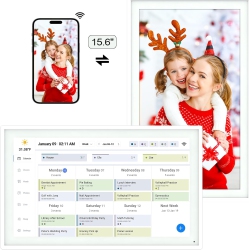
If you value visuals, look for calendars with clean layouts, color‑coding, and week/month views. For families, family calendar features and school event tracking keep everyone aligned. For professionals, calendar widgets on home screens and integration with conferencing tools can reduce back‑and‑forth planning.
How to Maintain and Optimize Your Digital Calendar?
Regularly review your calendar settings. Enable daylight saving time updates, time zone awareness, and automatic reminders to prevent missed meetings. Use recurring events for routine activities and color‑code by category—work, personal, health, travel—for quick scanning.
Sync calendars across devices so changes are reflected instantly. Combine calendar apps with reminders and to‑do lists to keep tasks aligned with your schedule. At Best Buy Canada, you’ll find accessories like smart displays and calendars that pair with popular ecosystems, making it easy to stay organized from your desk, on the go, or at home.
Keep your Digital Calendar up to date and your life in balance. Whether you’re tracking appointments, workouts, or family activities, a well‑organized calendar is a powerful productivity tool. Explore the Best Buy Canada catalog to find the right digital calendar solution for your needs and budget, backed by dependable customer support and straightforward setup guidance.
What is a Digital Calendar?
A Digital Calendar is a digital tool that helps you plan, schedule, and manage events, appointments, and reminders across devices. It can be a software application (calendar app) on your smartphone or computer, or a physical display that shows your online calendar. The key benefits include easy event creation, sharing with others, time‑zone management, and synchronization with email and messaging platforms. Popular options include Google Calendar, Outlook Calendar, Apple Calendar, and many third‑party apps designed for personal and professional use.
How Do I Choose the Right Calendar App for Me?
Start by listing your needs: cross‑device syncing, sharing with family or teammates, and integration with your email or task manager. If you spend time on a specific ecosystem, choose a calendar app that integrates deeply with that environment—Google Calendar for Android and web access, Outlook Calendar for Microsoft 365 workflows, or Apple Calendar for macOS and iOS devices. Look for features like reminders, location-based alerts, recurring events, and customizable notifications. A great calendar app should adapt to your daily routine, offer a clean interface, and provide reliable performance across smartphones, tablets, and desktop computers.
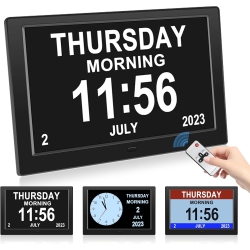
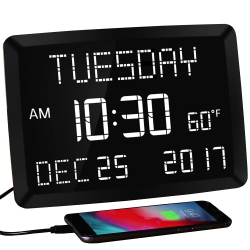
Also consider hardware complements, such as smart displays or calendar hubs, that present your schedule at a glance. For collaboration, ensure the app supports shared calendars with permission controls, meeting invites, and conferencing integrations. Browse Best Buy Canada for trusted brands, easy setup guides, and bundles that fit your tech stack and budget.
Can I Share a Digital Calendar with Others and Sync Across Devices?
Yes. Most modern calendar apps support sharing calendars with family, teammates, or clients. You can control who can view or edit events, making collaboration straightforward. Cross‑device synchronization ensures that when one person updates an event, all participants see the change in real time on their iPhone, Android phone, laptop, or smart display. This is particularly valuable for coordinating meetings, school activities, and family plans, and it works smoothly with ecosystems like Google Calendar, Outlook Calendar, and Apple Calendar.
To maximize reliability, ensure all participants are using a compatible calendar platform and enable notifications on all devices. Best Buy Canada offers a range of compatible calendars, apps, and accessories to help you build a cohesive scheduling system that matches your lifestyle and work style.
Recommendations
Some products may be subject to Environmental Handling Fees (EHF) depending on your province. Learn more about EHFs