

 Shop
Shop

 Latest and Greatest Tech
 Brands


 Computers, Tablets, & Accessories
 Cell Phones, Plans & Accessories
 Office Supplies & Ink
 TV & Home Theatre
 Headphones, Speakers, & Audio
 Cameras, Action Cameras, & Drones
 Car Tech and GPS
 Appliances
 Smart Home
 Home Living
 Baby & Maternity
 Video Games & VR
 Wearable Technology
 Health & Fitness
 Sports, Recreation, & Transportation
 Movies & Music
 Musical Instruments & Equipment
 Toys, Games, & Education
 Beauty
 Personal Care
 Travel, Luggage, & Bags
 Watches, Jewelry, & Fashion
 Gift Cards
 3-Day Flash Sale
 Deals
Deals
 Phones & Plans
 Outlet
 Services
Huawei MateBook



What to Consider When Choosing Huawei MateBook?
Screen size and resolution are essential for comfort and clarity. The MateBook X Pro offers a premium high-resolution display with excellent color accuracy, while the MateBook 14 and MateBook D 15 provide balanced panels that balance portability with productivity. Think about whether you prefer a compact 13–14 inch option for travel or a larger 15.6 inch screen for immersive work and media.
Performance matters. Look for models with modern Intel Core i5/i7 or Ryzen processors, ample RAM (8GB or 16GB), and fast SSD storage (256GB–1TB) to ensure smooth multitasking, quicker boot times, and responsive software performance. If you do video editing or design work, consider higher RAM and storage alongside a capable integrated or discrete graphics option.
Battery life and charging are critical for mobile use. Huawei MateBook laptops are known for all-day battery life on typical workloads and fast charging that can top up quickly between meetings or classes. Check battery specs and real-world estimates to align with your daily routine.
Portability and build quality are major reasons to choose a MateBook. A thin, light chassis with a robust magnesium-aluminum shell offers durability and easy transport. Consider the input options—USB-C with power delivery, USB-A, HDMI—and whether you need a dedicated card reader or an HDMI output for presentations.
Connectivity and software ecosystems matter. Many MateBook models support Huawei Share and multi-screen collaboration for a seamless flow between your laptop and Huawei smartphones. Windows 11 comes standard on newer MateBook models, delivering modern features, security updates, and compatibility with the latest software and games.
What Are the Most Popular Types of Huawei MateBook?
MateBook X Pro: premium ultrabook with an ultra-narrow bezel display, high color accuracy, and a sleek, light body. Ideal for professionals, students who demand vivid visuals, and creators who value portability without sacrificing performance.
MateBook 14: a balanced all-rounder with strong performance, good battery life, and a practical chassis for daily productivity, remote work, and study sessions. A preferred choice for commuters and home office setups.
MateBook D series (D 15, D 14): budget-conscious options that still deliver solid performance for everyday tasks, web browsing, office suites, and streaming. Great value for students and first-time laptop buyers.
MateBook 13: compact and efficient, combining portability with adequate performance for light creative work and travel-friendly use.
MateBook X: ultraportable model focusing on a slim profile, long battery life, and high-quality displays for on-the-go productivity and media consumption.
How to Maintain Huawei MateBook?
Keep your software up to date through Windows Update and Huawei PC Manager to ensure security, bug fixes, and performance optimizations. Regularly back up important files to an external drive or cloud storage to prevent data loss during updates or hardware issues.
Care for the display and keyboard with a microfiber cloth and non-abrasive cleaners designed for electronics. Avoid overly humid environments that can affect components and performance. Use a cool, well-ventilated workspace to prevent heat buildup during long sessions.
Battery health matters. Avoid keeping the MateBook plugged in at 100% for extended periods when possible, and perform routine battery calibrations if your model supports it. When not in use, shut down or sleep to preserve life cycles.
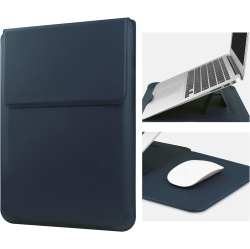
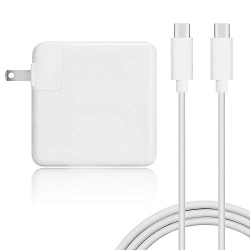
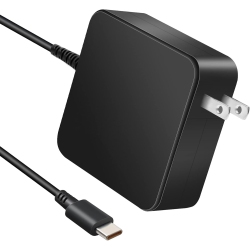
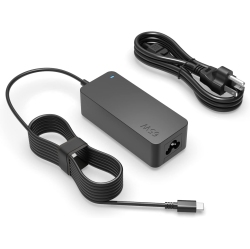
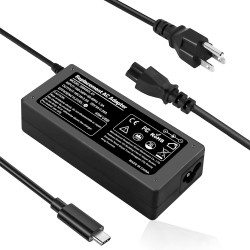
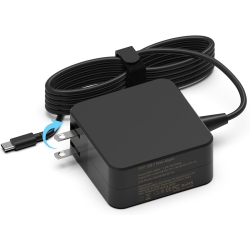
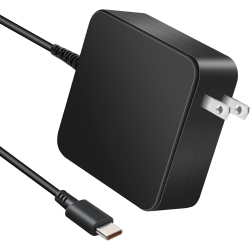
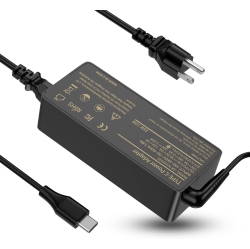
For a better experience, pair your MateBook with compatible accessories such as the Huawei USB-C hub, docking stations, portable SSDs, and protective sleeves. Ensure you use original chargers and cables for safe charging and data transfer.
Keep your Huawei MateBook in top condition and shop confidently at Best Buy Canada, where you’ll find genuine Huawei products, knowledgeable staff, and dependable support to help you choose the right MateBook model and accessories for your needs.
Which Huawei MateBook model is best for students?
For students, the MateBook 14 or MateBook D 15 often offer the best balance between cost, performance, and battery life. The MateBook 14 provides a compact, portable chassis with a bright display and enough power for word processing, web research, and light content creation. If you need a larger screen for notes and presentations, the D 15 provides a larger working area while still maintaining reasonable portability. Look for models with at least 8GB RAM and 256GB or more of SSD storage to handle multitasking and coursework efficiently.
What features differentiate the MateBook X Pro from other models?
The MateBook X Pro is designed as a premium flagship with a high-end display, thinner bezels, and select configurations offering strong color accuracy and faster PCIe storage. It typically targets professionals and creators who want a superior viewing experience, higher-end build quality, and a sleeker footprint. Expect advanced cooling, a refined keyboard, and better speakers, along with a lightweight chassis for travel.
Is Huawei Share available on MateBook laptops and how does it work?
Yes, Huawei Share is supported on many MateBook models and enables seamless cross-device collaboration between your Huawei smartphone and your laptop. This feature allows you to drag and drop files, mirror screens, copy text between devices, and use your phone as a second display, creating a unified workflow for multitasking and productivity.
Recommendations
Some products may be subject to Environmental Handling Fees (EHF) depending on your province. Learn more about EHFs