

 Shop
Shop

 Latest and Greatest Tech
 Brands


 Computers, Tablets, & Accessories
 Cell Phones, Plans & Accessories
 Office Supplies & Ink
 TV & Home Theatre
 Headphones, Speakers, & Audio
 Cameras, Action Cameras, & Drones
 Car Tech and GPS
 Appliances
 Smart Home
 Home Living
 Baby & Maternity
 Video Games & VR
 Wearable Technology
 Health & Fitness
 Sports, Recreation, & Transportation
 Movies & Music
 Musical Instruments & Equipment
 Toys, Games, & Education
 Beauty
 Personal Care
 Travel, Luggage, & Bags
 Watches, Jewelry, & Fashion
 Gift Cards
 Best Gifts Sale
 Deals
Deals
 Phones & Plans
 Outlet
 Services
Refurbished Laptops




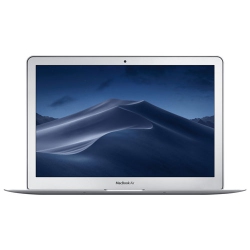


What to Consider When Buying Refurbished Laptops?
First, assess your needs: are you looking for a lightweight refurbished Windows laptop for productivity, or a refurbished MacBook for creative work? Check the processor (Intel Core i5/i7 or Apple M-series), memory (RAM), and storage (SSD for speed). A balance of performance and portability often yields the best value in the refurbished laptop market.
Next, consider battery health and life. Look for devices with healthy power cycles and a reliable charge retention profile, since refurbished units may have varied history. Battery testing is a standard part of the Geek Squad Certified Refurbished process to ensure you’re not paying for a battery that can’t hold a charge.
Condition and grade matter. Common labels like Grade A or Grade B indicate cosmetic wear and internal testing status. Decide how important visual condition is for you and pair it with performance expectations for the best overall value.
Storage and RAM are critical for multitasking and speed. A refurbished laptop with SSD and ample RAM will feel almost like new during everyday tasks and light to moderate workloads. If you’re a student or professional, prioritize models with at least 8GB RAM and 256GB SSD, with options to upgrade where possible.
Ports, connectivity, and accessories should match your needs. Ensure you have the right USB-C/Thunderbolt, HDMI, and wifi standards. Some Refurbished Laptops come with original chargers and accessories, while others may include certified alternatives—check the product page.
Warranty and returns: a robust warranty and a straightforward return policy give you confidence when buying refurbished. With Geek Squad Certified Refurbished units, you typically receive a warranty backed by Best Buy Canada and access to support should you need it.
Software and security: look for devices that arrive with up-to-date operating systems and essential security updates. Many refurbished laptops ship with clean installs and the option to add antivirus or productivity suites as needed.
Price-to-value: compare refurbished models to similarly spec’d new models to gauge the real savings. The difference is often substantial when you weigh the included warranty, testing, and support services.
What Are the Most Popular Types of Refurbished Laptops?
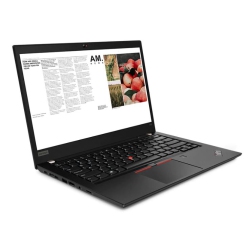
Windows-based refurbished laptops remain the top choice for students and professionals who rely on Microsoft Office, enterprise software, and wide compatibility. Look for models with current-generation CPUs, solid-state drives, and long battery life for everyday tasks and multimedia editing.
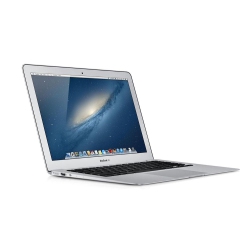
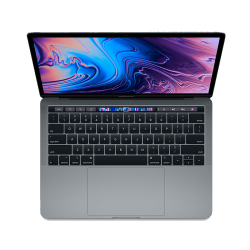
MacBook refurbished options are highly sought after for design, video editing, and software like Final Cut Pro. When purchasing, verify model year, graphics capabilities, and available ports to ensure it meets your workflow needs.
2-in-1 or convertible refurbished laptops blend laptop and tablet form, ideal for note-taking, presentations, and hands-on tasks. These models typically feature flexible hinges, touchscreens, and compatible styluses.
Gaming refurbished laptops offer discrete GPUs, faster processors, and better cooling. If you game on the go, pick a model with a capable GPU, high-refresh-rate display, and ample RAM, keeping expectations realistic for refurbished hardware.
Chromebook refurbished laptops provide a lightweight, cloud-focused option with excellent battery life for education and web-based work. They’re simple, secure, and often affordable choices for basic productivity tasks.
Business-class refurbished laptops emphasize durability, security features, and longer support lifecycles. These are popular in corporate and academic environments where reliability is essential.
How to Maintain Refurbished Laptops?
Regular maintenance extends the life of your refurbished device. Keep the system updated with the latest operating system and security patches, run routine health checks, and clear temporary files to preserve speed and stability.
Protect the battery by avoiding deep discharges, keeping the charge between 20% and 80% when possible, and performing periodic full charges to recalibrate the battery indicator.
Clean the keyboard and ports gently to prevent dust buildup. Use a soft microfiber cloth and appropriate cleaning solutions, and avoid harsh chemicals that could damage surfaces.
Back up important data regularly and consider setting up a recovery drive or cloud backups. This helps safeguard files in case of hardware failure or unexpected issues with refurbished units.
Utilize the included warranty and support from Best Buy Canada. If you encounter issues, reach out to Geek Squad or the customer care team for guidance on diagnostics, replacement options, or repair services.
When you shop for refurbished laptops at Best Buy Canada, you’ll find guidance, quality testing, and post-purchase support designed to keep you productive and confident in your device choice.
What is the difference between refurbished, open-box, and used laptops?
Refurbished laptops are factory-returned or customer-returned devices that have undergone a thorough testing, cleaning, and restoration process and are resold with a warranty. Open-box items are typically new, unused products that were opened but not used extensively and may have minimal cosmetic wear. Used laptops are pre-owned by other customers and may not have undergone standardized refurbishment. For reliability and warranty coverage, refurbished devices from Best Buy Canada—especially Geek Squad Certified Refurbished—offer the strongest value and confidence.
What warranty comes with Best Buy Canada refurbished laptops?
All Geek Squad Certified Refurbished laptops include a warranty and return options backed by Best Buy Canada. The exact terms vary by model, but you can expect coverage for hardware issues that arise under normal use and access to support from Geek Squad. Check the product page at purchase for the specific warranty duration and any limitations.
Can I upgrade a refurbished laptop after purchase?
Upgrade possibilities depend on the model and internal design. Some refurbished laptops allow easy upgrades to RAM or storage, while others may have soldered components. If you anticipate needing more RAM or a larger SSD in the future, filter for upgrade-friendly configurations on the product page and confirm with Best Buy Canada support before purchase.
Recommendations
Some products may be subject to Environmental Handling Fees (EHF) depending on your province. Learn more about EHFs