

 Shop
Shop

 Latest and Greatest Tech
 Brands


 Computers, Tablets, & Accessories
 Cell Phones, Plans & Accessories
 Office Supplies & Ink
 TV & Home Theatre
 Headphones, Speakers, & Audio
 Cameras, Action Cameras, & Drones
 Car Tech and GPS
 Appliances
 Smart Home
 Home Living
 Baby & Maternity
 Video Games & VR
 Wearable Technology
 Health & Fitness
 Sports, Recreation, & Transportation
 Movies & Music
 Musical Instruments & Equipment
 Toys, Games, & Education
 Beauty
 Personal Care
 Travel, Luggage, & Bags
 Watches, Jewelry, & Fashion
 Gift Cards
 3-Day Flash Sale
 Deals
Deals
 Phones & Plans
 Outlet
 Services
Surface Pro 11
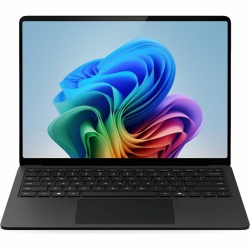
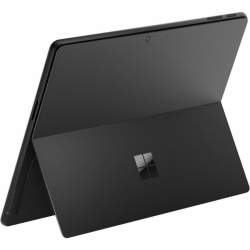
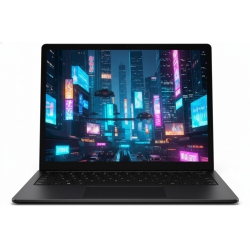
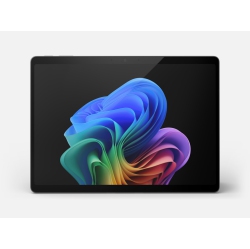

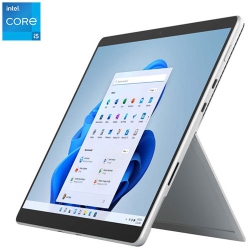
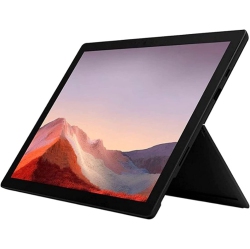
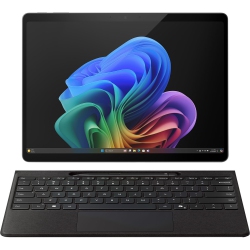
What to Consider When Choosing Surface Pro 11?
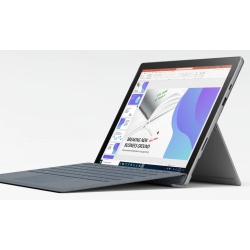
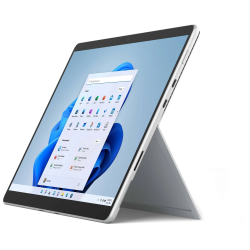
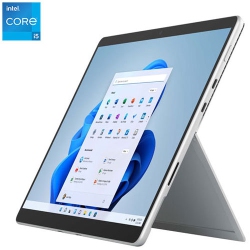
When selecting a Surface Pro 11, think about how you intend to use it. A higher RAM option helps with multitasking between apps like Word, Excel, PowerPoint, and design software, while larger storage reduces the need for constant cloud syncing. Consider display quality and touch responsiveness for drawing, annotating documents, or scrolling through media. Battery life is important for long study sessions or travel, so review the efficiency of the processor and display brightness. Don’t forget accessories such as the Type Cover keyboard, which adds a lap-friendly typing surface, and the Surface Slim Pen for precise writing and drawing. Finally, verify compatibility with peripherals via USB-C hubs, external monitors, and docking stations for a complete workstation experience.
Windows 11 on the Surface Pro 11 provides a familiar, productive environment with optimized multitasking, virtual desktops, and touch-friendly features. Evaluate privacy features, security updates, and enterprise-grade management if you’re using the device for work. At Best Buy Canada, you can compare models side by side and choose from configurations that balance price, performance, and portability for your specific needs.
What Are the Most Popular Surface Pro 11 Configurations?
The most common Surface Pro 11 configurations focus on a balance between RAM, storage, and display capabilities. Typical options include 8GB or 16GB of RAM paired with 256GB or 512GB of solid-state storage, with higher-end SKUs offering 1TB or more for heavy workloads like large document libraries, photo editing, or video projects. Many customers opt for a configuration that includes the Type Cover keyboard and the Surface Slim Pen for taking notes and sketching directly on the screen. Connectivity is usually built around reliable Wi‑Fi, with some regions offering cellular options through a compatible data plan. Regardless of configuration, these devices are designed to be ultra‑portable while delivering notebook-like performance for everyday tasks.
If you need a compact workstation with multi-monitor capability, look for models that support an external display via USB‑C and a docking solution. The right combination of RAM and storage ensures smooth multitasking, quick file transfers, and ample space for apps, documents, and creative projects. Availability may vary by Canada region and retailer, but Best Buy Canada regularly curates a range of Surface Pro 11 configurations to fit different budgets and workflows.
How to Maintain Surface Pro 11?
To maximize longevity, keep the Surface Pro 11 in a protective case or sleeve and use a screen protector to guard against scratches during travel. Regularly update Windows 11 and the device firmware to benefit from the latest performance and security improvements. Clean the screen with a microfiber cloth and a gentle, approved cleaner to avoid streaks while preserving touch sensitivity. When not in use, store the tablet in a cool, dry environment away from direct sunlight and excessive humidity. For battery health, avoid letting the charge drop to zero and try to keep it between 20–80% during extended periods of inactivity. By pairing the device with an official Type Cover keyboard and Surface Slim Pen in the included storage area, you can keep essential accessories safe and ready for use.
Regular maintenance, combined with reliable storage solutions and a delegated place on your desk, ensures the Surface Pro 11 remains a dependable partner for school, work, and creative projects. At Best Buy Canada, you’ll find accessories that help you protect and optimize your investment while staying within your budget.
What Are the Best Accessories for Surface Pro 11?
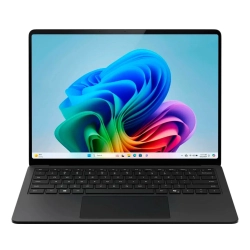
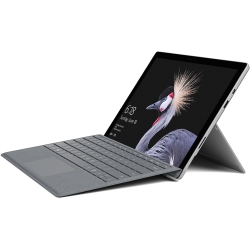
Key accessories amplify the Surface Pro 11 experience. A Type Cover keyboard adds a comfortable, productive typing surface and doubles as a protective lid when closed. The Surface Slim Pen enables precise drawing, note-taking, and design work with pressure sensitivity. A high-quality USB-C hub or dock expands connectivity to HDMI, USB-A, and additional displays, turning the tablet into a full workstation. A rugged sleeve or protective case protects the device during travel, while a dedicated charger or extra power supply ensures you stay productive on the road. For presentations, a reliable wireless mouse, a mini-projector adapter, or a portable monitor can be excellent companions. Browse Best Buy Canada for bundles that include these accessories to maximize value and convenience.
Screen protectors help maintain clarity and touch response, while a compact stand or adjustable desktop stand can improve ergonomics during long work sessions. If you collaborate remotely, consider a quality headset with a built-in microphone for crisp calls on the Surface Pro 11.
How to Compare Surface Pro 11 vs Other Devices?
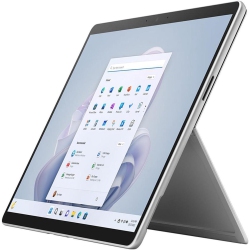
The Surface Pro 11 stands out as a true 2-in-1 that blends tablet portability with keyboard‑driven productivity. When comparing with traditional laptops, you’ll notice a lighter form factor, a detachable keyboard option, and a responsive touchscreen that supports stylus input. For students and professionals who value note-taking, sketching, and quick on‑screen edits, the Surface Pro 11 often offers a more flexible experience than a typical clamshell laptop. Compare battery life, display quality, pen input capability, and whether the included accessories align with your daily tasks. If you require constant laptop-like performance for resource-heavy software, review RAM and storage configurations and consider a model with more memory and storage. Best Buy Canada helps you compare models side by side to find the best balance of price, performance, and portability for your needs.
What Is the Best Way to Use Surface Pro 11 at Work, School, or Home?
For students, the Surface Pro 11 can serve as a powerful note-taking device, a portable study workstation, and a compact presentation tool. For professionals, it offers on‑the‑go productivity, detachable keyboard-based typing, and a crisp drawing surface for diagrams and markup. At home, it becomes a versatile media device, creative canvas, and cloud-connected workstation. Accessorize with a sturdy keyboard, a precise pen, and a reliable docking setup to create a tailored workflow that suits your schedule and space. Browse the Best Buy Canada catalog to pair your Surface Pro 11 with compatible accessories and warranties that fit your needs and budget.
Q&A: Surface Pro 11 Related Questions
Recommendations
Some products may be subject to Environmental Handling Fees (EHF) depending on your province. Learn more about EHFs