

 Shop
Shop

 Latest and Greatest Tech
 Brands


 Computers, Tablets, & Accessories
 Cell Phones, Plans & Accessories
 Office Supplies & Ink
 TV & Home Theatre
 Headphones, Speakers, & Audio
 Cameras, Action Cameras, & Drones
 Car Tech and GPS
 Appliances
 Smart Home
 Home Living
 Baby & Maternity
 Video Games & VR
 Wearable Technology
 Health & Fitness
 Sports, Recreation, & Transportation
 Movies & Music
 Musical Instruments & Equipment
 Toys, Games, & Education
 Beauty
 Personal Care
 Travel, Luggage, & Bags
 Watches, Jewelry, & Fashion
 Gift Cards
 3-Day Flash Sale
 Deals
Deals
 Phones & Plans
 Outlet
 Services
TCL Nxtpaper
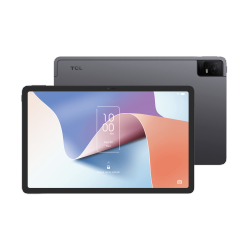
![CSMART [Cs] Magnetic Card Slot Leather Folio Wallet Flip Case Cover for Tcl 60 Xe Nxtpaper 5G In Black](https://multimedia.bbycastatic.ca/multimedia/products/250x250/194/19448/19448208.jpeg)
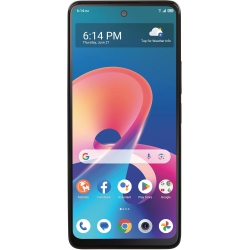
TCL 50 Xe Nxtpaper Smartphone, 5G Connectivity, Eye-Friendly Nxtpaper Display, 50Mp Ai Triple Camera
![CSMART [Cs] Thin Tpu Bumper Soft Case Back Cover for Tcl 60 Xe Nxtpaper 5G In Black](https://multimedia.bbycastatic.ca/multimedia/products/250x250/194/19448/19448207.jpeg)
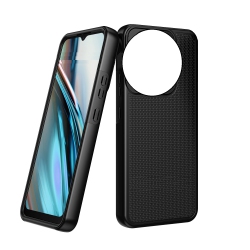
![CSMART [2 Packs] Premium Tempered Glass Screen Protector for Tcl 60 Xe Nxtpaper 5G, Case Friendly & Bubble Free](https://multimedia.bbycastatic.ca/multimedia/products/250x250/193/19349/19349148.jpeg)
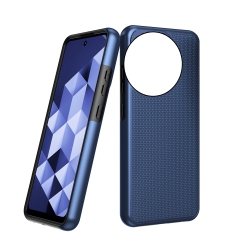
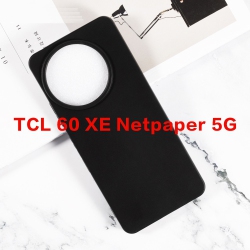
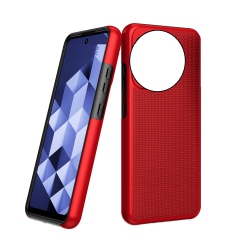
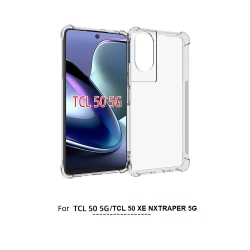
![CSMART [Cs] Magnetic Card Slot Leather Folio Wallet Flip Case Cover for Tcl 60 Xe Nxtpaper 5G, Rose In Gold](https://multimedia.bbycastatic.ca/multimedia/products/250x250/194/19448/19448209.jpeg)
![CC Topsave [1 Piece] Screen Protector for Tcl 50 Xe Nxtpaper 5G 6.6" Tempered Glass, 9H Hardness, Case Friendly, HD Clear Film](https://multimedia.bbycastatic.ca/multimedia/products/250x250/150/15078/15078381.jpeg)

![GENERIC Dualshield Grip Compatible With Tcl 30 5G Case/tcl 30 / Tcl 30+ Case (2022), [Mergegrip] Shockproof Military](https://multimedia.bbycastatic.ca/multimedia/products/250x250/195/19502/19502649.jpeg)
What to Consider When Choosing TCL NXTpaper?
Screen type and size are key. A larger screen makes handwriting and document review easier, while a smaller screen is lighter for travel and daily carry. Look for a glare-free, reflective surface that remains easy to read in bright light, indoors, and outdoors.
Pen experience matters. A responsive stylus with low latency, pressure sensitivity, and palm-rejection will feel closest to real writing. Check if the stylus is included or sold separately, and whether it charges via USB-C or uses a replaceable battery.
Storage and file management. Consider built-in storage capacity and options to expand via microSD or cloud sync. Being able to export notes as PDF, PNG, or TXT files makes sharing with colleagues and classmates simple.
Battery life and charging. Long battery life is essential for long study sessions or travel days. Determine if USB-C charging is supported for faster top-ups and compatibility with common chargers.
Software compatibility and ecosystem. Some TCL Nxtpaper models run on a lightweight OS optimized for note-taking, with features like PDF annotation, handwriting-to-text conversion, and cloud backup. Verify if apps you rely on (notes, cloud storage, or document viewers) are available or easily accessible.
Durability and accessories. Look for a rugged case, screen protector, and a stand or mounting option if you plan to use TCL Nxtpaper for presentations or classrooms. Weight and balance affect comfort during extended use.
What Are the Most Popular Types of TCL NXTpaper Devices?
The most popular TCL Nxtpaper configurations include mid-sized 10–12 inch tablets that balance readability with portability for reading, handwriting, and document editing. Smaller 7–8 inch versions are favored by students and travelers who want a light, distraction-free device for lectures and quick note capture. Some models offer dual-mode displays for easy switching between reading and writing, plus options for stylus storage and magnetic charging accessories.
A key draw is the tactile writing experience—similar to paper—paired with digital benefits such as markup on PDFs, layered notes, and searchable handwriting. This makes TCL Nxtpaper a compelling alternative to traditional tablets when you want paper-like clarity with digital endurance.
How to Maintain TCL NXTpaper?
Keep the display clean with a microfiber cloth to preserve the paper-like texture and reduce smudges that can affect readability. Use approved screen-cleaning products or lightly dampen the cloth for stubborn marks, then wipe dry. Avoid harsh cleaners that could degrade the screen’s surface.
Protect the device with a sturdy case and screen protector designed for stylus usage. Regularly check the stylus tip for wear and replace as needed to maintain precise input. Store the pen in a designated cradle to prevent loss during travel.
Manage software updates and backups. Enable cloud sync for notes and documents so nothing is lost if you switch devices. Export important files and keep a local archive for offline access and long-term reliability.
With proper care, your TCL Nxtpaper will continue to deliver an eye-friendly, paper-like writing experience with the convenience of digital storage and sharing. Explore our full range of TCL Nxtpaper devices and related accessories at Best Buy Canada to find the best setup for your study, work, and creative projects.
What makes TCL Nxtpaper different from a standard tablet?
TCL Nxtpaper uses an e-ink or e-ink-like display designed to mimic the feel of writing on paper. The result is a lower contrast, glare-free surface that is gentler on the eyes during long reading sessions. It prioritizes handwriting and note-taking efficiency over fast color rendering, offering a distraction-free environment ideal for reading, annotation, and planning. Unlike typical LCD tablets, it consumes less power when displaying static content, extending battery life for days of use on a single charge in many scenarios.
Is TCL Nxtpaper good for note-taking and annotating PDFs?
Yes. TCL Nxtpaper is designed for handwritten notes, margin annotations, and PDF markup. The stylus supports pressure sensitivity and palm rejection, enabling natural, precise handwriting, and quicker annotation of documents. You can import PDFs, mark them up directly, and export annotated versions for sharing with classmates or colleagues. This makes it a strong choice for researchers, students, and professionals who rely on document review and annotation.
Does TCL Nxtpaper include a stylus, and does it require charging?
Many TCL Nxtpaper bundles include a compatible stylus designed for a seamless writing experience. Depending on the model, the stylus may charge in the device or via USB-C, or it may passively work without frequent charging for typical use. Always verify the exact contents of the bundle when purchasing to ensure you have a fully functional setup for your needs.
Recommendations
Some products may be subject to Environmental Handling Fees (EHF) depending on your province. Learn more about EHFs