

 Shop
Shop

 Latest and Greatest Tech
 Brands


 Computers, Tablets, & Accessories
 Cell Phones, Plans & Accessories
 Office Supplies & Ink
 TV & Home Theatre
 Headphones, Speakers, & Audio
 Cameras, Action Cameras, & Drones
 Car Tech and GPS
 Appliances
 Smart Home
 Home Living
 Baby & Maternity
 Video Games & VR
 Wearable Technology
 Health & Fitness
 Sports, Recreation, & Transportation
 Movies & Music
 Musical Instruments & Equipment
 Toys, Games, & Education
 Beauty
 Personal Care
 Travel, Luggage, & Bags
 Watches, Jewelry, & Fashion
 Gift Cards
 Boxing Day Sale
 Deals
Deals
 Phones & Plans
 Outlet
 Services
Wyze Camera
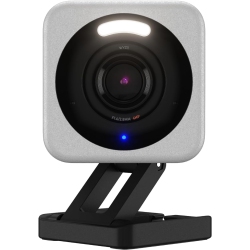
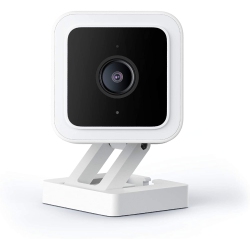
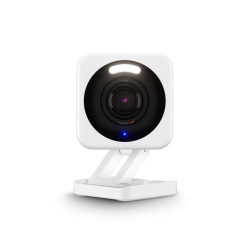
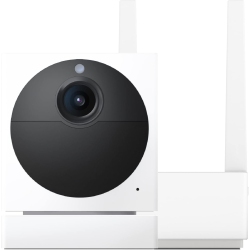

What is a Wyze Camera and what features does it offer?
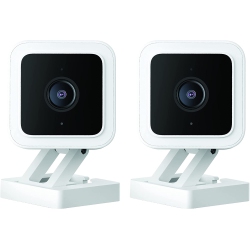
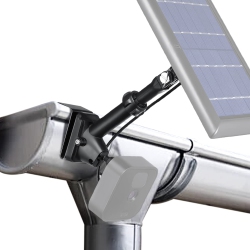
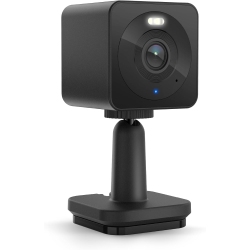
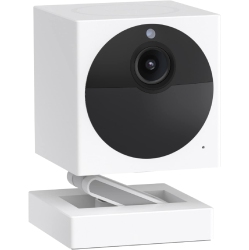
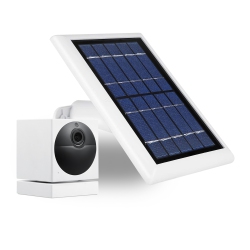
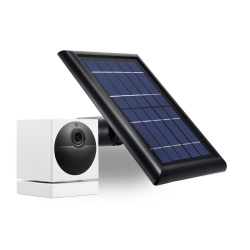
A Wyze Camera is a compact Wi-Fi security camera designed for simple setup and reliable home monitoring. Key features typically include 1080p HD video, clear color night vision, motion detection with notifications, two-way audio, and a user-friendly Wyze app for live viewing, playback, and alert customization. Most models support local storage via microSD cards and offer optional cloud storage plans so you can review past clips. Wyze Cameras are made to work indoors, and select models are designed for outdoor use with weather resistance, giving you versatile security for porches, driveways, and entryways.
When you pair a Wyze Camera with compatible devices, you can receive notifications on your phone, view feeds on a computer or smart display, and automate actions through the Wyze app or third‑party services. The combination of affordability, straightforward setup, and strong app features makes Wyze Cameras a popular choice for entry‑level home surveillance and everyday monitoring.
How do Wyze Cameras connect to other smart home devices like Alexa and Google Assistant?
Wyze Cameras are designed to integrate with popular smart home ecosystems. You can view live feeds or video on compatible Alexa or Google Assistant devices, giving you hands-free access to your camera streams. For example, you can say a voice command to display a Wyze Camera feed on a smart display or TV. In addition, Wyze supports automation and routines through the Wyze app and through compatible services like IFTTT, enabling you to trigger lights, scenes, or other smart devices when motion is detected. This makes it easy to build a cohesive security setup that fits your daily routine.
For Canadian customers, Best Buy Canada ensures you have access to the latest Wyze options and updates, with guidance on configuring privacy settings and managing permissions across your smart home network. You can control at what times motion alerts are sent, how clips are stored, and who can access live streams, all from the Wyze app or your preferred voice assistant platform.
What are the main Wyze Camera models and how should I choose between them?
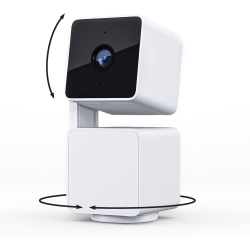
Wyze Cam v3 is a popular all‑around option designed for indoor and outdoor use with weather resistance and color night vision, making it ideal for porches, driveways, and entryways while still performing well inside the home. Wyze Cam v2 offers a proven 1080p experience with strong night vision and a compact form, suitable for bedrooms, living rooms, or offices. Wyze Cam Pan features a motorized pan and tilt for wider coverage in larger rooms or busy spaces where you want to sweep the area rather than rely on a fixed field of view. When choosing between them, consider where you’ll place the camera, whether weather resistance is important, and how broad a view you need. Access to microSD storage and cloud storage options lets you tailor recording history and clip access to your preferences and budget.
All three lines share the core Wyze app experience, including motion alerts, two-way audio, and straightforward setup. At Best Buy Canada, you can compare bundles, read user reviews, and select the Wyze model that best fits your home security goals and space constraints.
How do I set up a Wyze Camera and start recording in Canada?
Getting started is quick and simple. Download the Wyze app on your iPhone or Android device, create an account, and follow the step‑by‑step prompts to add a new camera. You’ll scan a QR code on the camera to pair it with your Wi‑Fi network, assign a room or name, and customize sensitivity, notifications, and clip length. If you’re using microSD storage, insert a card to enable local recording. For cloud storage, select a plan that suits your needs and privacy preferences. Position your camera, test the live view, set up motion zones to reduce false alarms, and enable two‑way audio to communicate with family or pets. Best Buy Canada provides reliable guidance and support if you need help with regional settings or connectivity.
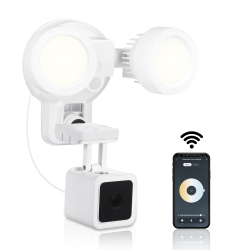
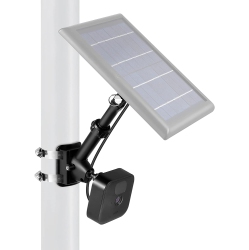
Within minutes you’ll have a working Wyze Camera system you can view from your phone, tablet, or smart display, with the flexibility to expand later by adding additional cameras or mounting options as your home grows smarter.
Storage options and privacy: local vs cloud for Wyze Cameras
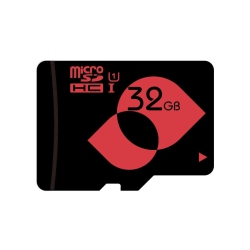
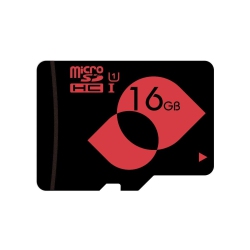
Wyze Cameras typically offer two main storage paths: local storage via microSD cards and optional cloud storage. Local storage stores clips directly on a microSD card inserted into the camera, which keeps recordings on-device and accessible through the Wyze app. Cloud storage plans provide an off-device option for clip history and event recordings, with the convenience of access from any linked device. Users should review privacy settings to control who can view streams and recordings, manage sharing options, and decide how long footage is retained. Best Buy Canada supports Wyze Cameras with clear product information, compatible accessories, and customer service to help you configure privacy controls and storage preferences that match your needs.
Consider your space, budget, and privacy comfort level when choosing between local storage, cloud storage, or a combination of both. Whether you’re shopping for a single indoor camera or a multi‑camera outdoor security setup, Wyze offers a scalable solution that pairs with other smart home devices in your Canadian home. Browse Wyze Camera options at Best Buy Canada to find the right mix of price, features, and portability for your security goals.
By choosing Wyze Cameras through Best Buy Canada, you’re investing in reliable, affordable home surveillance that blends with your everyday technology. From basic room monitoring to comprehensive home security, Wyze delivers a flexible and approachable security solution with room to grow.
Recommendations
Some products may be subject to Environmental Handling Fees (EHF) depending on your province. Learn more about EHFs