

 Shop
Shop

 Latest and Greatest Tech
 Brands


 Computers, Tablets, & Accessories
 Cell Phones, Plans & Accessories
 Office Supplies & Ink
 TV & Home Theatre
 Headphones, Speakers, & Audio
 Cameras, Action Cameras, & Drones
 Car Tech and GPS
 Appliances
 Smart Home
 Home Living
 Baby & Maternity
 Video Games & VR
 Wearable Technology
 Health & Fitness
 Sports, Recreation, & Transportation
 Movies & Music
 Musical Instruments & Equipment
 Toys, Games, & Education
 Beauty
 Personal Care
 Travel, Luggage, & Bags
 Watches, Jewelry, & Fashion
 Gift Cards
 3-Day Flash Sale
 Deals
Deals
 Phones & Plans
 Outlet
 Services
Ergonomic Mouse

What to Consider When Choosing an Ergonomic Mouse?
Hand size and grip style matter. Measure your palm width and finger length to find a model that fits comfortably without curling or overreaching. A well-fitting ergonomic mouse reduces wrist deviation and forearm strain during extended use.
Grip types include palm, claw, and fingertip. Palm grips favor larger, contoured shapes; claw grips need a slightly lighter touch; fingertip grips use a compact design for nimble control. Your grip choice should align with your daily tasks, whether you’re drafting, coding, or navigating spreadsheets.
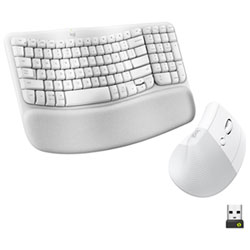
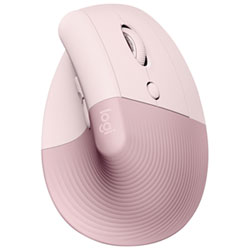
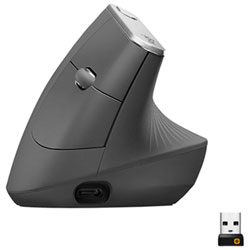
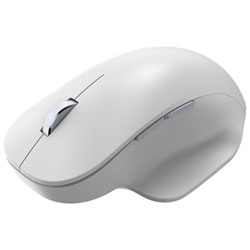
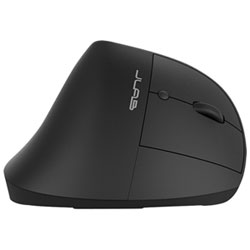
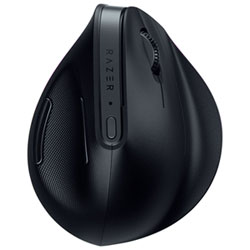
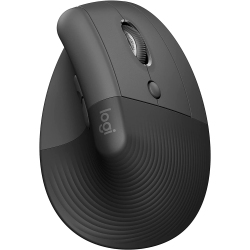
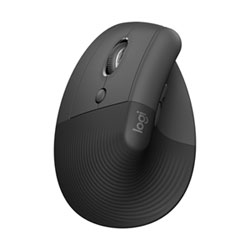
Ergonomic design options include vertical mice, angled or sculpted contoured mice, and ambidextrous shapes. Vertical mice keep your wrist in a neutral posture, while contoured designs support the natural curve of your hand. Ambidextrous models work well in shared workstations or for left-handed users.
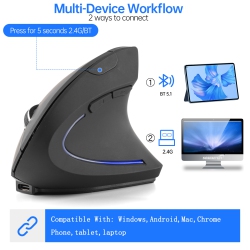
Connectivity matters. Wireless ergonomic mouse models offer Bluetooth or USB dongle connections and USB-C charging, giving you freedom from cords. If you rely on a stable, latency-free setup for design or gaming, consider a wired option with a reliable USB connection.
DPI and sensor quality affect precision. Look for adjustable DPI ranging from 800 to 16,000 or more for smooth cursor control on different screens and textures. A high-quality sensor helps track accurately on glass or glossy displays without skipping.
Programmable buttons, customizable macros, and on-device memory can speed up workflows by letting you map frequently used actions. For productivity tasks, an ergonomic mouse with extra buttons can reduce repetitive clicking and improve efficiency.
Look for features like silent-click switches for quiet offices, palm rests for comfort, tilt scroll, and anti-slip coatings. Battery life is crucial in wireless models; choose rechargeable batteries or long-lasting cells that survive a full workday on a single charge.
What Are the Different Types of Ergonomic Mice?
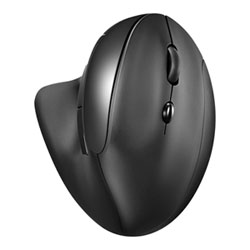
Vertical ergonomic mice keep the hand in a more natural handshake position, reducing forearm twist and alleviating tendinitis symptoms. Contoured ergonomic mice hug the shape of your palm, providing comfortable support during long sessions.
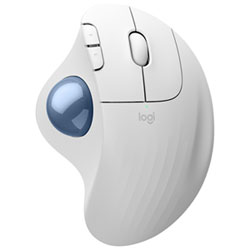
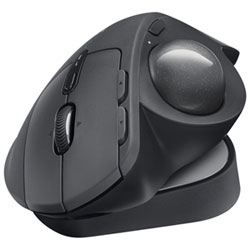
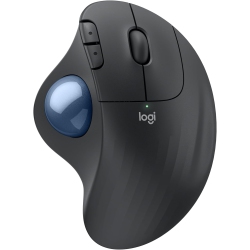
Ambidextrous or symmetric mice are ideal for shared devices or left-handed users, offering a balanced feel and straightforward button layouts. Trackball mice keep the cursor moving with a stable base and a rotating ball, which can minimize wrist motion for some tasks.
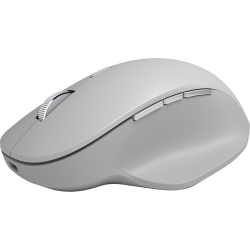
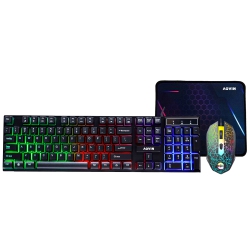
Gaming-oriented ergonomic mice combine comfort with high-DPI sensors, rapid poll rates, and programmable macros for enthusiasts who require precision and speed. For executives and professionals, low-profile or slim ergonomic mice can fit compact workstations without sacrificing comfort.
How Do I Choose Between Wireless and Wired Ergonomic Mice?
Wireless models offer greater freedom of movement and a cleaner desk. If you value mobility, Bluetooth vs USB dongle compatibility is important—check that your computer supports your preferred connection and that pairing is quick and stable.
Wired ergonomic mice deliver zero latency and consistent throughput, which can be critical for precision tasks in design, CAD, or gaming. They also never rely on battery life, making them ideal for long sessions with a predictable performance.
Consider charging options. USB-C recharging is common on contemporary wireless mice and can minimize downtime. If you travel frequently, a model with removable batteries or long-lasting rechargeable cells helps maintain productivity on the go.
How Do I Maintain an Ergonomic Mouse?
Keep the surface clean and free of dust, crumbs, and oils that can affect sensor accuracy and button responsiveness. Use a soft microfiber cloth and avoid harsh cleaners that could degrade coatings.
Inspect the feet and glide pads regularly. If you notice rough motion or grinding, replace worn pads to preserve smooth tracking and reduce fatigue.
Store and charge correctly. If your mouse uses a rechargeable battery, follow the manufacturer’s charging recommendations to maximize lifespan and maintain consistent performance.
Ergonomic mice are an investment in comfort and productivity. At Best Buy Canada, you’ll find a wide selection of ergonomic mice that fit different hands, preferences, and workstyles, helping you stay comfortable during hours of focus.
What Hand Size and Grip Style Do I Have?
To choose the right mouse, measure your hand from the base of the palm to the tip of your middle finger and compare to the product dimensions. A model that supports your palm’s natural curve will reduce strain and promote better posture during tasks like photo editing, document markup, and spreadsheet work.
If you use a large or small hand, look for adjustable or modular components—such as removable side grips or swap-able palm rests—that tailor the fit to you. For left-handed users, an ambidextrous design can offer symmetrical comfort and button placement that feels natural.
By pairing the best ergonomic mouse with a proper chair, desk height, and monitor setup, you can create a healthier, more productive workstation. Explore the Best Buy Canada catalog to find options that match your grip and hand size, enhancing daily performance and comfort for years to come.
Recommendations
Some products may be subject to Environmental Handling Fees (EHF) depending on your province. Learn more about EHFs