

 Shop
Shop

 Latest and Greatest Tech
 Brands


 Computers, Tablets, & Accessories
 Cell Phones, Plans & Accessories
 Office Supplies & Ink
 TV & Home Theatre
 Headphones, Speakers, & Audio
 Cameras, Action Cameras, & Drones
 Car Tech and GPS
 Appliances
 Smart Home
 Home Living
 Baby & Maternity
 Video Games & VR
 Wearable Technology
 Health & Fitness
 Sports, Recreation, & Transportation
 Movies & Music
 Musical Instruments & Equipment
 Toys, Games, & Education
 Beauty
 Personal Care
 Travel, Luggage, & Bags
 Watches, Jewelry, & Fashion
 Gift Cards
 3-Day Flash Sale
 Deals
Deals
 Phones & Plans
 Outlet
 Services
Logitech Keyboards
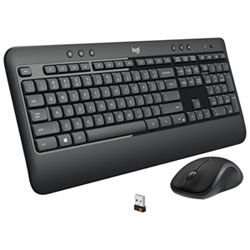
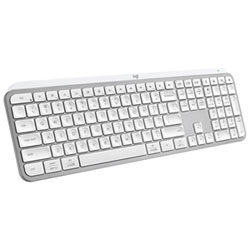
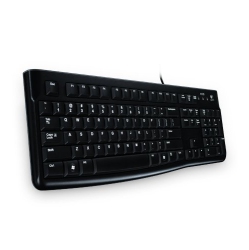
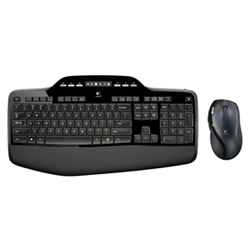

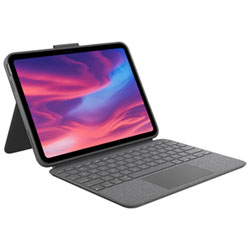
What to Consider When Choosing Logitech Keyboards?
First, decide on connectivity: wireless Bluetooth, USB-C wired, or a hybrid approach with a dongle. If you switch between devices, look for Easy-Switch multi-device pairing and long battery life for uninterrupted work or play. Consider whether you need a full-size keyboard with a numeric keypad or a compact tenkeyless (TKL) or even a mini layout for portability.
Next, type feel matters. Logitech offers low-profile chiclet keys on MX Keys and more tactile mechanical switches on MX Mechanical or gaming keyboards. Consider switch type, key travel, actuation force, and noise level to suit your preference—especially if you type for hours each day.
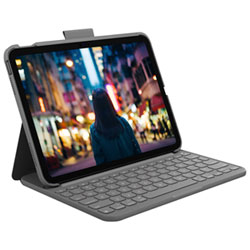
Backlighting improves visibility in dim environments, with customizable brightness and per-key lighting on some models. Ergonomic designs or split keyboards can reduce strain during long sessions, while integrated stands or adjustable tilt help align your wrists for comfort.
If you work across devices, check compatibility with Windows, macOS, iPadOS, and Chrome OS, plus whether software like Logitech Options enables features such as custom key mappings and firmware updates.
What Are the Most Popular Types of Logitech Keyboards?
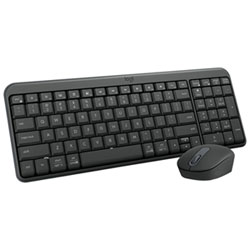
Logitech MX Keys and MX Keys Mini are top choices for productivity, featuring slim profiles, backlit keys, and multi-device pairing. For larger desks, the MX Keys with a full-sized layout offers a comfortable numeric keypad and a sturdy typing experience. In gaming, G-series keyboards such as G915, G Pro, and G413 deliver mechanical or tactile switches, programmable keys, and advanced lighting for immersive play.
Compact and portable options like K380 or K380 Multi-Device are ideal for travellers or small workspaces, providing reliable connectivity and easy device switching. For ergonomic setups, consider K860 or other models designed to reduce wrist strain while delivering a comfortable typing angle.
There are also hybrid options that blend productivity and light gaming capability, with low-latency wireless connections and robust build quality suitable for home offices, classrooms, or business environments.
How to Maintain Logitech Keyboards?
Regular cleaning with a soft brush or compressed air helps remove dust from gaps between keys. Avoid liquids on the keyboard surface and use a microfiber cloth for wipe-downs. Update firmware and drivers via Logitech Options software to ensure your keyboard runs smoothly and supports the latest features.
Protect your investment by using a keyboard cover if needed, storing in a cool, dry place, and checking battery health in wireless models. With Logitech Keyboards, you’ll enjoy durable builds and reliable performance that stay comfortable over time, whether you’re typing emails, coding, or gaming.
When upgrading, consider pairing your Logitech keyboard with a compatible Logitech mouse or a comfortable wrist rest to create an ergonomic and productive workstation that adapts to your workflow.
Are Logitech Keyboards compatible with both PC and Mac?
Yes. Most Logitech keyboards are designed to work with both Windows and macOS, and some models offer macOS-specific key mappings. When used with macOS, you may need to customize function keys using Logitech Options for optimal shortcuts and terminology. This cross-compatibility makes Logitech Keyboards versatile for mixed-device environments in homes or offices.
Can I connect Logitech Keyboards to multiple devices at once?
Absolutely. Many Logitech keyboards support multi-device pairing via Bluetooth or a USB wireless dongle. With Easy-Switch, you can quickly toggle between devices such as a desktop PC, laptop, tablet, or phone, enabling seamless workflows across platforms without reconnecting every time.
Do Logitech gaming keyboards have programmable keys and RGB lighting?
Yes. Logitech gaming keyboards typically feature programmable macro keys and customizable RGB lighting. Software like G Hub or Logitech Options allows you to assign actions, macros, and lighting profiles for different games or applications, enhancing both speed and aesthetics for competitive play.
Recommendations
Some products may be subject to Environmental Handling Fees (EHF) depending on your province. Learn more about EHFs