Best Laptops for Photoshop
Find the best laptops for Photoshop to bring your creative ideas to life, from detailed photo edits to layered digital artwork. Ranked by user review ratings, this selection highlights customer favourites to help you narrow your search. Look for a capable processor, ample RAM, fast SSD storage, and a sharp, colour-accurate display to support your editing workflow.
What to look for in the best laptops for Photoshop
1. Processor and Graphics
2. Memory
3. Display Quality
4. Storage and Connectivity
-
1
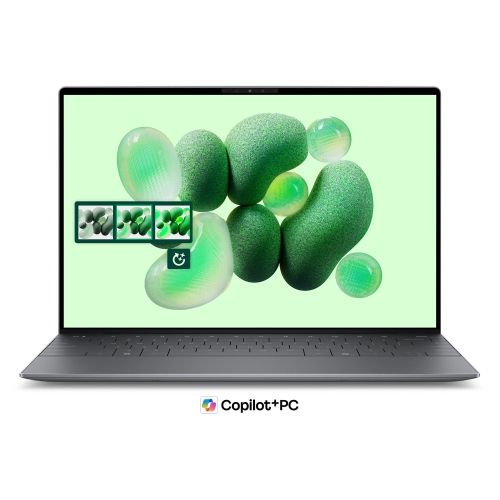
DELL Xps 13 13.4" 120Hz Laptop - Snapdragon X Elite - 16GB Lpddr5X - 1Tb SSD - Windows 11 Pro - Graphite
About this product
A graphite laptop featuring a 13.4" WUXGA 120Hz display, Snapdragon X Elite, 16GB RAM, and 1TB SSD.
What customers like
(374)$1,889.00Your price for this item is $1889SAVE $1110 -
2

MICROSOFT Refurbished (Good) - Surface Laptop 3 15" Touchscreen - Amd Ryzen 7 Surface Edition - 32GB - 1Tb SSD - Windows 10 Home
About this product
A refurbished laptop featuring a 15" touch screen, 1TB SSD, AMD Ryzen 7, and 32GB memory.
What customers like
(2,498)$3,099.00Your price for this item is $3099SAVE $501 -
3
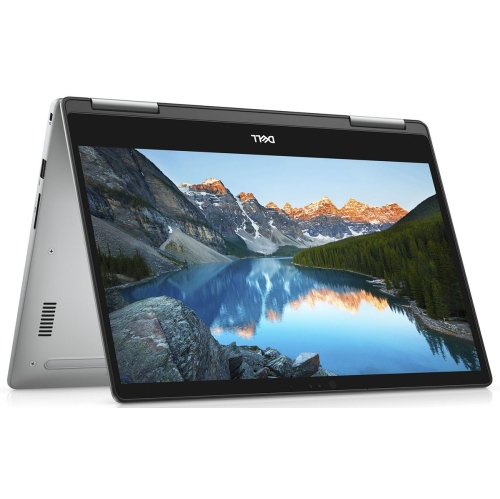
DELL (Refurbished - Good) - Inspiron 7573 15.6" Fhd Touchscreen 2-In-1 Laptop - Intel Core I5 8Th Gen - 12GB Ram - 256GB SSD - Windows 11
About this product
A versatile 2-in-1 laptop featuring a 1080p touchscreen, Core i7 processor, 16GB RAM, and 512GB SSD.
What customers like
(152)$499.95Your price for this item is $499.95SAVE $22 -
4
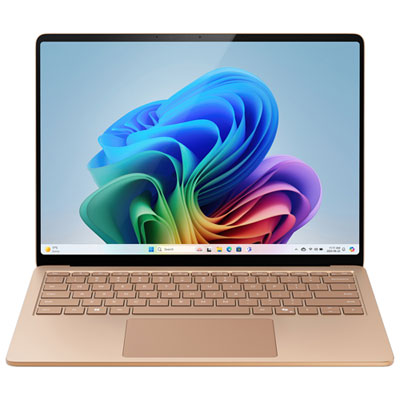
Microsoft Surface Laptop 13.8" Touchscreen Copilot+ PC Laptop (Snapdragon X Elite/16GB RAM/1TB SSD)-2025-Dune-EN
About this product
A sleek dune-colored touchscreen laptop with Snapdragon X Elite, 16GB RAM, 1TB SSD, and advanced AI features.
What customers like
(52)$2,249.95 Your price for this item is $2249.95 -
5

HP Refurbished (Excellent) - Elitebook X360 1030 G8 14" Touchscreen 2-In-1 Business Laptop - Intel Core I7-1185G7 - 16GB - 1Tb SSD - Windows 11 Pro
About this product
A versatile 2-in-1 laptop with a 14" touchscreen, Intel Core i7, 16GB RAM, and 1TB storage.
What customers like
(1,042)$828.00Your price for this item is $828SAVE $271 -
6
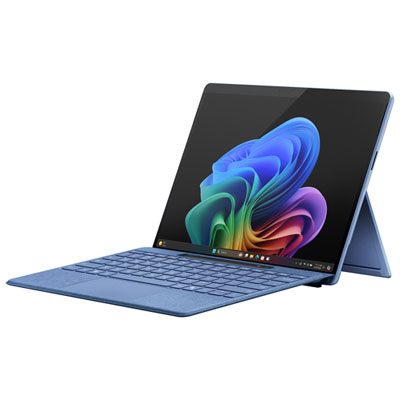
Microsoft Surface Pro (OLED) Copilot+ PC 13" 512GB Tablet with Snapdragon X Elite/16GB RAM (2024) - Sapphire - Device Only - Exclusive Retail Partner
About this product
A sapphire ultra-portable tablet featuring Snapdragon X Elite, 16GB RAM, OLED display, and advanced AI capabilities.
What customers like
(162)$2,599.99 Your price for this item is $2599.99 -
7
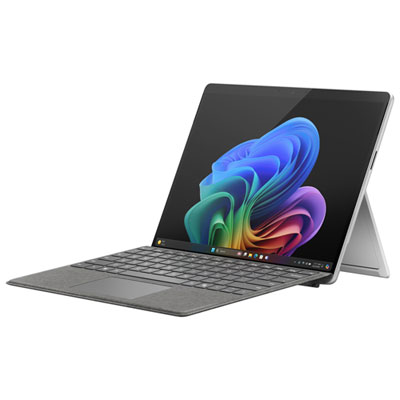
Microsoft Surface Pro (OLED) Copilot+ PC 13" 1TB Tablet with Snapdragon X Elite/32GB RAM (2024) - Platinum - Device Only
About this product
A platinum ultra-portable tablet featuring a 13" OLED display, Snapdragon X Elite, and 32GB RAM.
What customers like
(98)$4,049.99 Your price for this item is $4049.99 -
8
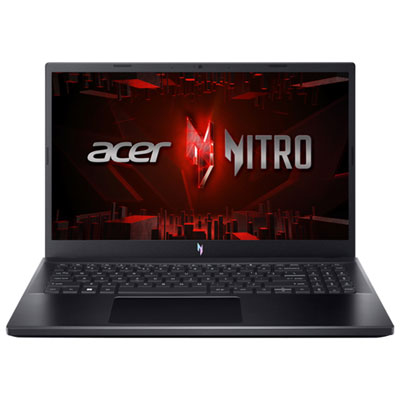
Acer Nitro V 15.6" 165Hz Gaming Laptop - Intel Core i7-13620H - 16GB DDR4 - 1TB SSD - RTX 5060 - Windows 11 - Black
About this product
A powerful black gaming laptop featuring Intel Core i7, 16GB RAM, RTX 5060 graphics, and backlit keyboard.
(18)$1,599.99Your price for this item is $1599.99SAVE $200
FAQ
Look for a recent multi-core processor, ample RAM, an SSD, and graphics hardware that supports your version of Photoshop. If you regularly work with layered files or keep several creative apps open, give extra attention to memory. Check Adobe’s current system requirements when comparing laptops.
A dedicated graphics card is not required for every Photoshop workflow, but certain features rely on compatible graphics hardware and GPU acceleration. Integrated graphics may suit general photo editing, while a dedicated GPU is worth considering for graphics-intensive tools and workflows that also include video editing.
Look for accurate colour reproduction, broad colour gamut coverage, and consistent viewing angles. An IPS or OLED display can be a useful option, though panel type alone does not guarantee colour accuracy. Support for colour calibration is also valuable when preparing images for print or sharing work across displays.
An SSD is preferable to a traditional hard drive for accessing applications and project files. Photoshop also uses a scratch disk as temporary working space, so keeping free space on the internal drive matters. External storage can provide a separate location for photo libraries, archived projects, and backups.
USB-A and USB-C ports can connect drawing tablets, external drives, and other accessories. HDMI or a USB-C port with video output support is useful for an external monitor, while an SD card reader can simplify importing photos from a camera. Check each port’s supported features, as not every USB-C port offers the same functions.
Top selling and popular products
Discover more categories related to Best Laptops for Photoshop
Some products may be subject to Environmental Handling Fees (EHF) depending on your province. Learn more about EHFs.