Computer Number Pads
If you're looking to enhance your computing experience, look no further than this wide selection of computer number pads. Whether you're a data entry professional who needs a dedicated numeric keypad or a gamer seeking better control and precision, we have the perfect solution for you. With our range of computer number pads, you can streamline your work, improve efficiency, and elevate your gaming skills.
Sort
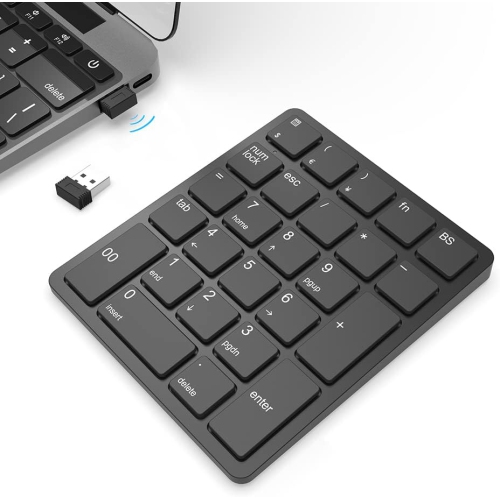
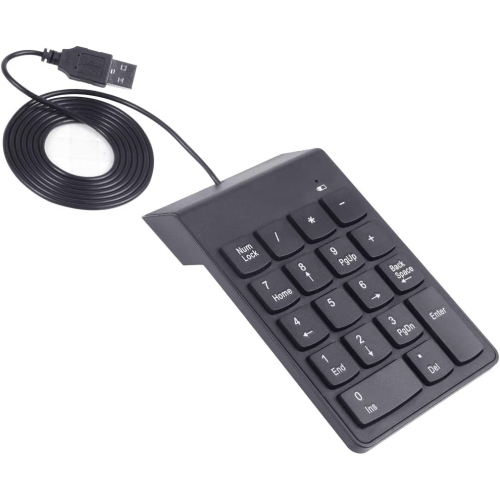
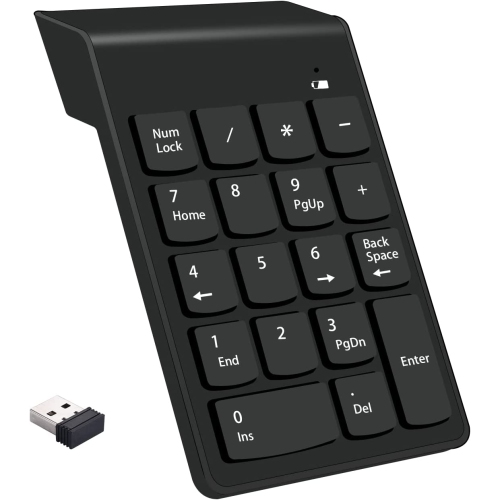
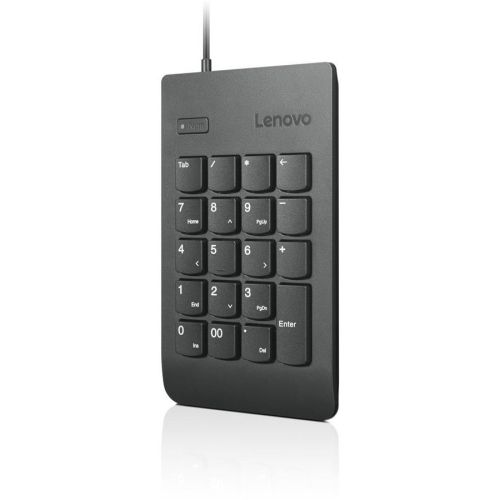
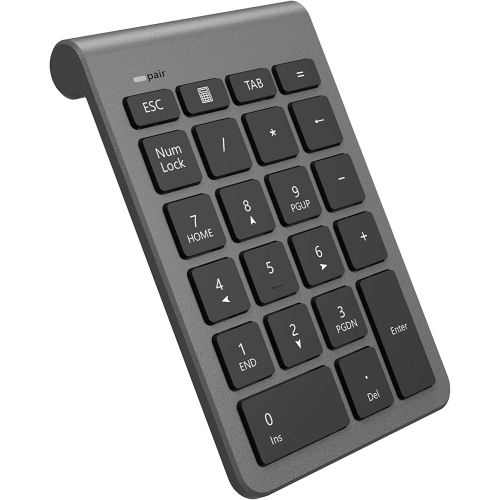

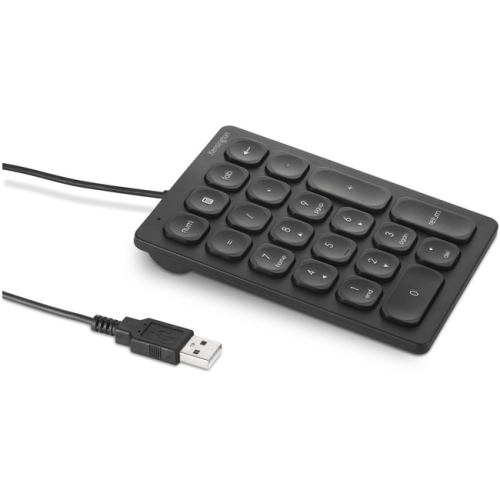
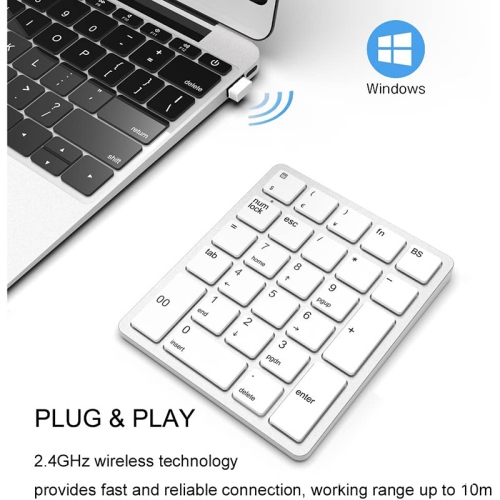
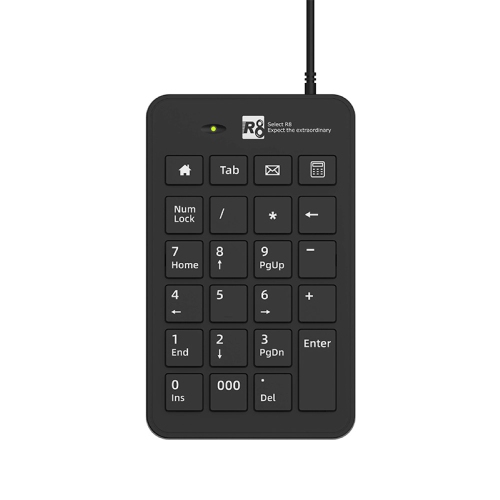
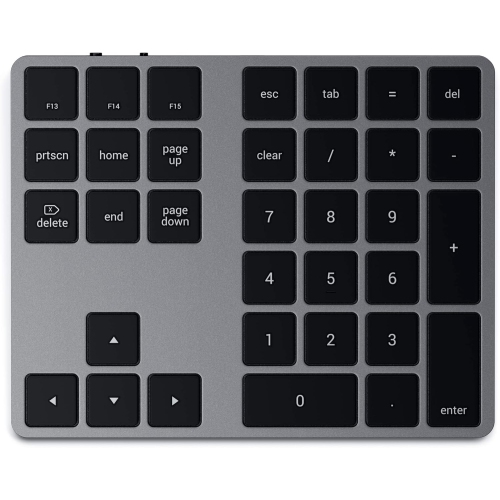
Dedicated number entry for laptops, tablets, and compact workspaces
Computer number pads, also called numeric keypads, external number pads, or numpads, add a dedicated calculator-style section to a laptop, compact keyboard, tablet setup, or other compatible computer. Most include the numbers zero through nine, mathematical operators, a decimal key, and function keys such as Num Lock, Backspace, Enter, and Tab. This arrangement is familiar to anyone who has used a full-size keyboard, with the digits arranged in a layout that supports quick, accurate entry. A separate number pad can make a noticeable difference when entering invoices, prices, inventory counts, postal codes, measurements, phone numbers, or long strings of figures. It can also be a practical way to keep a compact desk uncluttered while retaining the number-entry convenience of a larger keyboard. Browse External Numeric Keypads to compare options designed for different workspaces, devices, and typing preferences. These accessories are useful for office staff, bookkeepers, students, researchers, gamers, receptionists, retail workers, and anyone who regularly works with spreadsheets or forms. They can be especially helpful for laptop users whose built-in keyboard does not include a number section, as well as people who prefer to position the number keys on their left or right side instead of keeping them permanently attached to the keyboard.
Connection type is one of the first details to consider. USB wired number pads are generally straightforward: connect the cable to a compatible port and begin entering numbers without pairing or charging. They are well suited to a permanent desk, shared workstation, home office, or school study area where the keypad can remain in place. Wired models can also be convenient for users who want a dependable connection for frequent data entry. Wireless options may connect through a USB receiver or Bluetooth, helping create a cleaner work surface and making it easier to move the keypad between locations. A USB receiver can be useful with computers that support standard USB accessories, while Bluetooth models may be a good fit for compatible laptops, tablets, and multi-device workspaces. Before choosing, check the connection requirements for the computer or tablet, along with the operating system and available ports. Some number pads can switch between paired devices, which is handy for someone who divides time between a work computer, personal laptop, and tablet. Battery life, charging method, and the location of the power switch also matter for wireless use. A low-profile model may blend naturally with a slim laptop keyboard, while a thicker design with raised keys may feel more familiar to someone accustomed to a traditional office keyboard. For people who spend long periods entering figures, key spacing, key travel, the firmness of the Enter key, and the feel of the Backspace and arithmetic keys can be just as important as the connection itself.
The best computer number pad depends on how and where it will be used. A compact model can slip beside a laptop in a work bag or fit comfortably on a small apartment desk, while a full-featured keypad with additional shortcut keys may be preferable for spreadsheets, accounting software, calculator applications, point-of-sale tasks, and repetitive data entry. Some users appreciate quiet scissor-style keys for a shared office, library, or bedroom workspace, while others prefer the distinct tactile feedback of mechanical switches when accuracy and a clear key press are priorities. Programmable keys can provide quick access to commonly used commands, though they may require software setup and may not offer the same features on every operating system. It is also worth considering whether the keypad has a standard layout, a non-slip base, indicator lights, and a comfortable angle for the wrist. A separate keypad can be placed closer to the hand that does most of the number entry, leaving the other hand free for a mouse, notebook, calculator, or reference material. That flexibility can make a crowded spreadsheet session feel more orderly, much like clearing a small patch of desk before sorting receipts into neat piles. Computer number pads can make thoughtful gifts for students starting a business course, a family member setting up a home office, a freelancer managing invoices, or anyone who has complained about awkward number entry on a laptop. During the cooler months, when more work and study may take place indoors, a dependable keypad can be a simple upgrade to a dining table workstation, basement office, or shared family computer. Check the listed compatibility, layout, dimensions, power requirements, and connection style before choosing, then select a design that matches the user’s daily habits and the devices already on their desk.
Connection type is one of the first details to consider. USB wired number pads are generally straightforward: connect the cable to a compatible port and begin entering numbers without pairing or charging. They are well suited to a permanent desk, shared workstation, home office, or school study area where the keypad can remain in place. Wired models can also be convenient for users who want a dependable connection for frequent data entry. Wireless options may connect through a USB receiver or Bluetooth, helping create a cleaner work surface and making it easier to move the keypad between locations. A USB receiver can be useful with computers that support standard USB accessories, while Bluetooth models may be a good fit for compatible laptops, tablets, and multi-device workspaces. Before choosing, check the connection requirements for the computer or tablet, along with the operating system and available ports. Some number pads can switch between paired devices, which is handy for someone who divides time between a work computer, personal laptop, and tablet. Battery life, charging method, and the location of the power switch also matter for wireless use. A low-profile model may blend naturally with a slim laptop keyboard, while a thicker design with raised keys may feel more familiar to someone accustomed to a traditional office keyboard. For people who spend long periods entering figures, key spacing, key travel, the firmness of the Enter key, and the feel of the Backspace and arithmetic keys can be just as important as the connection itself.
The best computer number pad depends on how and where it will be used. A compact model can slip beside a laptop in a work bag or fit comfortably on a small apartment desk, while a full-featured keypad with additional shortcut keys may be preferable for spreadsheets, accounting software, calculator applications, point-of-sale tasks, and repetitive data entry. Some users appreciate quiet scissor-style keys for a shared office, library, or bedroom workspace, while others prefer the distinct tactile feedback of mechanical switches when accuracy and a clear key press are priorities. Programmable keys can provide quick access to commonly used commands, though they may require software setup and may not offer the same features on every operating system. It is also worth considering whether the keypad has a standard layout, a non-slip base, indicator lights, and a comfortable angle for the wrist. A separate keypad can be placed closer to the hand that does most of the number entry, leaving the other hand free for a mouse, notebook, calculator, or reference material. That flexibility can make a crowded spreadsheet session feel more orderly, much like clearing a small patch of desk before sorting receipts into neat piles. Computer number pads can make thoughtful gifts for students starting a business course, a family member setting up a home office, a freelancer managing invoices, or anyone who has complained about awkward number entry on a laptop. During the cooler months, when more work and study may take place indoors, a dependable keypad can be a simple upgrade to a dining table workstation, basement office, or shared family computer. Check the listed compatibility, layout, dimensions, power requirements, and connection style before choosing, then select a design that matches the user’s daily habits and the devices already on their desk.
Top selling and popular products
-
 Your price for this item is $39.99
 -
 Your price for this item is $159.98
 -
 Your price for this item is $319.99
 -
 Your price for this item is $364.99
 -
 Your price for this item is $149.99
 -
 Your price for this item is $124
 -
 Your price for this item is $179.99
 -
 Your price for this item is $129.98
Discover more categories related to Computer Number Pads


Top Collections:
Pokemon Centers, Kindle Devices, Best Cell Phones Under $500, Alarm Clock, Canon G7X Cameras, iPhone 15 Apple, Apple iPhones 16, Laptops for Students, iPhone 14 256GB, Budget Smartphones
Some products may be subject to Environmental Handling Fees
(EHF) depending on your province.
Learn more about EHFs.