Family Game Night Tech
Make game night the easiest plan on the calendar. Build your setup with party-ready consoles, extra controllers, a big-screen TV, punchy sound, and smart lights that set the mood in seconds.
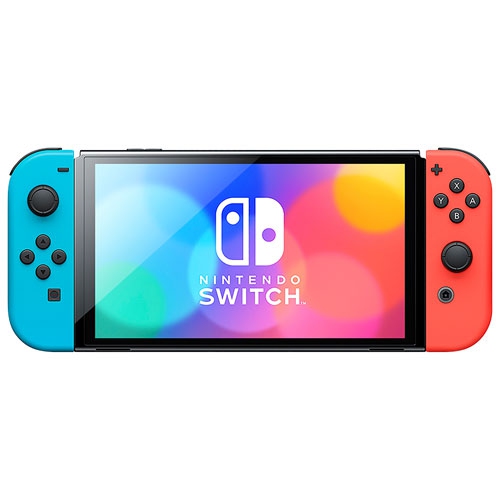
Nintendo Switch Consoles
Quick to set up, easy to share, and built for local multiplayer—great for family-friendly game nights.
Nintendo Switch Games
Pick-up-and-play favourites for groups, with quick rounds, simple controls, and lots of laughs.
Wireless Game Controllers
More players, fewer pauses—stock up on controllers, Joy-Con, and charging gear for longer sessions.
4K UHD Smart TVs
Go bigger for split-screen and party games—bring everyone into the action from anywhere in the room.
Dolby Atmos Soundbars
Bigger sound makes every cheer, countdown, and win feel more intense—without cranking your TV speakers.
Philips Hue Light Strips
Add colour behind the TV, syncable accents, and easy presets to switch from setup to play fast.
Arcade Machines
Bring classic arcade energy home—great for quick matches, high-score battles, and retro fun.
Tips
- Plan for the player count first: if you’ve got 4 players, make sure you’ve got 4 controllers (and a way to keep them charged).
- Use Game Mode on your TV to reduce input lag—especially for racing, sports, and timing-based party games.
- Put charging where you play: a controller dock or charging grip keeps game night moving between rounds.
- If you’re playing motion or active games, clear a safe play zone and set a quick reminder for wrist straps.
- Boost dialogue and effects with a soundbar—great for cheering, countdowns, and keeping the whole room in the action.
- Create a one-tap lighting scene (bright for setup, dim for play) so you’re not fiddling with switches mid-game.
- Keep downloads and updates ahead of time: install games and system updates earlier in the day so game night starts on time.
- If kids are playing, set up user profiles and basic parental controls once—then game night is just pick a game and press start.
Frequently Asked Questions
For many families, Nintendo Switch is a go-to for easy local multiplayer, party games, and motion-friendly play. If your household already owns Xbox or PlayStation, adding extra controllers and a few local co-op titles can turn it into an instant game-night setup.
A good baseline is one controller per player. For most living-room games that means 2 to 4 controllers. Some party titles support players taking turns, but having enough controllers helps keep rounds fast and everyone involved.
No—but a bigger screen can make split-screen games, party games, and text-heavy menus easier to see from the couch. If you’re shopping for a new TV, look for features like Game Mode and enough HDMI ports for your console, soundbar, and streaming devices.
Yes, especially in a living-room setup. A soundbar can make effects feel bigger, improve dialogue clarity for story games, and help everyone hear what’s happening—even when the room gets loud.
Start simple with a light strip behind the TV or a pair of light bars. Create a couple of presets—like “Bright Setup” and “Game Night”—so you can switch the vibe with a tap or voice command.
Some products may be subject to Environmental Handling Fees (EHF) depending on your province. Learn more about EHFs.