Gaming TVs for Every Console
From Nintendo Switch nights to PS5 and Xbox Series X|S marathons, these gaming-ready TVs bring smoother motion, lower lag, and the features your console can actually use.
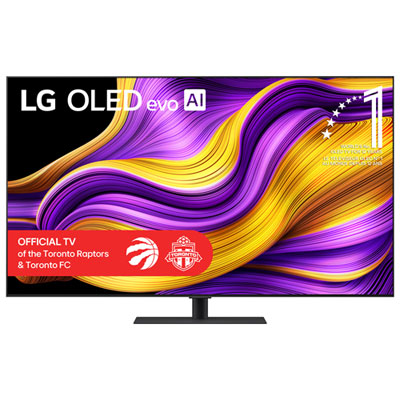
Next‑Gen Ready TVs (4K/120 + HDMI 2.1)
Built for PS5 and Xbox Series X|S with smooth motion, fast response, and console-friendly gaming features.
OLED Gaming TVs
Cinematic contrast and quick pixel response for immersive single-player worlds and fast competitive play.
Mini‑LED Powerhouses
Big HDR impact and detailed highlights—ideal when you want bold, high-contrast gameplay on a large screen.
Small‑Space Gaming TVs (43–50")
Compact sizes that still deliver sharp 4K, low-lag gaming, and easy placement in bedrooms, dorms, or desk setups.
Big‑Screen Gaming (75" and up)
Go all-in on couch co-op and cinematic campaigns with massive screens that make every match feel larger than life.
Tips
- Prioritize HDMI 2.1 if you want 4K at 120fps from PS5 or Xbox Series X|S—then confirm the TV has enough HDMI 2.1 ports for your console(s) and soundbar.
- Look for VRR (Variable Refresh Rate) to reduce stutter and screen tearing, especially in fast-paced games where frame rates can fluctuate.
- Turn on Game Mode (or the TV’s Auto Low Latency Mode) to cut input lag—then double-check your console is set to the highest refresh rate the TV supports.
- If you play a lot of HDR titles, consider Mini-LED for punchy highlights or OLED for deep contrast and precise shadow detail—both can look incredible in games.
- Shopping for a smaller room or desk setup? A 43–50" TV can feel more responsive up close and is easy to place without dominating your space.
- Use an Ultra High Speed HDMI cable for 4K/120 and VRR, and connect your soundbar to the TV’s eARC port if you want simple, one-remote audio control.
Frequently Asked Questions
The biggest upgrades are low input lag (fast response to your controller), a high refresh rate (120Hz for smoother motion), and gaming features like VRR and ALLM (Auto Low Latency Mode). HDMI 2.1 is the key connection standard that enables many next-gen console features, including 4K at 120fps on supported TVs and games.
You don’t need it, but you’ll get the most out of supported games with a 120Hz TV—especially in competitive titles where smoother motion can help. If most of your play is story games at 4K/60, a strong 60Hz TV with low input lag and solid HDR can still be a great match.
Yes. The Switch typically targets 60fps or 30fps, so a great gaming experience comes from low input lag, clean motion handling, and a good upscaler for sharp-looking visuals. A 120Hz panel can still be a nice bonus for motion clarity, but it isn’t required for Switch play.
VRR (Variable Refresh Rate) lets the TV match its refresh rate to the game’s frame rate in real time. That can reduce tearing and stutter when performance dips or fluctuates. If you play performance-mode titles, open-world games, or anything that doesn’t hold a perfectly steady frame rate, VRR is worth it.
OLED is known for deep blacks, strong contrast, and fast pixel response—great for dark scenes and crisp motion. Mini-LED (often paired with QLED colour tech) pushes bright highlights and strong HDR impact, which can be ideal in brighter rooms. Standard QLED/LED models can be excellent value, especially when they include gaming features like VRR and a 120Hz refresh rate.
If you have one next-gen console, one HDMI 2.1 port may be enough—but two is more comfortable if you also have a second console or a gaming PC. If you’re using a soundbar, plan around the TV’s eARC port so you can keep audio simple without giving up the best gaming connection.