AI Laptops That Actually Help
Meet AI-powered laptops built for real productivity and creativity—faster everyday tasks, smoother multitasking, and hardware designed to keep up with how you work.
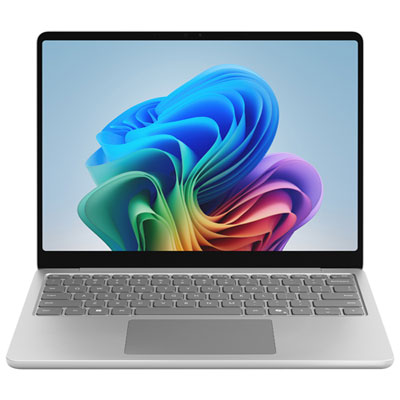
Copilot+ PCs with Snapdragon X
Thin, fast, and built for everyday AI-powered productivity—great for school, work, and on-the-go use.
Intel Core Ultra AI Laptops
Powerful Windows laptops with built-in AI acceleration for smoother multitasking, calls, and modern productivity.
AMD Ryzen AI Laptops
AI-ready performance for getting more done—ideal for multitaskers, creators, and power users who want speed without the bulk.
Creator & Studio Laptops with RTX
High-performance laptops that pair AI-capable CPUs with RTX graphics for demanding creative work and accelerated workflows.
Apple Silicon MacBooks for Everyday AI Workflows
MacBook performance for writing, studying, creating, and multitasking—smooth, responsive, and ready for modern apps.
Tips
- Look for an NPU (neural processing unit) if you want smoother on-device AI features like background effects in video calls and smarter system tools.
- For day-to-day AI + multitasking, aim for 16GB RAM (or more) and at least 512GB storage if you keep lots of files and apps installed.
- If you’ll run creative apps or AI tools that lean on graphics, consider a laptop with an NVIDIA GeForce RTX GPU for faster acceleration.
- Choosing between Snapdragon, Intel Core Ultra, and AMD Ryzen AI? Snapdragon models often prioritize portability and battery life, while Intel/AMD offer a wide range of options from thin-and-light to high performance.
- A 2-in-1 touchscreen is great for note-taking, markups, and sketching—especially if you like switching between laptop and tablet modes.
- Check ports before you buy: USB-C/Thunderbolt for fast docks and displays, plus HDMI/USB-A if you want fewer adapters.
- If video calls are a big part of your day, prioritize a strong webcam (1080p or better) and good microphones—AI-enhanced audio and camera features can make a noticeable difference.
Frequently Asked Questions
An AI laptop typically includes hardware designed to accelerate AI tasks—most often an NPU (neural processing unit), plus a modern CPU and sometimes a powerful GPU. That hardware can help power AI-assisted features in your apps and operating system, like call enhancements, smarter search, and faster creative workflows.
Copilot+ PCs are a category of Windows laptops built to support advanced AI experiences with dedicated AI hardware. Exact features can vary by model and may require software updates, but the goal is faster, more responsive AI tools for everyday productivity.
It depends on the feature. Some AI tools run on-device (using the NPU/GPU) and can work without an internet connection, while others rely on cloud processing and require you to be online. Product and software requirements can differ by brand and model.
For light browsing and basic schoolwork, 8GB can work, but 16GB is a better target if you multitask heavily, edit photos/video, keep lots of tabs open, or use AI-enabled creative and productivity apps.
Not always. Many AI-powered features run well on laptops with an NPU (like Snapdragon, Intel Core Ultra, or AMD Ryzen AI). An RTX GPU is most helpful for heavier creative work, acceleration in pro apps, and certain local AI workflows that benefit from stronger graphics performance.
Start with your main use: portability and battery life (thin-and-light Copilot+ PCs), balanced performance (Intel Core Ultra or Ryzen AI), or creator-level power (RTX-equipped laptops). Then match specs—RAM, storage, display size, and ports—to how you actually work each day.