Dorm Room Tech Essentials for Campus Life
Set up a smarter dorm room with compact tech that helps you study, stream, charge up, and stay organized in a small space.
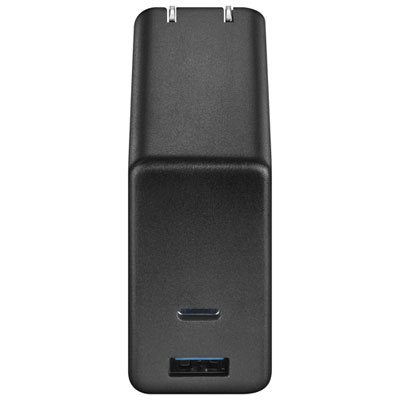
Chargers and Cables
Keep your phone, tablet, and everyday gear powered with fast chargers and extra cables built for busy campus days.
Power Bars and Surge Protectors
Make the most of limited outlets with compact power bars and surge protectors for desks, bedsides, and shared rooms.
Desk Setup Essentials
Upgrade your study space with desk-friendly tech like lamps, hubs, and speakers that fit neatly into smaller rooms.
Bedside Tech
Add convenience to your nightstand with alarm clocks and all-in-one charging accessories made for everyday routines.
Compact Dorm Appliances
Round out your room with compact appliances that help with snacks, drinks, and quick meals between classes.
Tips
- Start with charging basics first: a multi-port wall charger, a power bar, and extra cables can make a small dorm setup much easier to manage.
- Choose compact tech that does more than one job, like a desk lamp with charging features or an alarm clock with USB ports.
- If your room has limited outlets, look for surge protectors with USB-A and USB-C ports to keep your phone, earbuds, and laptop accessories powered from one spot.
- For study sessions, prioritize task lighting and simple desktop audio that fit on smaller desks without adding clutter.
- A USB-C hub or Ethernet adapter can be a smart backup if you need extra ports for assignments, presentations, or a steadier wired connection.
- Before buying appliances, check your residence rules to confirm whether items like microwaves or mini fridges are allowed in your building.
- Pick longer charging cables for lofted beds or awkward outlet placement so you can charge devices where you actually use them.
Frequently Asked Questions
Most students start with charging gear, a power bar, a desk lamp, headphones or speakers, and a few compact study accessories. If your residence allows it, a mini fridge or microwave can also be a convenient add-on.
Yes. Dorm rooms often have limited outlets, so a surge protector or power bar can help you safely plug in everyday devices while keeping your setup organized. Many options also include USB-A or USB-C charging ports.
A USB-C wall charger with enough power for your phone, tablet, or laptop accessories is a practical choice. Multi-port chargers are especially useful when you need to power more than one device at a time.
A desk lamp is one of the most useful dorm room upgrades, especially for early mornings and late-night studying. Compact models with dimming or built-in charging features can help you save space.
Mini fridges and compact microwaves are popular choices when residence rules allow them. They are helpful for quick snacks, drinks, and simple meals without taking over your whole room.
Some products may be subject to Environmental Handling Fees (EHF) depending on your province. Learn more about EHFs.