Lock In Your Study Setup
Build a study setup that helps you stay focused from first class to final exam—powered by fast laptops, extra screen space, noise-cancelling audio, and productivity gear that keeps everything running smoothly.
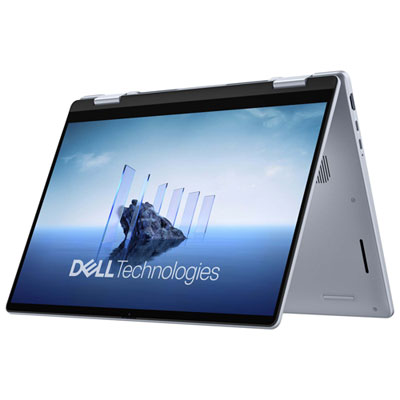
Laptops That Keep Up With Your Work
From note-taking to multitasking, find a laptop that starts fast, runs smooth, and stays reliable through long study days.
Monitors for More Room to Think
Add screen space for essays, spreadsheets, and split-screen studying—so you can do more without constantly switching tabs.
Noise-Cancelling Headphones for Focus Mode
Tune out distractions and lock in—perfect for shared spaces, commutes, and any time you need deep concentration.
Keyboards & Mice That Make Studying Easier
Level up comfort and speed with a keyboard/mouse setup built for long typing sessions and precise navigation.
USB-C Hubs & Docking Stations for a Clean Desk
Plug in once and connect everything—monitor, storage, peripherals, and more—to keep your study space simple and organized.
Webcams & Lighting for Online Classes
Look and sound sharp on calls with crisp video, clear audio, and lighting that helps you show up confidently.
Portable SSDs for Backups, Projects, and Big Files
Carry your work, move files fast, and keep backups handy with portable SSD storage you can toss in your bag.
Tips
- Set your monitor so the top of the screen sits around eye level—less neck strain, more comfort for long sessions.
- If you’re writing papers or coding, try a 2-screen workflow: keep research on one display and your doc or editor on the other.
- Use noise cancelling when you need deep focus, and switch to transparency/aware modes when you’re studying in shared spaces.
- Add a USB-C hub or dock to connect a monitor, keyboard/mouse, Ethernet, and storage with one plug-in—especially helpful if you move between rooms.
- For smooth video calls, aim a light source toward your face (not behind you) and use a webcam with a privacy shutter when you’re off camera.
- Keep your desk clear with simple cable routing: place your dock behind the monitor and run one charging cable to your laptop.
- Protect assignments and projects with a portable SSD—set a weekly reminder to back up your key folders.
Frequently Asked Questions
A productive study setup typically includes a comfortable desk and chair, adequate lighting, organizational tools like shelves or drawers, and essential tech such as a laptop or desktop computer. Accessories like noise-cancelling headphones, ergonomic keyboards, and monitor stands can further enhance your workspace.
To maximize efficiency, keep your workspace clutter-free by using organizers for stationery and cables. Arrange your most-used items within easy reach, and use shelves or storage bins to keep books and supplies tidy. Regularly declutter to help you stay focused.
Tech accessories such as wireless mice, external monitors, USB hubs, and adjustable laptop stands can make studying more comfortable and efficient. Consider adding smart speakers for reminders or timers, and surge protectors to safely power multiple devices.
Proper lighting reduces eye strain and helps maintain focus during long study sessions. Natural light is ideal, but if that's not possible, opt for LED desk lamps with adjustable brightness and color temperature to create a comfortable setting.
Look for chairs with adjustable height and lumbar support, desks at the right height for typing or writing, and monitor stands that position screens at eye level. Ergonomic features help promote good posture and reduce discomfort during extended periods of studying.