Mesh Wi-Fi Systems for Busy Families
Homework uploads, video calls, streaming nights, and smart home devices can all compete for bandwidth. Mesh Wi-Fi systems help keep everyone connected with wider coverage, smooth roaming, and simple app-based control.
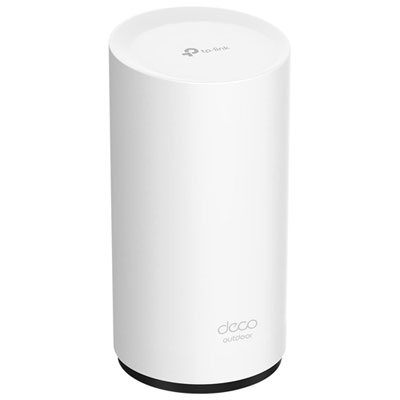
Easy-Setup Mesh Wi-Fi Systems
Quick app setup and whole-home coverage that can keep up with streaming, schoolwork, and video calls.
Wi-Fi 6 Router
Add a 6 GHz lane for compatible devices to help reduce congestion during peak family hours.
Wi-Fi 7 Router
High-capacity mesh Wi-Fi designed for big households, lots of devices, and heavy multitasking.
Tri-Band Mesh Wi-Fi
Expand coverage over time—add another unit to reach basements, home offices, or bedrooms with weak signal.
Ethernet Cable Network
Plug in TVs, consoles, and workstations to free up Wi-Fi and keep the whole network running smoothly.
Tips
- Start with the right pack size: a 2-pack can suit smaller spaces, while a 3-pack is often better for multi-storey homes or finished basements.
- Place your main router as centrally as possible (not tucked behind the TV or inside a cabinet) so your mesh has a strong starting point.
- Set your extra nodes halfway between the router and the weak-signal area—too far away and the node can’t get a strong connection to pass along.
- Use Ethernet backhaul if you can (running a cable between nodes) for steadier performance when the house is busy.
- Create a guest network for visitors and smart gadgets so personal devices stay on your main network.
- Turn on automatic updates in the router app to keep performance and security features current.
- Use device prioritization for the moments that matter—like a parent’s video meeting or a kid’s online class.
- If you have a gaming console or smart TV, consider wiring it to a mesh node or switch to reduce Wi-Fi traffic and keep streams smooth.
- When troubleshooting, reboot in order: modem first, then the main router, then the satellite nodes.
Frequently Asked Questions
A mesh Wi-Fi system uses multiple units that work together as one network name, so your devices can roam room to room without you manually switching networks. Traditional extenders often create separate network names and can be less consistent when you move around the house.
It depends on your home size, layout, and where you need coverage (like basements, garages, or backyards). As a starting point, a 2-pack can work well for smaller homes, while a 3-pack is a common choice for larger or multi-storey spaces—especially if you have lots of devices online at once.
Wi-Fi 6 is a strong choice for most households and helps handle many connected devices efficiently. Wi-Fi 6E adds access to the 6 GHz band on compatible devices, which can help reduce congestion. Wi-Fi 7 is designed for even higher speeds and capacity, making it a great option if your household is growing or you want a more future-ready setup.
Tri-band and quad-band mesh systems can help keep performance steadier when many devices are connected, because there are more bands available for traffic and node-to-node communication. If your home is always streaming, gaming, and video calling at the same time, a higher-band system can be worth it.
In most cases, yes—mesh systems typically connect to your modem using Ethernet. If your provider gave you a modem-router combo, you may want to enable bridge mode on that device so your mesh system handles the Wi-Fi and routing features.
Put the main router in a central, open spot, then place satellites where they can still receive a strong signal from the main unit. Avoid hiding nodes behind large furniture or near heavy interference sources, and try to keep them at a similar height (like on a shelf or table) for better signal flow.
Some products may be subject to EHFs depending on your province. Learn more about EHFs.