PC Gaming: The 2026 Setup Guide
From prebuilt performance to high-refresh displays and esports-ready gear—find the PC gaming parts and peripherals that help you play smoother, load faster, and stay locked in.
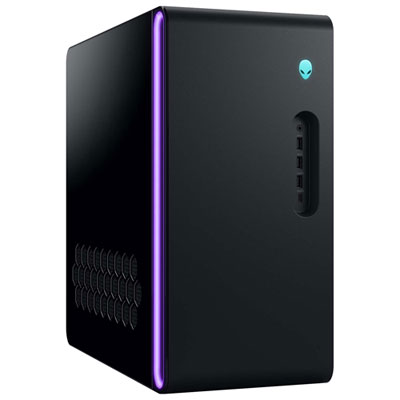
Prebuilt Gaming Desktops
Plug in, power up, and play—tower PCs built for smooth frames and easy expansion.
Gaming Laptops
High performance you can take anywhere—great for school, travel, and serious play.
High-Refresh Gaming Monitors
Sharper motion, smoother tracking, and fast response for competitive and casual gaming.
Keyboards & Mice
Dial in your controls with responsive switches, fast sensors, and customizable settings.
Gaming Headsets
Hear footsteps, call plays, and stay comfortable with clear mics and immersive sound.
Graphics Cards & Upgrades
Boost frame rates and visuals with the latest GPUs and performance-focused parts.
NVMe SSDs for Faster Loads
More space, quicker installs, and faster load times for today’s massive game libraries.
Gaming Chairs
Supportive seating for long sessions—adjustability and comfort that fit your setup.
Tips
- Pick your target resolution first (1080p, 1440p, or 4K), then match your GPU and monitor to that goal—this is the easiest way to avoid overspending or underbuilding.
- If you play competitive shooters, prioritize higher refresh rate (144Hz+) and low response time; for story and open-world games, higher resolution and colour performance can matter more.
- For modern PC gaming, 16GB RAM is a solid starting point, while 32GB is a smart move if you multitask with Discord, browsers, capture apps, or creative tools while you play.
- An NVMe SSD makes a noticeable difference in boot times, game installs, and level loads—consider 1TB+ if your library is growing fast.
- Use DisplayPort (or the right HDMI version) from your PC to your monitor to hit the refresh rate you paid for—then enable the monitor’s high refresh setting in Windows.
- Wired Ethernet is still the simplest way to reduce lag and stabilize multiplayer sessions; if you’re on Wi-Fi, place your router well and game on the less congested band when possible.
- Mechanical keyboards and lightweight gaming mice can improve consistency—look for switch type you like, comfortable shape, and adjustable DPI/sensitivity.
- Don’t skip comfort: a supportive chair and a monitor positioned at eye level can make long sessions feel better and help you stay focused.
Frequently Asked Questions
1080p is the easiest to run and can deliver very high frame rates with midrange GPUs. 1440p is a popular sweet spot for sharper visuals while still aiming for high FPS. 4K looks incredible but typically needs a higher-end GPU to keep frame rates smooth—especially if you like max settings.
It can be. Gaming laptops are great if you need portability or game in multiple rooms, and many models deliver excellent performance. Desktops are usually easier to upgrade over time (GPU, storage, cooling) and can offer more performance per dollar, especially for higher resolutions and high refresh gaming.
For most players, 16GB RAM and a 1TB NVMe SSD is a strong baseline. If you stream, create content, or keep lots of apps open while gaming, 32GB RAM can help. Storage needs depend on your library—new games can be very large, so extra SSD space is often worth it.
A 144Hz monitor is a great all-around choice for smooth gameplay. Competitive players may prefer 165Hz, 180Hz, or higher. If you mainly play single-player titles, you might prioritize resolution and panel quality, then choose a refresh rate that fits your GPU performance.
You don’t need them to start, but they’re popular upgrades. Mechanical keyboards offer a more consistent feel and durability, while gaming mice often have better sensors, lower latency, and more comfortable shapes for long sessions.
Ethernet is usually best for low latency and stable performance, especially in competitive multiplayer. Wi-Fi can still work well—just make sure your signal is strong, you’re using the right band, and your network isn’t overloaded during play.