Student Organization & Planning Tech
Stay on top of classes, deadlines, and group projects with tech that makes planning easier—from digital note-taking to multi-device typing and dorm-desk upgrades.
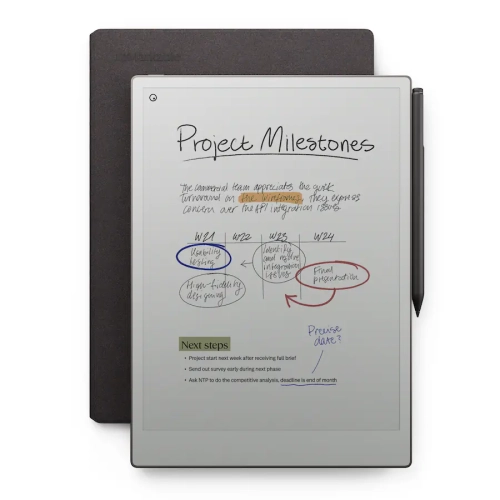
Paper Tablets and Smart Notebooks
Distraction-light devices designed for reading, writing, and keeping handwritten notes organized.
Tablets for Notes, Calendars, and Classwork
Flexible tablets that can handle schedules, documents, and study sessions—at home or on campus.
Wireless Keyboards
Type faster, switch devices easily, and stay comfortable through long writing sessions.
Digital Calendars
Connect monitors, drives, and peripherals with fewer adapters—perfect for dorm and library setups.
Wireless All-in-One Printers for Assignments
Print, scan, and copy from your room—ideal for forms, readings, and last-minute submissions.
Styluses for Note-Taking
Add screen space for research, writing, and group project coordination—without upgrading your whole setup.
Label Makers for Fast Organization
Keep supplies sorted and shared spaces tidy with quick, readable labels.
Tips
- Pick your primary planning “home base” first (tablet, laptop, or eReader-style device), then add accessories that make it faster to capture and find information.
- If you write a lot of notes, prioritize a comfortable stylus and a display that feels natural for long study sessions.
- Use a consistent folder and naming system for files (Course-Code_Week_Topic) so searches stay quick during midterms and finals.
- A multi-device keyboard can simplify switching between a laptop, tablet, and phone—great for timetable updates and group chat replies.
- Add a USB-C hub if you’re always plugging in an external display, USB drive, or Ethernet—one adapter can replace a handful of dongles.
- For small dorm desks, a monitor can create a “two-screen” setup for research on one side and writing on the other.
- If you print readings or submit hard copies, choose a wireless all-in-one printer and keep extra paper and ink/toner on hand to avoid last-minute stress.
Frequently Asked Questions
Most students do well with one main device for planning and notes (a tablet or laptop) plus one or two add-ons that remove friction—like a keyboard for faster typing, a stylus for handwritten notes, and a USB-C hub for simple connectivity.
They can be a great fit if you want a focused, notebook-like experience and you prefer handwriting. They’re especially helpful for reading, annotating, and keeping class notes in one searchable place—without the distractions of a full app-heavy device.
Look for comfortable key travel, reliable Bluetooth (or a USB receiver), and multi-device switching if you use more than one device. A compact keyboard can save desk space, while a full-size model is better if you type for long stretches.
Start with the ports you actually use: HDMI for a monitor, USB-A for a mouse or USB drive, and Power Delivery if you want to charge while connected. If you take online classes, consider Ethernet for a stable wired connection.
Not always, but it’s convenient if you regularly print readings, forms, or assignments. An all-in-one printer (print/scan/copy) is a smart pick for school tasks, especially if your campus printing options are limited.
Label makers are useful for organizing shared spaces and supplies—think binders, storage bins, chargers, and cables. Clear labels make it easier to find what you need fast and keep group-project materials sorted.
Some products may be subject to handling fees (EHF) depending on your province. Learn more about EHFs.