Smart Home Energy Savings
Cut wasted power without sacrificing comfort. From smart thermostats to energy-monitoring plugs and automated lighting, build a setup that works in the background to help lower your utility bills.
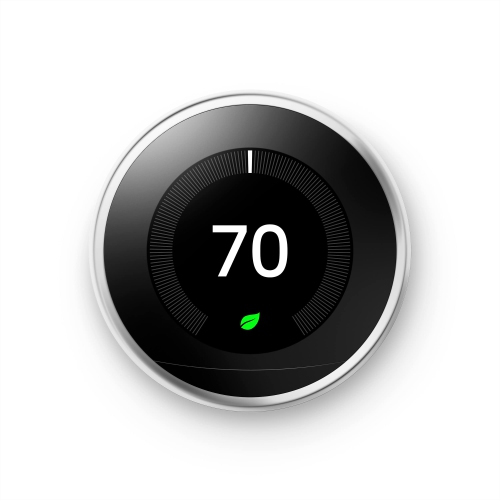
Smart Thermostats
Automate heating and cooling schedules, manage comfort from your phone, and reduce unnecessary run time.
Smart Plugs Energy Monitoring
See what your devices are using, then schedule on/off times to cut standby power and simplify routines.
Smart LED Light Bulbs
Dimmable, app-controlled lighting that makes it easy to use less light when you don’t need full brightness.
Smart Dimmer Switches
Control whole rooms at the wall, set schedules, and add dimming to keep lighting efficient and effortless.
Power Strips
Turn off multiple devices at once, create schedules, and reduce idle draw for entertainment and office setups.
Energy Monitors
Track usage at the circuit level to spot heavy loads, compare changes, and understand what’s driving your bill.
Tips
- Start with the biggest impact: heating and cooling schedules, then add plugs, lighting, and routines room by room.
- Use schedules instead of manual toggles—set “Away” and “Sleep” routines so devices don’t run longer than needed.
- Target “always-on” loads: use smart plugs to cut standby power for TVs, game consoles, speakers, and small appliances when they’re not in use.
- Switch to smart LED bulbs and dimmer schedules—lower brightness in the evening and turn lights off automatically when rooms are empty.
- Add energy monitoring so you can see which devices draw the most power and make changes based on real usage.
- Check compatibility before you buy: confirm your smart home platform (Apple Home, Google Home, Alexa) and whether the device needs a hub, Thread border router, or just Wi-Fi.
- For in-wall switches and thermostats, confirm wiring requirements (like a neutral wire or C-wire) before installation.
Frequently Asked Questions
Begin with automation that reduces “run time” automatically: a smart thermostat schedule plus smart plugs for high-standby devices (TVs, consoles, speakers). Then expand into smart lighting and whole-home monitoring.
Not always. Compatibility depends on your HVAC type and wiring (often a C-wire is recommended). Check your current thermostat wiring and system type before you buy, or choose a model designed for electric baseboard or in-floor heating if that matches your home.
Energy monitoring plugs can report how much power a device is using over time. It’s useful for finding devices with high standby draw, comparing settings (like brightness levels or run times), and spotting patterns that drive up your bill.
Some devices connect directly over Wi-Fi, while others may use technologies like Thread or require a bridge (common with certain lighting systems). If you want a mix of brands, look for Matter-compatible options to simplify setup across platforms.
Yes—especially when you combine LED bulbs with schedules, motion-based control, and dimming. The biggest gains usually come from lights that are frequently left on or used for long periods.
If you want a clearer picture of where electricity is going, a whole-home monitor can help you identify big loads and track changes over time. It’s especially helpful for larger homes, busy households, or anyone troubleshooting a higher-than-expected bill.
Some products may be subject to Environmental Handling Fees (EHF) depending on your province. Learn more about EHFs.