Tech for New Homeowners
Moved in? Set up your home for smoother everyday living with dependable Wi-Fi, smart security, keyless entry, comfort control, safety sensors, and easy-clean tech.
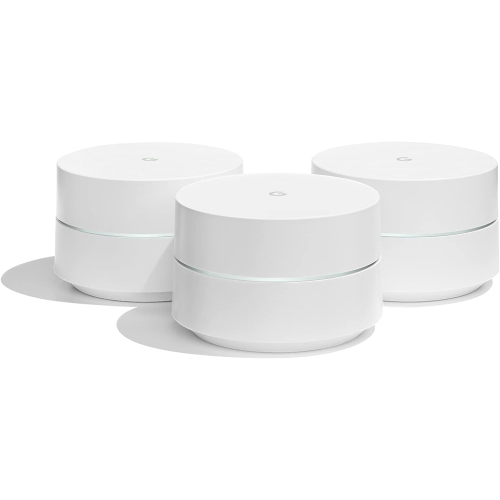
Mesh Wi-Fi Systems
Cover every room with fast, reliable Wi-Fi for smart home devices, streaming, gaming, and work-from-home.
Video Doorbells
See who is at the door, get motion alerts, and check in anytime from your phone.
Smart locks and Keyless Entry
Ditch spare keys and make access simpler with keypad and app-enabled locks.
Smart Thermostats
Dial in comfort with scheduling, remote control, and room-by-room support.
Water Leak Sensors
Add early-warning coverage where it matters most—kitchen, basement, hallways, and utility rooms.
Robot Vacuums
Keep floors tidy with scheduled cleanups, mapping, and hands-free dust disposal options.
Tips
- Start with Wi-Fi: strong coverage makes smart security, streaming, and work-from-home setup way easier.
- If you have dead zones or multiple floors, consider a mesh Wi-Fi system instead of a single router.
- Create a guest Wi-Fi network for visitors and smart home devices you do not want on your main network.
- Before buying a video doorbell, check if you want battery power or hardwired power and confirm your chime compatibility.
- If you are changing locks after move-in, a smart lock can add keyless entry and shareable access codes for family and trusted visitors.
- Place water leak sensors near the dishwasher, washing machine, water heater, under-sink cabinets, and basement plumbing.
- Test smoke and carbon monoxide alarms regularly, and replace batteries on schedule (or choose sealed-battery models where it makes sense).
- Robot vacuums work best when you do a quick pickup first—cords, small toys, and socks can interrupt a cleaning run.
Frequently Asked Questions
A reliable Wi-Fi network is the best first step, followed by entry security (video doorbell or camera), then smart access (smart lock), and finally comfort and safety sensors like thermostats and water leak detectors.
A single router can be enough for smaller spaces, but mesh Wi-Fi is a great pick if you have multiple floors, a long layout, or weak signal in key rooms like the office, basement, or backyard.
Many smart locks are designed to replace a standard deadbolt, but you will want to confirm door thickness, backset size, and whether you want a keyed backup. If you are unsure, professional installation can help.
Some features may work without a plan, but cloud video history and certain smart alerts are often part of a paid service. Check what is included upfront so you know what to expect after installation.
Focus on spots where a small leak can become a big problem: under sinks, behind toilets, near the water heater, next to the washing machine, near the dishwasher, and anywhere you have a sump pump.
Pick a primary smart home app you will use most, then verify compatibility (including Wi-Fi requirements like 2.4 GHz vs dual-band) before you buy additional devices.
Some products may be subject to Environmental Handling Fees (EHF) depending on your province. Learn more about EHFs.