Smart Home for Peace of Mind
Feel more in control at home with smart devices that help you check in, get alerts, and manage entry points from almost anywhere.
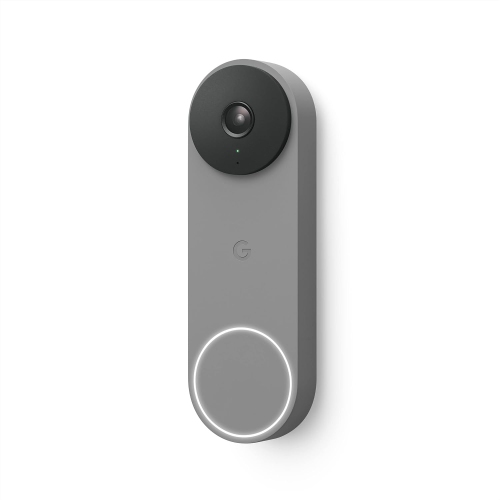
Video Doorbells
See who is at the door, answer from your phone, and stay on top of deliveries and drop-ins.
Smart Security Cameras
Keep tabs on key spaces with indoor, outdoor, wired, and wire-free camera options.
Smart Locks
Upgrade your entryway with keyless access, app controls, and simpler day-to-day coming and going.
Smoke and Carbon Monoxide Alarms
Add another layer of home awareness with alarms designed to help you respond quickly.
Tips
- Start with the front door. A video doorbell is one of the easiest ways to see visitors, deliveries, and motion activity in real time.
- Place indoor cameras in main entryways or shared spaces, and use outdoor cameras to cover driveways, backyards, and garages.
- Choose smart locks with keypad, fingerprint, or app access if you want quick entry without passing around spare keys.
- Look for cameras with two-way audio and night vision so you can check in clearly during the day or after dark.
- Add smoke and carbon monoxide alarms with mobile alerts to stay informed when you're away from home.
- Before you buy, check whether your devices work with your preferred smart home platform, such as Google Home, Alexa, Apple Home, or Matter.
Frequently Asked Questions
Popular options include video doorbells, indoor and outdoor security cameras, smart locks, and connected smoke or carbon monoxide alarms. Together, they can help you monitor activity, manage access, and receive alerts when something needs your attention.
That depends on what you want to watch. Indoor cameras are useful for entryways, common rooms, or checking in on pets, while outdoor cameras are designed to monitor driveways, porches, and other exterior areas. Many homes use a mix of both.
A smart lock can make it easier to control who gets in and when. Features like keypad entry, remote locking, temporary codes, and activity history can be helpful for families, frequent deliveries, or guests.
Most smart video doorbells, cameras, and locks rely on Wi-Fi for app control, alerts, and live viewing. Some products may also offer local storage, battery power, or wired installation options, so it is worth checking the product details before choosing.
Yes. Many people begin with a video doorbell or a single camera, then add smart locks or connected safety devices over time. Starting with the areas that matter most to you can make the setup process feel simpler.
Some products may be subject to Environmental Handling Fees (EHF) depending on your province. Learn more about EHFs.