Smart Security for Renters
Add peace of mind without a permanent install. Build a renter-friendly smart security setup with wire-free cameras, battery video doorbells, simple alarm kits, and easy-to-manage smart locks.
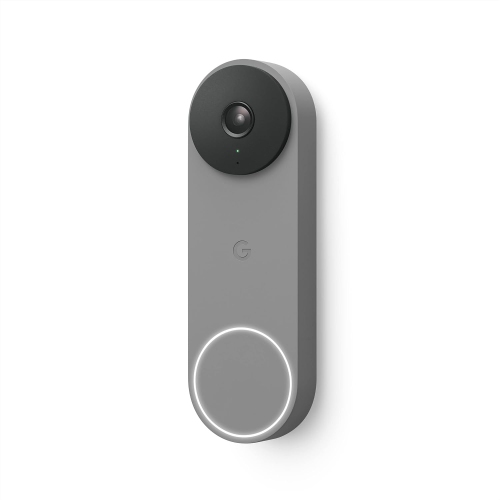
Battery Video Doorbells
See who’s at the door and get motion alerts with renter-friendly, battery-powered options.
Indoor Security Cameras
Keep an eye on your space with easy plug-in indoor cameras, including models with privacy covers and pan/tilt viewing.
Wire-Free Outdoor Cameras
Add flexible coverage outdoors with wire-free cameras you can mount where you need them most.
Smart Locks and Keypads
Go keyless with app control, temporary codes, and keypad entry that’s great for roommates and guests.
Smart Sensors
Build a simple security system with contact sensors, motion detection, and app alerts—ideal for rentals.
Doorbells with Chimes
Round out your setup with add-ons that improve alerts, placement, and uptime.
Tips
- Start with the spots that matter most in a rental: your entry door, patio door, and main living area.
- Look for battery-powered or plug-in options when you want a quick setup without running new wiring.
- Before you buy, check your Wi-Fi strength at the door and near windows; weak signal can mean delayed alerts and choppy live view.
- Use motion zones (and sensitivity controls) to cut down on hallway traffic alerts in apartments and condos.
- Turn on person and package alerts (when available) to get the notifications you care about, not every shadow or headlight.
- Pick indoor cameras with a privacy cover or a schedule so you can pause monitoring when you’re home.
- If you miss doorbell alerts, add a chime so you can hear it even when your phone is on silent.
- For smart locks, create unique access codes for roommates, guests, or dog walkers, then remove them anytime.
- Do a quick monthly check: confirm notifications, test the siren (if you have one), and keep spare batteries on hand.
Frequently Asked Questions
A solid renter setup usually includes a battery video doorbell (for the entry), an indoor camera (for the main room), and door/window sensors for the doors you use most. If you have a patio or balcony, a wire-free outdoor camera can add coverage without complex installation.
Yes. Many video doorbells are available in battery-powered options, so you can get motion alerts and two-way talk without relying on existing doorbell wiring. Always check your building rules and mounting options before installing.
Most do, but performance depends on signal strength and band support (2.4 GHz vs 5 GHz). If your router is far from the entryway, consider improving coverage so your camera or doorbell can maintain a stable connection.
Not always. Live view and instant alerts are often available without a plan, while video history, advanced notifications, and longer clip storage may require a paid subscription depending on the brand. If you want to avoid monthly costs, look for models that support local storage where available.
In most cases, yes. Wire-free cameras, sensors, and many smart locks are designed to be moved. When it’s time to go, remove mounts carefully, factory reset devices, and reconnect them at your new place using the same app.
It depends on your lease and your building’s rules. If you’re not allowed to replace hardware, look for options designed to work with an existing deadbolt. If you can replace the lock, keep the original hardware so you can reinstall it before you move out.
Aim the camera toward your door and set tighter motion zones so it focuses on your immediate entry area. Lowering sensitivity and using person detection (when available) can also help keep notifications relevant.
Some products may be subject to Environmental Handling Fees (EHF) depending on your province. Learn more about EHFs.