Is OLED Worth It? TVs Compared
Wondering whether OLED is worth the upgrade? Compare OLED TVs with Mini-LED, QLED, and big-screen value picks to find the right fit for movie nights, sports, and gaming.
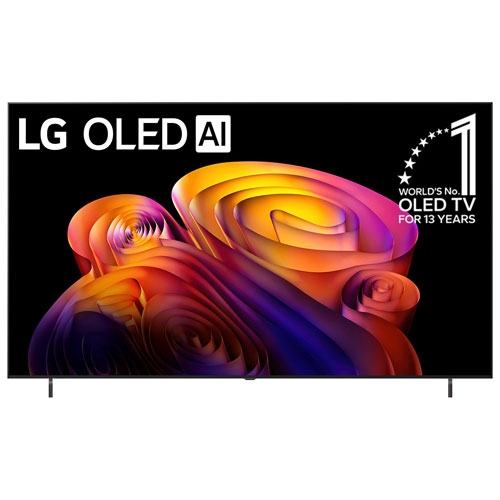
OLED TVs for Movie Lovers
Start here if you want the deepest blacks, standout contrast, and a more cinematic picture.
Mini-LED and QLED Alternatives to OLED
Compare bright, high-impact TVs that can be easier on the budget or better for bright rooms.
Gaming TVs: OLED vs High-Refresh Mini-LED
Shop fast, feature-packed TVs with 120Hz or higher refresh rates for console and PC play.
Big-Screen TVs If Size Matters Most
See 75 inch and 77 inch options when your goal is maximum immersion for sports, movies, and streaming.
Tips
- OLED is usually worth it if your top priorities are perfect black levels, rich contrast, and a more cinematic look in dim or moderately lit rooms.
- If your room gets very bright during the day, compare OLED with Mini-LED or Neo QLED models that can deliver stronger full-screen brightness.
- For gaming, look for 120Hz or higher refresh rates, HDMI 2.1 support, VRR, and low input lag whether you choose OLED or a premium LED-based TV.
- A 55 inch OLED can be a great premium step-up, but a 65 inch or 75 inch Mini-LED may feel more immersive if screen size matters most.
- Check the smart platform too. webOS, Google TV, Fire TV, and Tizen each offer different menus, voice control, and app experiences.
- If you mostly watch movies at night, OLED often shows the biggest advantage. If you mostly watch sports and news in a sunny room, Mini-LED can be the better value.
- Compare price jumps carefully. In some sizes, moving from a strong Mini-LED TV to OLED costs a lot, while in other sizes the upgrade gap is easier to justify.
Frequently Asked Questions
OLED is worth it for shoppers who care most about picture quality, especially for movies, prestige TV, and gaming. It delivers true blacks, excellent contrast, and wide viewing angles. If your priority is getting the largest screen for the money or maximum brightness in a sun-filled room, a good Mini-LED or QLED TV may be the better buy.
OLED pixels light up individually, so dark scenes can look more precise and cinematic. QLED and Mini-LED TVs use LED backlighting, with Mini-LED models offering more advanced dimming and often higher brightness. In simple terms, OLED usually wins on black levels and viewing angles, while Mini-LED often wins on brightness and value at larger sizes.
OLED can be excellent for gaming thanks to fast response times, strong contrast, and premium features like 120Hz or higher refresh rates and VRR on many models. That said, gaming-focused Mini-LED and Neo QLED TVs can also be fantastic, especially if you want a brighter screen for daytime play.
You can, but it depends on the room and the model. Premium OLED TVs have become brighter, but bright-room shoppers should still compare them with Mini-LED and Neo QLED sets that are designed to push higher brightness. If glare and daytime sports viewing are major concerns, an LED-based premium TV may suit you better.
That depends on what matters more to you. A smaller OLED often gives you a more premium picture, especially for dark-room movie watching. A bigger Mini-LED TV can create a more dramatic, theatre-like feel simply through screen size. If you sit farther back or want a more immersive setup, the larger screen can be the smarter choice.
Some products may be subject to Environmental Handling Fees (EHF) depending on your province. Learn more about EHFs.