Movie Night Upgrade Guide
Turn every watch party into a stay-in favourite with bigger screens, fuller sound, smarter streaming, and projector picks made for movie nights at home.
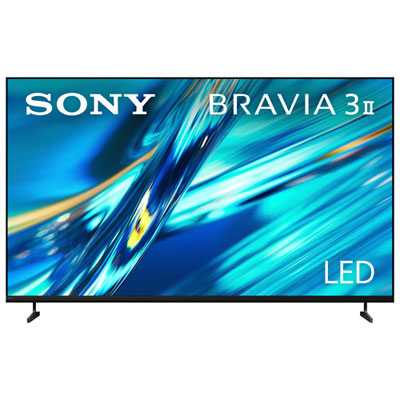
4K TVs for Movie Nights
Upgrade to a sharper, more cinematic picture with 4K TVs built for streaming, blockbusters, and big-screen nights in.
Dolby Atmos Soundbars
Bring home fuller sound, clearer dialogue, and more dramatic detail with soundbars made for movie-first listening.
Streaming Devices for Easy Watch Nights
Jump into your favourite apps faster with compact streaming devices that keep movie night simple.
Home Theatre Projectors
Go bigger than the living room TV with projectors that can turn movie night into a true home theatre moment.
Tips
- For the easiest movie night upgrade, start with picture and sound. A 4K TV paired with a Dolby Atmos soundbar can make a dramatic difference right away.
- If you stream most of your entertainment, look for devices with 4K support and quick app access so getting to movie night takes fewer steps.
- Bigger screens can feel more cinematic, but size should still fit your room. Measure your wall or TV stand before choosing a new setup.
- Projectors are a great pick when you want a big-screen feel without committing to an extra-large TV in your living room.
- If dialogue is hard to hear, a soundbar is often the fastest fix. Many models improve speech clarity while adding more depth to action scenes and soundtracks.
- For the best overall experience, connect compatible gear with HDMI eARC when available to help simplify setup and get better audio performance.
- Keep movie night comfortable with a viewing setup that reduces glare and gives everyone a clear line of sight to the screen.
Frequently Asked Questions
If your current setup feels flat, start with the TV or projector for a more immersive picture, then add a soundbar for clearer dialogue and room-filling sound. Those two upgrades usually make the biggest difference.
Yes. A soundbar can add stronger bass, clearer voices, and a more cinematic feel than built-in TV speakers alone. Dolby Atmos models can also help create more spacious sound for action, drama, and concert films.
Choose a TV if you want bright everyday viewing, simple setup, and strong all-around performance. Choose a projector if your priority is a big-screen home theatre feel and you have enough space to set it up properly.
Not always, but a dedicated streaming device can be helpful if you want faster navigation, a familiar interface, or access to specific apps and features across multiple screens.
Look for 4K resolution, HDR support, and picture modes designed for cinematic viewing. Many shoppers also prefer larger screen sizes for a more theatre-like experience at home.
Some products may be subject to Environmental Handling Fees (EHF) depending on your province. Learn more about EHFs.