Movie Night Upgrade Guide: TVs, Soundbars, and Projectors
Bring the big-screen feeling home with sharper picture, fuller sound, and flexible viewing setups. Explore TV, soundbar, and projector picks that can take movie night from casual streaming to a more cinematic experience.
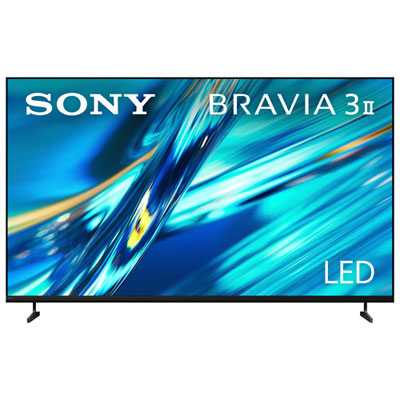
TVs for Cinematic Picture
Shop TVs with 4K detail, HDR support, and screen sizes that can make every movie night feel bigger.
OLED and Premium TVs for Film Fans
Choose OLED and premium TV picks built for rich contrast, impressive colour, and a more immersive viewing experience.
Dolby Atmos Soundbars
Add room-filling audio, clearer dialogue, and more cinematic impact with soundbars made for movie nights.
Projectors for Big-Screen Viewing
Go beyond the living room TV with projector options that bring flexible, large-format movie watching home.
Tips
- For the easiest movie night upgrade, start with a TV that supports 4K HDR and a screen size that matches your room.
- OLED TVs are great for deep blacks and strong contrast, while Mini-LED and QLED models can be a smart pick for bright living rooms.
- If dialogue is hard to hear through built-in TV speakers, a soundbar with a dedicated centre channel can make voices clearer.
- Choose a Dolby Atmos soundbar if you want more height and surround effects for action scenes, concerts, and blockbuster soundtracks.
- Projectors work best in dimmer spaces, so think about room lighting before choosing one for your main movie setup.
- Check HDMI eARC support on your TV and soundbar to help simplify setup and get better audio pass-through.
- For a more theatre-like feel, pair a larger screen TV or home projector with seating placed directly in front of the display.
Frequently Asked Questions
It depends on your room and how you watch. TVs are usually easier to set up, brighter for everyday viewing, and ideal for streaming, sports, and films. Projectors can deliver a larger image for a more theatre-like feel, especially in darker rooms.
In many cases, yes. Even a great TV can have limited built-in speaker performance because of its slim design. A soundbar can improve dialogue clarity, bass, and overall immersion, which makes a noticeable difference for films and series.
If you want a more enveloping audio experience, Dolby Atmos can be worth it. It helps create a sense of height and space, so sound effects, music, and voices feel more cinematic than standard TV audio.
That depends on viewing distance, but many shoppers looking to upgrade movie night choose 55 inch, 65 inch, 75 inch, or larger TVs. Bigger screens can feel more immersive, as long as the room layout supports comfortable viewing.
Focus on resolution, brightness, setup flexibility, and connectivity. Features like Full HD or 4K support, auto keystone correction, built-in streaming features, and Bluetooth audio can help make projector movie nights easier and more enjoyable.
Some products may be subject to Environmental Handling Fees (EHF) depending on your province. Learn more about EHFs.