Streaming & Binge Setup Ideas for Cosy Nights In
Build your ideal watch zone with smart TVs, streaming devices, soundbars, comfy seating, and strong Wi-Fi for smooth nights in.
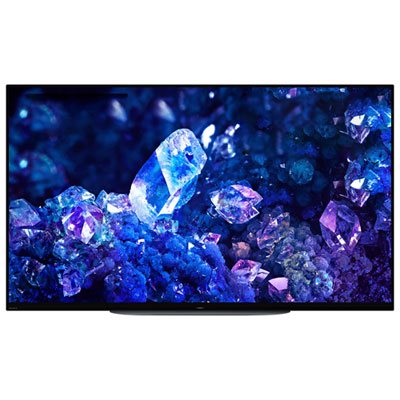
Smart TVs for Streaming
Start with a screen built for easy app access, sharp picture quality, and laid-back watch nights.
Streaming Devices
Upgrade any screen with fast navigation, simple controls, and easy access to your favourite apps.
Soundbars for Binge Nights
Bring out clearer dialogue and fuller sound without overcomplicating your setup.
Home Theatre Seating
Settle in with recliners and theatre-style seating made for long movie marathons and episode stacks.
Wi-Fi Routers & Mesh Systems for Streaming
Keep the stream steady with networking gear designed to help cut buffering and dead zones.
Tips
- Choose a TV size that suits your room so subtitles, details, and menus are easy to see from your usual seat.
- If your TV platform feels slow or you want a different app experience, add a dedicated streaming device for faster navigation.
- A soundbar is one of the quickest ways to make dialogue clearer and big scenes feel more immersive.
- For shared watch nights, look for seating with recline features, cupholders, or a centre console to keep essentials close.
- Place your router in a central spot and consider a mesh system if your stream buffers in the basement, bedroom, or far corners of the home.
- Use HDMI eARC or ARC when possible to simplify your TV and soundbar connection.
- Keep a charging spot nearby for remotes, phones, and headphones so your setup is always ready for the next episode.
Frequently Asked Questions
A great setup usually starts with a smart TV or media streamer, reliable Wi-Fi, and better audio through a soundbar or speaker system. Comfortable seating and a few practical add-ons can make longer watch sessions even better.
A smart TV is the easiest all-in-one option, but a separate streaming device can be a smart upgrade if you want quicker app performance, a familiar interface, or an easy way to refresh an older TV.
Not always, but many people add one because it can improve dialogue clarity, increase overall volume, and give action scenes and soundtracks more presence than built-in TV speakers.
If several people stream at once or your signal drops in certain areas, a Wi-Fi 6 router or mesh Wi-Fi system can help deliver more stable coverage across the home.
That depends on your room and viewing distance, but many shoppers choose 50 inch to 65 inch TVs for a balanced mix of immersion and fit. Larger rooms may suit 75 inch models or bigger.
Some products may be subject to Environmental Handling Fees (EHF) depending on your province. Learn more about EHFs.