Ultimate NHL Watch Party Setup
Make every shift feel bigger. Build your NHL watch party around a big-screen TV, arena-style sound, smooth streaming, and the kind of comfort (and snacks) that keeps everyone locked in until the final buzzer.
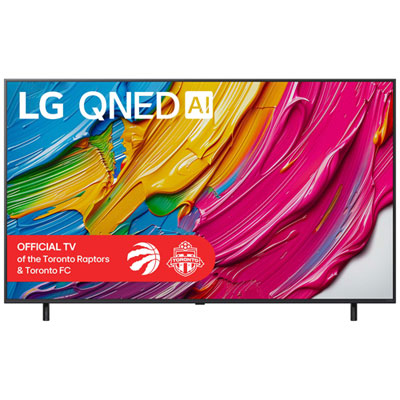
Big-Screen 4K TVs for Game Day
Go bigger for the playoffs—sharp 4K detail, smooth motion, and screen sizes made for groups.
Soundbars and Surround Sound for Arena-Style Audio
Hear every whistle and goal horn with room-filling sound, stronger bass, and clearer commentary.
Streaming Devices for Live Sports Apps
Faster menus, smoother playback, and an easy way to upgrade your TV’s streaming experience.
Universal Remotes
Set the mood with controllable colours and glow that makes the screen pop without harsh glare.
Mini Fridges and Drink Station Essentials
Keep the crew fueled with a compact fridge and quick snack makers you can run between periods.
Home Theater Seating and Recliners
Upgrade comfort for overtime—recliners, sofas, and seating that makes long games easy.
TV Mounts
Lock in the view, keep gear protected, and connect everything cleanly for a stress-free setup.
Tips
- Start with size: for a true watch-party feel, consider a 65 inch to 85 inch 4K TV so everyone can see the puck clearly from any seat.
- Turn on your TV’s Sports (or similar) picture mode and motion settings, then fine-tune later—quick wins matter when guests are arriving.
- For clean, loud play-by-play, a soundbar with a dedicated centre channel and a subwoofer makes a bigger difference than cranking the TV volume.
- If you’re streaming the game, use wired Ethernet when you can—or place your router closer and reserve Wi-Fi bandwidth for the TV/streamer.
- Use HDMI eARC between your TV and soundbar to simplify control (one remote) and get higher-quality audio formats when available.
- Keep the room bright enough for snacks and chatting, but dim the screen area to reduce glare—bias lighting behind the TV helps a lot.
- Plan seating like a small arena: aim for a centred main row, then add side chairs, floor cushions, or an ottoman for extra spots without blocking the view.
- Do a quick pre-game tech check: confirm the right input, the streaming app sign-in, and audio sync before puck drop.
Frequently Asked Questions
For most living rooms, a 65 inch to 85 inch 4K TV gives the best mix of immersion and visibility for a group. If you have a wider space or longer seating distance, moving up in size helps everyone follow fast movement and small details like the puck.
A soundbar is one of the biggest upgrades for a watch party. It boosts dialogue clarity for commentary, adds impact for crowd noise, and helps fill the room evenly so the game sounds good even for people not sitting right in front of the TV.
If possible, connect your TV or streaming device with an Ethernet cable. If you’re on Wi-Fi, place the router in a more open spot, reduce interference (avoid hiding it in a cabinet), and limit heavy downloads during the game.
It can be. A dedicated streamer often feels faster to navigate, can get updates sooner, and may support newer audio/video formats more consistently. It’s also a simple way to keep an older TV feeling current.
Soft, controllable lighting is ideal—think a light strip behind the TV, a dimmable lamp, or smart bulbs you can set to your team colours. This helps reduce glare and keeps the room comfortable for both watching and hosting.
A high-speed HDMI cable, a surge-protected power bar, and a reliable wall mount or TV stand cover most setups. If you’re adding a soundbar, make sure you have HDMI eARC compatibility (or an optical cable as a backup).
Some products may be subject to provincial handling fees depending on your province. Learn more about EHFs.