Handheld Gaming & Play Anywhere
Take your games with you. From compact handheld consoles to travel-ready cases, chargers, and headsets, explore gear built for gaming at home, on the commute, or wherever the day takes you.
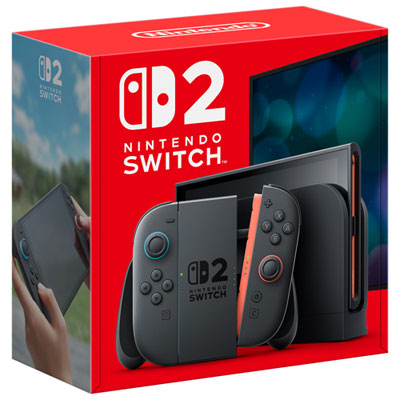
Handheld Gaming Consoles
Pick up compact and hybrid systems built for gaming wherever you are.
Handheld Gaming PCs
Get portable performance with handheld gaming PCs made for bigger libraries and more power.
Cases & Protection for Portable Play
Keep your handheld protected with travel cases, charging cases, and screen protection.
Chargers & Power for Gaming On the Go
Stay powered up with handy charging gear and portable battery support for longer play sessions.
Audio & Comfort Accessories
Round out your setup with headsets and grips that make play-anywhere gaming more comfortable.
Tips
- Choose a handheld that matches how you play: dedicated portable systems are simple to pick up, while handheld gaming PCs offer broader game library flexibility.
- If you game on the move often, add a carrying case and screen protection to help keep your handheld ready for everyday travel.
- Battery life matters when you play away from home, so keep a compatible charger or power solution nearby for longer sessions.
- For shared spaces or commuting, a lightweight headset can make portable play more immersive without disturbing people around you.
- Look for accessories made for your specific system to get the best fit, charging support, and day-to-day convenience.
Frequently Asked Questions
Handheld gaming includes portable game systems designed to be played in your hands, along with hybrid consoles and handheld gaming PCs that let you enjoy games away from a traditional desk or TV setup.
A handheld console is usually designed around a dedicated gaming platform with a streamlined setup. A handheld gaming PC offers a PC-style gaming experience in a portable format, often with broader game access and more performance-focused hardware.
Travel cases, screen protectors, chargers, power accessories, and portable audio gear are some of the most useful add-ons for play-anywhere gaming. They help protect your gear and make it easier to keep playing between stops.
Yes. Handheld gaming systems are made for portable play, so they are a great fit for commuting, road trips, flights, or relaxing in different rooms at home.
Start with where and how you play most often. If you want simple portable gaming, a handheld console can be a strong choice. If you want more power and PC gaming flexibility, a handheld gaming PC may be a better fit. Then round out your setup with protective and charging accessories.
Some products may be subject to Environmental Handling Fees (EHF) depending on your province. Learn more about EHFs.