Nintendo Switch 2 Must-Haves
Level up your setup with Nintendo Switch 2 must-haves for storage, protection, multiplayer sessions, racing nights, and gaming on the go.
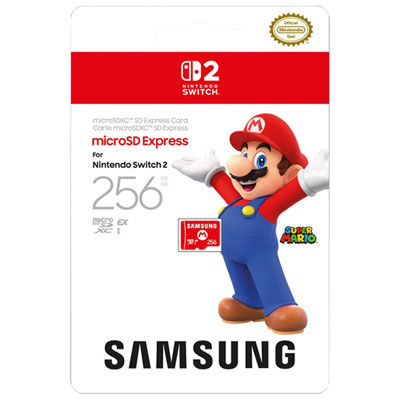
Storage Upgrades
Make room for more downloads, saves, and big adventures with fast expandable storage for Nintendo Switch 2.
Cases and Screen Protection
Keep your console protected at home and on the go with travel cases, all-in-one carry options, and screen coverage.
Extra Controllers for Multiplayer
Bring more players into the action with extra Joy-Con 2 controllers and couch co-op-ready add-ons.
Charging Docks and Power
Keep controllers topped up and your play space tidy with charging docks, stands, and backup power picks.
Racing and Party Game Picks
Add a little extra fun to game night with accessories built for fast turns, friendly competition, and easy pick-up play.
Tips
- Start with the basics: a carrying case, screen protection, and extra storage can make day-one setup a lot smoother.
- Choose a microSD Express card if you want fast expandable storage built for Nintendo Switch 2 compatibility.
- If you play with family or friends, an extra pair of Joy-Con 2 controllers can turn couch co-op into an instant plan.
- A dedicated charging dock helps keep controllers powered up and ready between sessions.
- Pick a travel case based on how you play: slim for handheld-only carry, or all-in-one if you bring your dock, cables, and extras.
- Racing accessories like steering wheels are a fun add-on if Mario Kart-style game nights are part of your lineup.
Frequently Asked Questions
For most players, the best first picks are a carrying case, screen protector, microSD Express card, and an extra charging solution. If you play multiplayer games often, adding another set of Joy-Con 2 controllers is also a smart move.
Not everyone needs one right away, but a microSD Express card is a great upgrade if you plan to download more games, save clips, or keep a larger library ready to go. It is one of the easiest ways to expand your setup.
Yes. A carrying case helps protect your Nintendo Switch 2 from scratches, bumps, and everyday wear, especially if you travel with it or toss it into a backpack.
Extra Joy-Con 2 controllers are worth considering if you enjoy party games, local multiplayer, or want a backup set charged and ready. They are especially handy for family game nights.
Controller charging docks and spare AC adapters are practical upgrades. They help keep your setup organized and make it easier to jump back into play without waiting on batteries.
Some products may be subject to Environmental Handling Fees (EHF) depending on your province. Learn more about EHFs.