Back-to-School Tech Under $250
Gear up for class without blowing your budget. Shop study-ready Chromebooks, tablets, earbuds, webcams, and must-have accessories—all under $250.
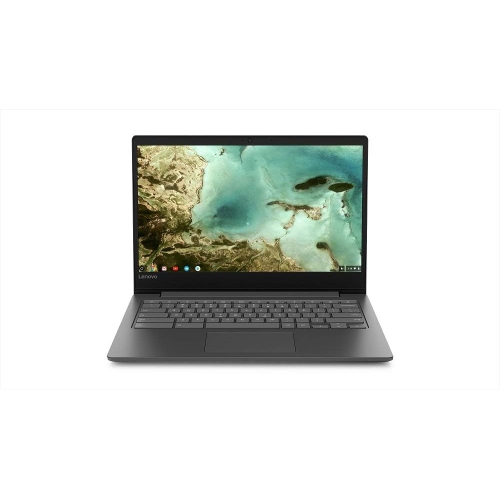
Chromebooks under $250
Simple, school-friendly laptops for writing, research, and everyday web-based coursework—priced to stay under $250.
Tablets under $250
Lightweight screens for reading, note-taking, and streaming—easy to toss in your bag and easy on your budget.
Wireless Earbuds and Headphones under $250
Stay focused in the library or on the bus with wireless audio that’s ready for lectures, playlists, and calls.
Keyboards and Mice for School Setups
Dial in a more comfortable study station—great for dorm desks, shared spaces, and long writing sessions.
USB Drives and Portable Storage for Assignments
Move files between devices, keep class projects organized, and back up your work with grab-and-go storage.
Webcams for Online Classes
Look and sound clear in virtual lectures, group projects, and interviews with easy plug-and-play webcams.
Tips
- Start with what school requires: check your program’s OS and app needs before choosing a Chromebook, tablet, or laptop.
- Prioritize the basics: a reliable device, comfortable audio for lectures, and enough storage (or a USB drive) for files and backups.
- Look at ports before you buy—USB-C vs USB-A can determine whether you’ll also need an adapter for your flash drive, mouse, or headset.
- For shared spaces, consider earbuds with a good mic (or a separate webcam with built-in mics) to keep calls clear.
- If you’re shopping Open Box or refurbished, review condition notes and warranty details so you know what to expect.
- Choose the right screen size for your day: smaller tablets are great for reading on the go; larger screens help with multitasking.
- Plan your power: grab a charging cable or compact charger so you’re not hunting for outlets between classes.
Frequently Asked Questions
Focus on the essentials you’ll use every day: an entry-level Chromebook or tablet for assignments, wireless earbuds for lectures, and a few key add-ons like a mouse, USB drive, or webcam for online classes.
They can be a smart way to stretch your budget—especially for Chromebooks and tablets. Check the listed condition, included accessories (like chargers), and warranty details before you buy.
Chromebooks are great for typing, web-based coursework, and Google apps with a keyboard and trackpad built in. Tablets are ideal for reading, note-taking with compatible accessories, and portable study sessions. If you’ll write lots of essays, a Chromebook is often the easier pick.
A comfortable mouse, a dependable keyboard (or combo), and a USB drive for quick file transfers are the top upgrades. If you’ll be on video calls, add a webcam or choose earbuds with a strong mic.
Pick one main device first, then add only what solves a real need (like audio for lectures or storage for projects). Bundling basics—like a keyboard and mouse combo—can also help keep costs down.
Some products may be subject to EHF depending on your province. Learn more about EHFs.